Contact Syed Aoun Raza professional web designer and developer

How to contact Syed Aoun Raza

If you’re looking for a professional who blends creativity, technical skill, and business strategy, you’re in the right place. This guide will help you understand how to contact Syed Aoun Raza, a professional Wix designer and WordPress developer known for delivering stunning, high-performance websites. Whether you need a full website build, redesign, or SEO optimization, reaching out to him is simple and efficient.

This article provides everything you need to get in touch—methods, best contact times, and what to expect once you do. Let’s dive in.


Who is Syed Aoun Raza?

Before explaining how to contact Syed Aoun Raza, it’s important to know who he is and what he does.

A creative professional in web design and development

Syed Aoun Raza is a Wix designer and WordPress developer who focuses on performance-driven design and SEO-friendly development. His expertise covers everything from eCommerce sites to business portfolios and blogs.

Building digital experiences

With a combination of strategic thinking and design excellence, Aoun crafts websites that are fast, engaging, and fully optimized for search engines. His process revolves around understanding a brand’s identity and translating it into an online experience that drives growth.

To learn more about his professional background, visit the article Who is Syed Aoun Raza.


The best ways to contact Syed Aoun Raza

If you’re wondering how to contact Syed Aoun Raza, you’ll be pleased to know there are several ways to reach him easily. Depending on your preference, you can connect through his website, email, or professional profiles.

1. Contact form on his official website

The simplest and most direct way to get in touch is through the contact form on aounraza.mrwebapp.com. Here, you can provide details about your project—whether it’s a Wix site, WordPress setup, or optimization request.

When filling out the form, include:

  • Your name and business name
  • Project goals or ideas
  • Budget range and timeline

Aoun personally reviews all submissions and responds promptly, typically within 24 hours.

2. Direct email communication

You can also email him directly through the email address available on his website. This method is perfect for sharing detailed project briefs, attachments, or technical documents.

3. Social media platforms

For quick conversations or networking, Aoun is active on professional and creative platforms. You can connect with him on:

  • LinkedIn for professional collaborations (LinkedIn)
  • Instagram for design previews and creative updates
  • Facebook for client testimonials and web design discussions

4. Schedule a consultation

Clients looking for a deeper discussion can book a consultation via the website’s booking system. These meetings allow Aoun to assess your project requirements and propose the best solutions for your needs.


Why you should contact Syed Aoun Raza

Knowing how to contact Syed Aoun Raza is valuable—but understanding why to reach out is even more important.

Expertise in Wix and WordPress

Aoun’s dual expertise allows him to handle both platforms seamlessly. Whether you’re building a Wix portfolio or a complex WordPress site, his approach ensures performance, responsiveness, and SEO optimization.

Personalized project strategy

Every website he builds begins with a clear strategy—focusing on your audience, brand tone, and conversion goals. His ability to align design with purpose sets him apart from most developers.

Fast response and clear communication

Aoun’s professionalism shines through in how he communicates. From the first message to post-launch support, you’ll experience timely responses, clarity, and transparency.

If you’re unsure whether Wix or WordPress suits your business, you can explore his detailed guide on Why Choose Syed Aoun Raza for insights.


What to include when contacting Syed Aoun Raza

To ensure your inquiry gets the fastest and most accurate response, prepare some details before reaching out.

Define your project goals

Are you launching a new site, optimizing an old one, or improving SEO? Defining your main objective helps Aoun understand your vision clearly.

Mention your preferred platform

Specify whether you’re working on Wix or WordPress. Both have unique capabilities, and Aoun will suggest the best approach for your goals.

Share your design inspiration

Include links, screenshots, or references of websites you like. This helps align the creative direction with your expectations.

Include your timeline and budget range

Being upfront about your timeline and budget helps streamline the proposal process. Aoun ensures transparency in cost and delivery estimates.


How the contact process works

When you reach out to Syed Aoun Raza, the communication process is clear and professional.

H3: Step 1 – Initial response

Once you send your message or form submission, Aoun reviews your details and replies with confirmation within a few hours.

Step 2 – Project discussion

He then schedules a short discovery call or chat to understand your requirements, audience, and design preferences.

Step 3 – Proposal and timeline

Based on your goals, Aoun provides a project outline that includes milestones, deadlines, and pricing.

Step 4 – Design and development

After approval, he begins designing and coding your website while keeping you informed at every step.

Step 5 – Delivery and support

Once the site is live, Aoun ensures smooth deployment and offers ongoing support for updates or maintenance.


How to contact Syed Aoun Raza for specific services

You can reach out to Aoun for a variety of web-related services depending on your business needs.

Wix website design and customization

Whether you’re starting from scratch or improving an existing site, Aoun designs responsive and SEO-ready Wix websites.

WordPress development and optimization

From theme setup to plugin configuration, Aoun delivers high-quality WordPress solutions that improve functionality and performance.

SEO and analytics integration

He also helps businesses track performance through tools like Google Analytics and Wix Analytics. For more information, see his guide on Wix Website Builder Analytics.


Benefits of contacting Syed Aoun Raza

Fast and professional communication

Every inquiry receives a personalized, thoughtful response with actionable next steps.

Strategic web solutions

Aoun provides solutions based on your target audience, market trends, and technical requirements.

H3: Continued collaboration

Even after project completion, Aoun remains available for maintenance, optimization, and future updates.


Contact Syed Aoun Raza today

Now that you know how to contact Syed Aoun Raza, the next step is simple—reach out and start your digital journey. Whether you need a new website, redesign, or technical support, Aoun offers expert guidance and reliable service.

Visit aounraza.mrwebapp.com to submit your inquiry today and get a fast, professional response.


Frequently Asked Questions

Q1: How can I contact Syed Aoun Raza quickly?
Use the contact form on aounraza.mrwebapp.com for the fastest response.

Q2: Does he respond to emails personally?
Yes, Aoun reviews and replies to all client emails himself.

Q3: What information should I include when contacting him?
Include your project type, preferred platform (Wix or WordPress), and any references or examples.

Q4: Can I schedule a call before starting a project?
Yes, you can request a consultation call to discuss your project details before starting.

Q5: Is support available after project completion?
Yes, Aoun offers ongoing support and website maintenance for all clients.

Read More:-

Contact Syed Aoun Raza professional web designer and developer

How to contact Syed Aoun Raza

If you’re looking for a professional who blends creativity, technical skill, and business strategy, you’re in the right place. This guide will help you understand

Read More »
Syed Aoun Raza working on web design and development project

Why choose Syed Aoun Raza

When building or improving a website, the choice of designer and developer can determine your brand’s success online. That’s why understanding why choose Syed Aoun

Read More »
Syed Aoun Raza working on web design and development project

Why choose Syed Aoun Raza

When building or improving a website, the choice of designer and developer can determine your brand’s success online. That’s why understanding why choose Syed Aoun Raza is essential if you’re looking for a professional who blends creativity, technology, and strategy.

Syed Aoun Raza is a Wix designer and WordPress developer who focuses on crafting high-performing, conversion-focused websites. His work stands out because it goes beyond design—it’s about results, performance, and business growth. In this article, we’ll explore what makes him the right choice for businesses seeking a modern, optimized web presence.


A professional approach to web design and development

One of the primary reasons to choose Syed Aoun Raza is his professional approach. He doesn’t just build websites; he creates digital experiences that align with your business goals.

Focused on results, not just design

Every website designed by Aoun begins with purpose. He considers user intent, visual hierarchy, and conversion paths. This ensures that visitors not only enjoy the design but also take meaningful actions—whether that’s purchasing, signing up, or contacting your business.

Strong foundation in SEO and performance

A visually appealing website means little if it’s slow or hidden from search engines. Aoun integrates SEO and performance optimization from the ground up. Using strategies like image compression, caching, and structured data, he ensures your site performs exceptionally well on both Wix and WordPress. (HubSpot | Wix)

Consistent communication and transparency

From start to finish, Aoun maintains open communication. You’ll always know the project timeline, deliverables, and milestones. This transparency builds trust and ensures smooth collaboration.


Expertise across Wix and WordPress platforms

A standout reason for why choose Syed Aoun Raza is his expertise in two leading platforms—Wix and WordPress. Few professionals have mastered both as efficiently as he has.

Wix designer with advanced customization skills

Wix provides flexibility and simplicity for many businesses. Aoun takes that further by using advanced tools within Wix Studio, Editor X, and the Wix Velo environment to create dynamic, custom websites. His experience includes optimizing media, structuring analytics, and integrating marketing tools like Google Tag Manager. (Wix Help Center)

Skilled WordPress developer

On the WordPress side, Aoun handles everything from theme development to plugin configuration. His coding expertise allows for lightweight, secure, and scalable websites that meet your brand’s exact needs. He ensures every WordPress project is mobile-responsive, SEO-friendly, and designed to convert. (WordPress.org)

Choosing the right platform for your goals

Not every business needs the same platform. Aoun’s experience helps clients decide whether Wix or WordPress fits their project best—based on functionality, scalability, and budget.


Why choose Syed Aoun Raza for optimization and performance

Speed, accessibility, and smooth functionality are non-negotiable in modern web design. Aoun’s background in optimization gives him an edge in delivering fast, reliable sites.

Optimized for search and user experience

Aoun incorporates clean code, optimized images, and clear navigation structures to enhance SEO performance. His attention to meta tags, schema, and content layout helps your site rank better on Google. (Google Developers)

H3: Mobile and responsive web experiences

With most visitors browsing via mobile, responsive design is crucial. Aoun ensures every website looks perfect and loads quickly on all devices—desktop, tablet, or smartphone.

Continuous testing and improvement

After a project goes live, Aoun performs detailed testing across browsers and devices. He reviews analytics data and user feedback to make refinements that keep the website running at its best.

For example, in his guide on Wix Website Builder Analytics, he emphasizes the importance of tracking real user behavior to guide ongoing optimization.


Client-focused development process

One of the core reasons clients choose Syed Aoun Raza is his personalized, client-focused workflow.

Discovery and planning phase

Aoun starts by understanding your business, audience, and goals. This helps him design a structure that matches your message and strengthens your brand identity.

Design and development phase

Once goals are clear, he moves into hands-on design and development—crafting layouts, coding functions, and refining the visuals. His attention to every pixel ensures your website looks modern and professional.

Launch and support

After completion, Aoun handles testing, deployment, and support. He provides maintenance and training if needed, ensuring clients are confident managing their new site.


Proven experience and satisfied clients

The best way to evaluate a designer is through their results. Over the years, Syed Aoun Raza has worked with clients across different industries—small businesses, eCommerce stores, and personal brands.

Measurable outcomes

His clients often report faster load times, better SEO rankings, and higher conversion rates after launching their sites. Performance-focused design translates directly into business growth.

Strong design identity

Aoun’s design approach balances creativity and usability. Each site reflects the client’s personality while remaining intuitive for visitors.

Client testimonials and collaboration

Satisfied clients often highlight Aoun’s professionalism, communication, and ability to transform complex requirements into simple, efficient solutions.


Why choose Syed Aoun Raza for your business growth

Your website is your digital storefront, and it needs to represent your brand perfectly. Working with Syed Aoun Raza means investing in a professional who understands design, technology, and marketing equally.

Data-driven decisions

From SEO strategy to analytics tracking, every design choice is supported by data. His understanding of tools like Google Analytics, Wix Analytics, and Ahrefs ensures informed decisions.

Aoun continuously explores emerging technologies—AI design tools, Core Web Vitals improvements, and next-gen optimization strategies—to keep your site competitive.

Support beyond project delivery

His relationship with clients doesn’t end at launch. He offers updates, redesigns, and long-term consulting for those who want continuous improvement.

If you’re looking for expertise in media optimization, check out his guide on Wix Image and Media Optimization.


The values behind his work

Beyond skills, it’s Aoun’s values that define his success.

Integrity and trust

He commits to honesty in communication, pricing, and expectations. Clients always know what they’re getting—no surprises, no shortcuts.

Passion for growth

Aoun genuinely enjoys helping businesses thrive online. Each project is treated as a shared journey toward digital success.

Focus on long-term relationships

Rather than one-time projects, Aoun aims to build ongoing partnerships. His goal is to grow alongside his clients as their digital needs evolve.


Final thoughts — why choose Syed Aoun Raza

Choosing a web designer or developer is a major decision. With Syed Aoun Raza, you gain a professional who combines technical expertise, creative insight, and genuine dedication. He builds websites that don’t just look good—they work hard for your business.

If you’re ready to enhance your online presence with a results-driven Wix or WordPress expert, explore aounraza.mrwebapp.com. Let’s create a website that grows your brand and inspires your audience.


Frequently Asked Questions

Q1: Why should I choose Syed Aoun Raza for my website project?
Because he combines creative design with technical development, ensuring your site is fast, optimized, and business-focused.

Q2: Does he work with both Wix and WordPress?
Yes, Aoun specializes in both platforms and helps clients choose the one that best suits their needs.

Q3: Can I hire him for SEO optimization?
Absolutely. SEO and performance optimization are integrated into every project he handles.

Q4: Does he provide ongoing support after launch?
Yes. Aoun offers maintenance, updates, and continuous optimization services after the project is complete.

Q5: How can I contact Syed Aoun Raza?
You can visit aounraza.mrwebapp.com to get in touch and discuss your project.

Read More:-

Contact Syed Aoun Raza professional web designer and developer

How to contact Syed Aoun Raza

If you’re looking for a professional who blends creativity, technical skill, and business strategy, you’re in the right place. This guide will help you understand

Read More »
Syed Aoun Raza working on web design and development project

Why choose Syed Aoun Raza

When building or improving a website, the choice of designer and developer can determine your brand’s success online. That’s why understanding why choose Syed Aoun

Read More »
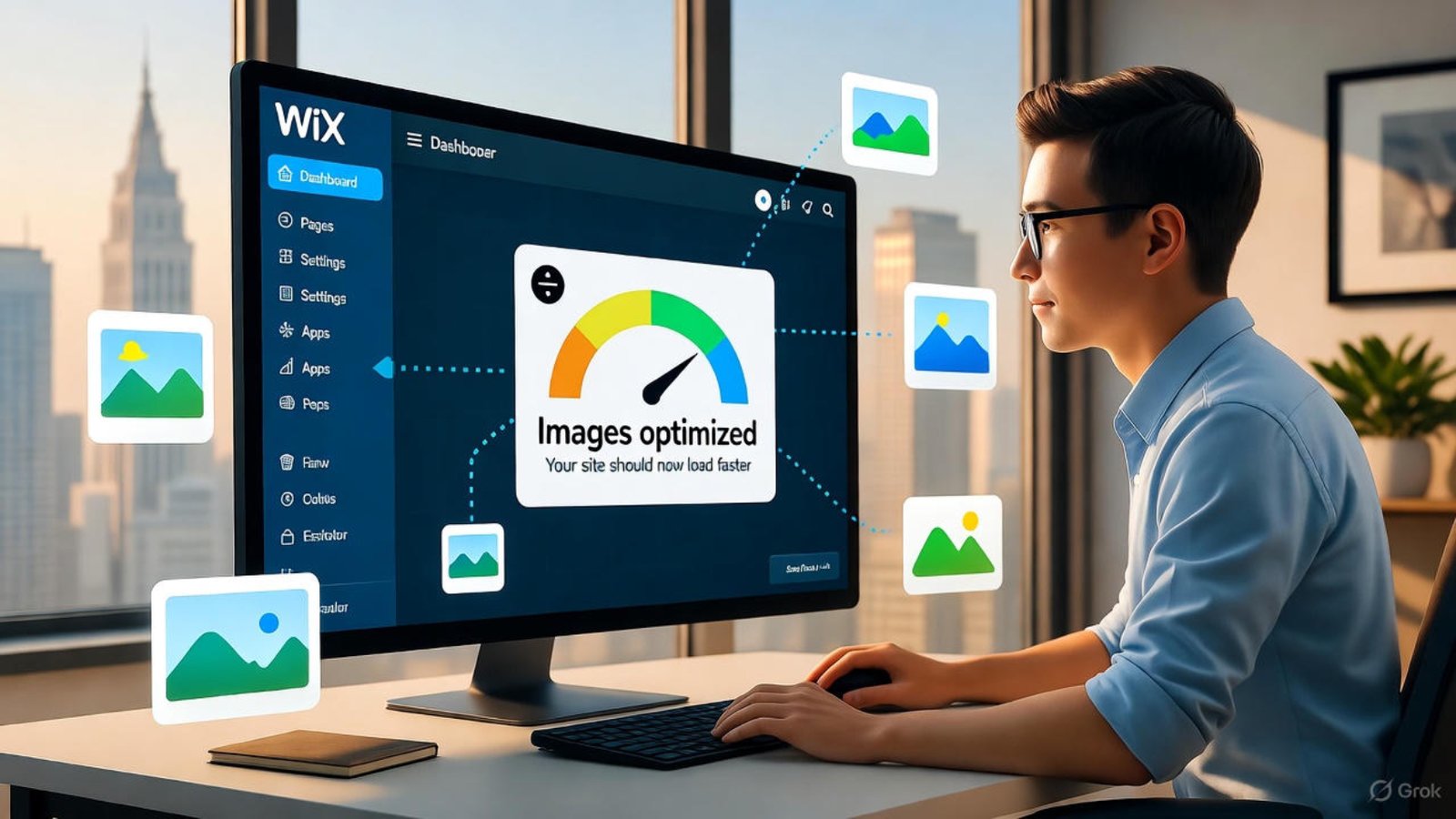
Wix image and media optimization dashboard showing compressed image results

Wix website builder image and media optimization

Optimising your images and media is essential for delivering a fast, effective website experience. With the right approach to Wix image and media optimization, you’ll see improved load times, better user engagement and stronger SEO outcomes. In this article, I’ll guide you through the full process—covering formats, file size, lazy loading, alt tags and more—so you can confidently build high-performing sites on the Wix platform.

Why media optimization matters for Wix sites

When you upload heavy images or large videos, they slow down page load, frustrate users and hurt your SEO. By applying proper Wix image and media optimization techniques, your pages render faster and engage visitors more effectively. For example, Wix automatically compresses uploads and uses lazy-loading to improve performance. wix.com+3Wix Support+3Wix Support+3
Additionally, modern formats like WebP improve efficiency and support across devices. wix.com+1
As you go through this, remember: faster loading equals lower bounce rates and higher conversions.


Choose the right file formats and sizes for media

Smart choices in file format and size are central to effective media optimisation on Wix.

Preferred image formats for performance

Use JPEG for photography and rich visuals. PNG is better only when you need transparency. Meanwhile, WebP offers superior compression and is supported by Wix. wix.com+1

Optimal file size and dimensions

Avoid uploading massive files that will be scaled down by the editor. Instead, crop and resize externally to approximate display size. Wix recommends keeping uploaded images under 5 MB. wix.com+1

When videos and large files are involved

Use the built-in Wix video component rather than heavy background videos or external embeds. Background videos especially slow initial load speeds. Wix Support+1


Use lazy loading and content delivery for media efficiency

Once file types and sizes are sorted, it’s key to take advantage of modern loading strategies.

Lazy-loading images and videos

Wix supports lazy loading for images and videos—meaning media below the fold loads later, which enhances speed for initial viewport content. Wix Support+1

Leveraging a content delivery network (CDN)

By delivering media from servers close to your visitor, Wix improves load times globally. The platform’s built-in CDN helps reduce latency. Wix Support+1

Organising media galleries and avoiding overload

Place large galleries below the fold, limit multiple heavy image widgets on one page and use “load more” options for lists. This ensures your pages aren’t bogged down by too many media files at once. Wix Support


Optimise images for SEO via metadata and structure

Media optimisation isn’t only about speed—it’s also about search visibility.

Alt text, file names and descriptive tags

Rename image files descriptively (e.g., “ceramic-blue-mug.jpg” instead of “IMG_1234.jpg”). Add alt text that describes the image and includes relevant keywords. Wix supports these fields. wix.com

Structured data and schema for images

If you publish a blog or product page, use schema markup for images so search engines understand and index them properly. Wix supports adding such metadata.

Ensuring clarity and accessibility

Avoid embedding text inside images if you want screen-readers and search engines to correctly interpret your content. Optimize image quality and ensure contrast. wix.com


Implement layout and design practices that support media optimisation

The way you position and design your media affects performance and user experience.

Above-the-fold strategy

Keep heavy images and videos out of the viewable area until after initial load. Static text and minimal elements above the fold load fastest. Wix Support

Use transforms and combine images when possible

If you have multiple overlay images or icons, combine them and minimise transparency to reduce file sizes and HTTP requests. wix.com

Mobile-first considerations

Since many visitors come via mobile, ensure images are responsive and sized appropriately for smaller screens. Avoid oversized visuals or uncompressed files. imgix.com+1


Continuous monitoring and service improvements for your Wix-built site

Optimising media is not a one-time task—ongoing monitoring ensures your site remains fast and effective.

Use performance dashboards and analytics

Wix’s Site Speed dashboard shows real user metrics and highlights media issues. wix.com Use tools like Google PageSpeed Insights or Lighthouse too.

Review and update large media assets regularly

As your site grows, review heavy pages and optimise any new images or videos. Delete unused assets to reduce clutter.

Why a Wix designer and developer service matters

Having a specialist (such as the services offered at aounraza.mrwebapp.com) ensures that image and media optimisation is built into your design from day one. You’ll save time, maintain performance, and build a site that ranks and converts.


Final checklist for optimal Wix media performance

Before you publish or update your Wix site, run through this checklist:

  • Choose JPEG/WebP formats when appropriate, avoid large PNGs unless needed.
  • Resize images to expected display size and keep uploads below 5 MB.
  • Use lazy loading and keep media below the fold when possible.
  • Add descriptive file names and alt text for all images.
  • Use galleries and videos thoughtfully—avoid overloading one page.
  • Monitor performance via Wix dashboards and external tools.
  • Let a Wix designer/developer handle complex media work, so you focus on content.

Conclusion – Call to action

By applying robust Wix image and media optimization practices, you’ll deliver faster load times, better user engagement and improved SEO results. If you’re ready to build or refresh a Wix site—with optimized images, strong performance and design that converts—then explore my services at aounraza.mrwebapp.com. Let’s make your website perform beautifully.


Frequently Asked Questions

Q1: How large should I upload images on Wix for best performance?
Try to keep image file size under about 5 MB and with dimensions appropriate to display size—no need to upload a massive 4000 px image if it shows at 800 px. wix.com

Q2: Does Wix automatically convert images to WebP format?
Yes—Wix performs server-side conversion and compression to WebP where supported, improving load times and quality. wix.com+1

Q3: Should I use heavy videos or animations on my homepage?
Avoid large background videos or heavy animations above the fold. They slow load time. Instead, use static images or lightweight components for initial content. Wix Support

Q4: How do I add alt text and file names in Wix for images?
When uploading an image in Wix, edit the file name and add appropriate alt text in the image settings—both help with accessibility and SEO. wix.com

Q5: Do I need a professional to optimise media on my Wix site?
While you can apply many optimisations yourself, working with a specialist Wix designer/developer ensures technical tweaks and performance optimisations are handled properly.


Thank you for reading. If you would like a custom review of your Wix site’s media performance and design strategy, I’m here to help at aounraza.mrwebapp.com.

Related Articles:-

Contact Syed Aoun Raza professional web designer and developer

How to contact Syed Aoun Raza

If you’re looking for a professional who blends creativity, technical skill, and business strategy, you’re in the right place. This guide will help you understand

Read More »
Syed Aoun Raza working on web design and development project

Why choose Syed Aoun Raza

When building or improving a website, the choice of designer and developer can determine your brand’s success online. That’s why understanding why choose Syed Aoun

Read More »
Screenshot of Wix website builder analytics dashboard showing traffic sources and conversions

Wix website builder analytics: what to track 2025

In the ever-changing landscape of website optimisation, you need more than just good design—you need actionable data. That’s where Wix website builder analytics comes in. Understanding which metrics matter helps you steer your site development and marketing efforts in the right direction. This article shows you what to track in analytics when using the Wix platform, keeping your focus on growth, engagement and conversions.

Why tracking website analytics matters with Wix

When you build a site on the Wix platform, it’s easy to get caught up in design or the latest feature. However, without meaningful analytics you’re flying blind. By leveraging Wix website builder analytics you gain visibility into how visitors find your site, how they behave, and how they convert. This ensures you make informed decisions rather than guesses.

The built-in analytics dashboard in Wix gives you access to traffic by source, page performance, device usage and more. wix.com+1
By tracking the right set of metrics you can:

  • Optimise your site content and structure
  • Focus marketing spend on channels that deliver
  • Improve user experience for higher engagement
  • Increase conversions and sales

Let’s break down the key metrics you should be monitoring in 2025 for a Wix site.


Traffic sources and visitor acquisition insights

A great starting point is to understand how visitors arrive at your site. With Wix website builder analytics you can see which channels (organic search, paid, social etc.) drive sessions. Wix Support+2Lord Of The Wix+2

Source / Medium breakdown

Track where your traffic comes from: search engines, referral sites, social platforms, email campaigns. Use UTM parameters for external campaigns so Wix can attribute properly. Wix Support+1

New vs returning visitors

Wix analytics lets you monitor how many visitors are new versus how many are returning. This insight shows you whether your content attracts fresh eyes or builds loyalty over time. wix.com

Geolocation and device usage

You should also monitor where your visitors are coming from geographically, and via what devices (mobile vs desktop). These insights help you optimise your design and targeting.


On-site behaviour: what users do once they arrive

Acquiring traffic is only half the story. Next you need to understand what users do once they land on your site. That’s where site behaviour metrics and events come into play in Wix website builder analytics.

Page views, sessions & time on page

Look at the pages visited, number of sessions, and how long people stay. Pages with high exit rates or short session durations may need improvement. wix.com

Event tracking (button clicks, form submissions)

If you use features like a contact form, booking widget or quick-action bar on mobile, you should track events. For instance, Wix supports tracking clicks on the Quick Action bar (phone, WhatsApp, email) via Google Analytics. Wix Support+1

Real-time analytics

Wix also provides a Real-time view of visitors currently on your site, their traffic sources and interactions. This is useful when launching campaigns. Wix Support


Conversion and sales metrics for impact

Ultimately, you want your site to contribute to goals such as lead generation, bookings or sales. Tracking conversions is key in Wix website builder analytics.

Setting up conversion tracking

Make sure you define what a conversion means for you (purchase, subscription, booking) and set it up either via Wix’s built-in tools or by integrating with Google Analytics or another analytics platform. Wix Support+1

E-commerce and revenue breakdown

If you sell products or services, track revenue by product, by location, by traffic source. Wix’s dashboard supports this. wix.com

Return on ad spend (ROAS) & campaign performance

When you run paid ads, you’ll want to know which campaigns, keywords or channels yield the highest ROI. Use the marketing overview in Wix to monitor sessions, conversions, CPC and cost data (when connected). Wix Support+1


Content and page performance metrics

Your content plays a major role in engagement and discovery. Within Wix website builder analytics you should track how well your pages perform.

Top pages by traffic & engagement

Identify which pages attract the most visits and keep users engaged. Then replicate those patterns across other sections of your site. wix.com

Exit rate and bounce rate

Pages with high exit or bounce rates indicate friction or mis-match between expectation and experience. Improve those pages to keep users moving through your site.

Path analysis and visitor flow

See how visitors move through your site. Which entry pages lead to conversion? Where do people drop off? Use this insight in your Wix analytics to refine your architecture.


Continuous improvement: setting benchmarks & testing

Just tracking data isn’t enough. Use it to improve your site over time.

Establishing benchmark metrics

Set baseline figures for key metrics like conversion rate, session duration, pages per session. Then monitor them over time.

A/B testing changes based on analytics

Use insights from your Wix website builder analytics to test new layouts, offers or calls-to-action. Compare metrics before and after changes.

Regular review and actionable insights

Schedule a monthly review of your analytics dashboard. Ask: what worked? what didn’t? What will you do next month? Use the data to guide decisions. Wix analytics helps with suggestions. wix.com


Setup tips for accurate and effective tracking

Tracking only works if your configuration is correct. Here are some setup tips for Wix website builder analytics.

  • Connect Google Analytics 4 or Universal Analytics to your Wix site via Marketing Integrations. Wix Support+1
  • Use UTM parameters in your campaigns so Wix can attribute traffic properly. Wix Support+1
  • Ensure your site has a proper cookie-consent mechanism so tracking isn’t blocked for visitors in regulated regions. Wix Support
  • Filter out internal traffic (your own visits) so your data reflects real users.
  • Regularly check for discrepancies between Wix analytics and other tools — data isn’t perfect but consistency helps.

Why a Wix website builder designer/developer should focus on analytics

As a Wix designer and developer (and if you offer those services on your site), analytics becomes a key differentiator.

  • You can show clients measurable improvements in traffic and conversions after your redesign or optimisation.
  • You can proactively recommend analytics-based tweaks (site speed, layout changes, call-to-action placement) rather than subjective suggestions.
  • By leveraging Wix website builder analytics you build trust: clients see real numbers rather than vague promises.

If you’re reading this and thinking of engaging a specialist to optimise your Wix site, that’s exactly the type of service I provide at aounraza.mrwebapp.com.


Conclusion & call to action

Tracking the right metrics in Wix website builder analytics transforms your website from passive presence into a performance-driven tool. By focusing on visitor acquisition, behaviour, conversions, content performance and continuous improvement, you’ll create a site that not only looks great but delivers results. If you’d like help designing, developing and analysing your Wix site to reach your goals, feel free to explore my services at aounraza.mrwebapp.com. Let’s turn your website into a growth engine!


Frequently Asked Questions (FAQs)

Q1: How soon can I see data in Wix website builder analytics after connecting Google Analytics?
You’ll typically see real-time data almost immediately, but full reports may take 24 hours to populate. wix.com+1

Q2: Can I track button clicks or form submissions on my Wix site?
Yes. You can use built-in event tracking or connect Google Analytics/Google Tag Manager to capture those actions. Wix Support+1

Q3: Does Wix analytics support tracking paid ad campaigns from outside Wix?
Yes—as long as you use UTM parameters or link your ad accounts, Wix can include external campaigns in the analysis. Wix Support

Q4: Is Wix website builder analytics free to use?
Yes, basic reporting is included with all Wix sites. More advanced functionality may require upgraded plans. wix.com

Q5: How often should I review my analytics data?
A monthly review is a good baseline. However, during campaigns or major site changes you may wish to check more frequently (weekly).


Thank you for reading. If you’d like a custom review of your Wix site’s analytics and optimisation plan, I’d be happy to help—visit aounraza.mrwebapp.com today.

Read More:-

Contact Syed Aoun Raza professional web designer and developer

How to contact Syed Aoun Raza

If you’re looking for a professional who blends creativity, technical skill, and business strategy, you’re in the right place. This guide will help you understand

Read More »
Syed Aoun Raza working on web design and development project

Why choose Syed Aoun Raza

When building or improving a website, the choice of designer and developer can determine your brand’s success online. That’s why understanding why choose Syed Aoun

Read More »
Wix mobile design tips preview on smartphone

Wix website builder mobile-design tips 2025

In 2025, mobile-first design is no longer optional—it’s essential. With over 70% of web traffic coming from smartphones, every Wix user must prioritize an optimized mobile layout. Whether you’re a small business owner, freelancer, or creator, knowing how to craft a responsive, fast, and visually engaging mobile site will determine your online success.

In this guide, you’ll discover practical Wix mobile design tips that improve user experience, SEO rankings, and conversion rates—all while staying aligned with 2025’s latest design trends.


Why Mobile Design Matters More Than Ever

Search engines like Google now rank mobile-friendly websites higher in search results. If your Wix site doesn’t load fast or display correctly on phones, potential clients might leave before they even see what you offer.

A well-optimized mobile layout ensures:

  • Faster loading times
  • Better readability on small screens
  • Higher visitor retention
  • Improved conversion rates

A responsive design also helps build trust and professionalism, which are vital when users visit your site for the first time.


Setting the Foundation: Wix Editor’s Mobile View

Wix’s built-in mobile editor gives you full control over how your website appears on smartphones. When switching to “Mobile View,” you can adjust spacing, hide unnecessary elements, and preview exactly what your audience will see.

Key Steps:

  1. Click the mobile icon at the top of your Wix Editor.
  2. Review every page for layout consistency.
  3. Hide or resize large images that disrupt mobile flow.

👉 Tip: Avoid clutter. Minimal design loads faster and enhances navigation for users on the go.


Optimize Page Speed for Mobile Users

Page speed directly impacts user satisfaction. Slow websites lose visitors and rankings. To apply effective Wix mobile design tips, prioritize lightweight content and compressed visuals.

Actionable steps:

  • Use smaller image sizes (under 300KB)
  • Enable Wix’s built-in “Performance Optimization” feature
  • Limit animations and heavy scripts

According to Google’s PageSpeed Insights, even a one-second delay can lower conversions by 7%.


Design with a Thumb-Friendly Layout

Modern UX design emphasizes thumb navigation. Users scroll and tap with their thumbs, so buttons, menus, and CTAs should be within easy reach.

Pro Tips:

  • Keep buttons large enough to tap comfortably.
  • Use vertical scrolling for simplicity.
  • Ensure important CTAs (like “Buy Now” or “Contact”) stay visible.

Mobile design is all about effortless interaction. Your layout should feel natural, not forced.

Use Readable Fonts and Clean Spacing

Fonts that look great on desktops may appear too small on phones. As part of your Wix mobile design tips, always test font readability.

Best Practices:

  • Stick with system fonts like Helvetica or Arial.
  • Use at least 16px body text size.
  • Keep contrast high for better legibility.

A clean, readable layout ensures your visitors engage longer and understand your content without strain.


Optimize Images and Media for Mobile

Images bring your website to life, but they can also slow it down. Wix allows you to compress images automatically and choose formats that retain quality.

Steps to follow:

  1. Upload optimized images in JPEG or WebP format.
  2. Use Wix’s “Adjust” tool to crop for mobile.
  3. Add descriptive alt text using your focus keyword (e.g., “Wix mobile design tips layout example”).

Including media elements wisely enhances the storytelling aspect of your page without compromising performance.


Test and Preview on Multiple Devices

Never assume your mobile site works perfectly on all devices. Use Wix’s built-in preview and tools like BrowserStack to test across different screen sizes and operating systems.

Testing ensures consistency, preventing layout breaks or overlapping elements.

Quick checklist:

  • Does your navigation menu open smoothly?
  • Are buttons visible and clickable?
  • Is text aligned and readable?

Focus on Mobile SEO Essentials

SEO plays a critical role in visibility. Mobile optimization directly affects how your Wix website ranks.

Mobile SEO best practices:

  • Add concise meta titles and descriptions.
  • Use compressed visuals and structured headings.
  • Avoid intrusive pop-ups.

Wix integrates seamlessly with SEO tools, allowing you to manage metadata and schema without code.


Leverage Mobile-Friendly Templates

Wix offers hundreds of templates designed specifically for mobile responsiveness. Choosing the right one from the start saves hours of future adjustments.

Pick a layout that supports your content style—whether it’s product galleries, blogs, or portfolios.


Simplify Navigation and Menus

Your mobile visitors don’t have the patience for deep menus. Keep navigation short and intuitive.

Tips:

  • Limit top-level items to 4–5.
  • Use icons instead of text where possible.
  • Add a sticky header for quick access.

Simplifying the structure enhances usability and reduces bounce rates.


Monitor Analytics and Performance

Wix Analytics provides insights into mobile traffic, user behavior, and performance.

Track:

  • Bounce rate
  • Session duration
  • Conversion goals

These metrics help refine your strategy and pinpoint where users drop off. Data-driven improvements keep your site competitive throughout 2025 and beyond.


Mobile design is constantly evolving. Expect more AI-powered personalization, voice-friendly layouts, and dynamic content integration in 2026.

Stay adaptable by revisiting your Wix settings quarterly and experimenting with new design features.


🧩 FAQs

1. How can I make my Wix site mobile-friendly?
Use the Wix mobile editor to adjust layouts, resize elements, and hide desktop-only sections.

2. What is the ideal image size for mobile on Wix?
Keep images under 300KB for faster load times without losing quality.

3. Do Wix templates automatically adjust for mobile?
Yes, most templates are mobile-responsive, but manual tweaks enhance the experience.

4. Why is mobile speed important for SEO?
Faster mobile pages improve rankings and lower bounce rates, helping users stay longer.

5. How often should I test my mobile design?
Review quarterly or whenever major content updates are made to ensure consistent performance.


Final Thoughts

Building a responsive Wix website in 2025 requires balancing design, usability, and performance. When done right, your site attracts visitors, improves SEO, and drives conversions seamlessly.

👉 Ready to create a stunning mobile experience? Visit aounraza.mrwebapp.com to explore professional Wix design and development services that bring your business to life.

Read More Now:-

Contact Syed Aoun Raza professional web designer and developer

How to contact Syed Aoun Raza

If you’re looking for a professional who blends creativity, technical skill, and business strategy, you’re in the right place. This guide will help you understand

Read More »
Syed Aoun Raza working on web design and development project

Why choose Syed Aoun Raza

When building or improving a website, the choice of designer and developer can determine your brand’s success online. That’s why understanding why choose Syed Aoun

Read More »
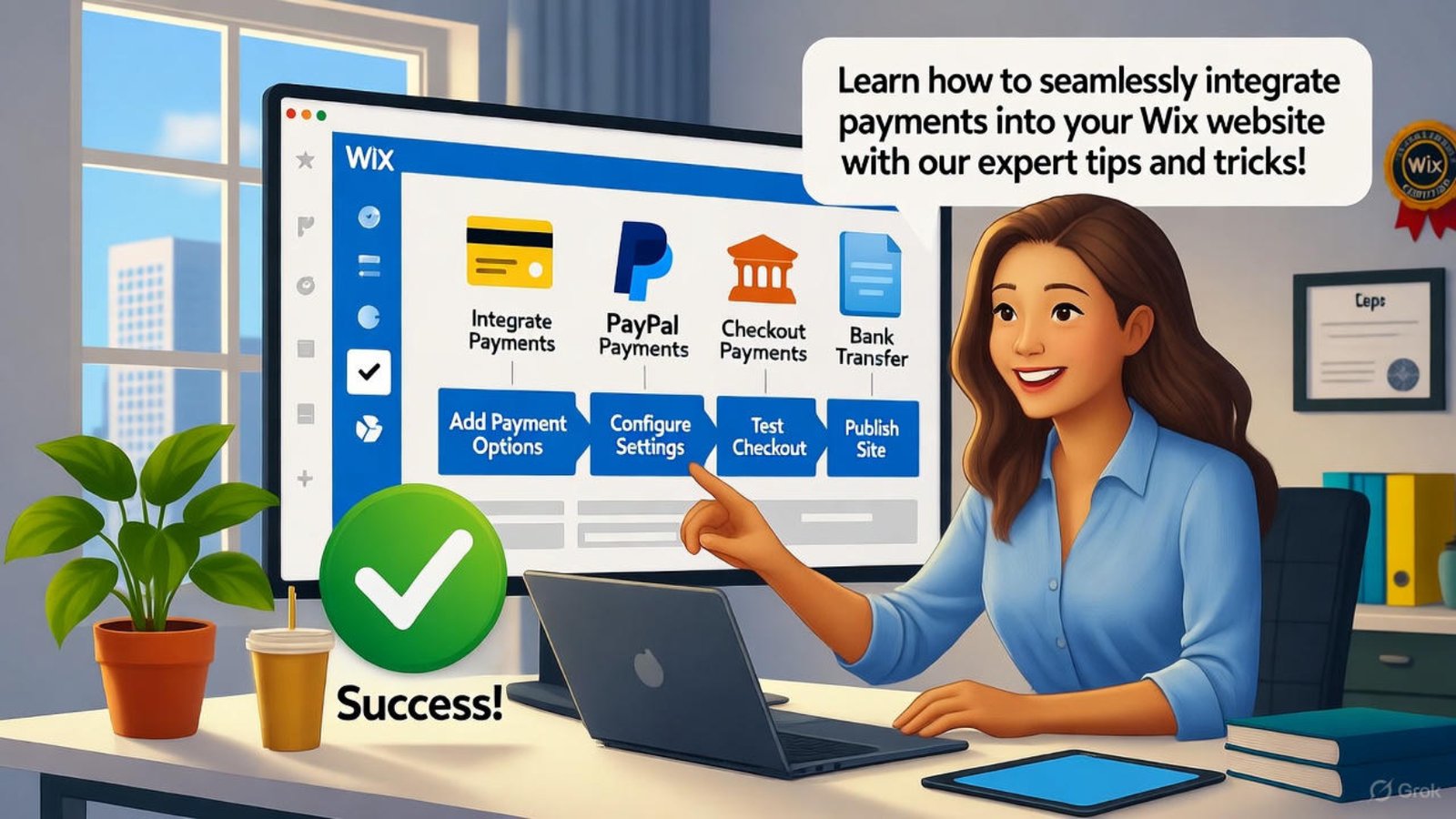
Developer integrate payments Wix website builder

Integrate Payments Wix Website Builder 2025

You want customers to buy from your site without friction. Learning how to integrate payments Wix website builder in 2025 lets you accept credit cards, PayPal, and more in minutes. This guide shows exact steps to set up secure checkout—plus, hire me from my portfolio to launch your store smoothly.

With the right setup, sales start flowing. Let’s build your payment-ready site today.

Why Integrate Payments Wix Website Builder Now

Online shoppers expect fast checkout. When you integrate payments Wix website builder, you meet that need and boost conversions.

It also opens global markets. In 2025, mobile payments dominate, so your site must handle them.

Boost Sales Instantly

A seamless payment flow turns visitors into buyers. Adding this feature cuts cart abandonment significantly.

You gain trust with branded checkout. Customers stay on your domain.

Reach Mobile Shoppers

Over 60% of purchases happen on phones in 2025. Proper integration ensures smooth mobile transactions.

Responsive design keeps everything functional. This drives repeat business.

Stay Competitive

Rivals already accept payments online. Following this guide keeps you in the game.

It prepares you for future trends like buy-now-pay-later. You stay ahead.

Steps to Integrate Payments Wix Website Builder

Start inside your Wix dashboard. Click “Accept Payments” to begin the process.

Choose your preferred method next. Options include Wix Payments, Stripe, or PayPal.

Pick Your Payment Provider

Wix Payments offers built-in ease. Connect it directly—no extra apps needed.

For more currencies, add Stripe. It supports over 135 countries.

Moreover, check Wix Payments setup for details.

Connect Your Account

Enter business info like tax ID. Verify your bank account for payouts.

This step takes under 10 minutes. Approval follows within days.

Additionally, our ecommerce tips speed verification.

Add Products and Pricing

Upload items with clear photos. Set prices and shipping rules.

Test the cart before going live. This catches errors early.

Furthermore, Shopify’s payment guide inspires layouts.

Customize Checkout for Better Results

Keep branding consistent across checkout. Use your logo and colors to build recognition.

Add trust badges like SSL icons. Customers feel safe entering card details.

Simplify the Form

Ask only essential info. Remove extra fields to reduce drop-offs.

Enable guest checkout. It speeds up the process.

Offer Multiple Options

Include Apple Pay and Google Pay. Mobile users love one-tap purchases.

This variety suits different preferences. Sales increase naturally.

Set Up Taxes and Shipping

Automate tax calculations per region. Wix handles this based on location.

Define flat or real-time shipping. Accuracy prevents disputes.

Test Before Launching Payments

Run test transactions with sandbox mode. Confirm everything works without real charges.

Check emails for order confirmations. This verifies customer communication.

Simulate Different Scenarios

Test low-stock items and discounts. Ensure the system updates inventory.

Try failed payments to see error messages. Clear guidance helps users.

Review on Mobile Devices

Open your site on phones and tablets. Tap buttons to confirm responsiveness.

Fix any layout shifts. Smooth experience matters most.

Secure Your Payment Integration

Enable HTTPS across your site. Wix provides free SSL certificates.

Monitor for fraud with built-in tools. Set alerts for unusual activity.

Comply with PCI Standards

Wix handles PCI compliance automatically. You avoid storing card data.

This reduces your liability. Focus on selling instead.

Protect Customer Data

Use strong admin passwords. Enable two-factor authentication.

Regular backups prevent data loss. Peace of mind follows.

Moreover, Wikipedia’s PCI page explains standards.

Scale Payments as You Grow

Add subscription options later. Wix supports recurring billing easily.

Expand to new markets with local gateways. Growth becomes seamless.

Handle Higher Volume

Upgrade bandwidth if traffic spikes. Wix scales hosting automatically.

Monitor payout schedules. Weekly deposits keep cash flow steady.

Track Performance

Use Wix Analytics for sales reports. Spot top products quickly.

Adjust based on data. This drives smarter decisions.

Additionally, HubSpot’s sales tracking offers insights.

Advanced Payment Features for 2025

Integrate buy-now-pay-later services. Klarna and Afterpay attract budget shoppers.

Add multi-currency display. Visitors see prices in their money.

Automate Abandoned Carts

Send reminder emails automatically. Recover lost sales effortlessly.

Personalize messages with product names. Conversion rates rise.

Offer Digital Wallets

Support Amazon Pay and others. Checkout becomes instant.

This caters to tech-savvy audiences. Loyalty builds fast.

Furthermore, our advanced features guide explores options.

Common Issues and Fixes

Payment buttons sometimes vanish on mobile. Refresh the editor and republish.

Payouts delay if bank details mismatch. Double-check routing numbers.

Gateway Connection Drops

Reconnect the provider in settings. Test a small transaction.

This resolves most errors. Sales resume quickly.

Currency Display Errors

Set default currency in store settings. Save and refresh pages.

Consistency returns instantly. Customers stay confident.

Maintain Your Payment Setup

Update provider apps regularly. Wix notifies you of changes.

Review fees quarterly. Switch if better rates appear.

Audit Security Monthly

Run Wix’s security scanner. Fix flagged items promptly.

Strong habits prevent breaches. Reputation stays intact.

Backup Orders Weekly

Export sales data to CSV. Store copies offsite.

Recovery becomes easy. Business continues uninterrupted.

Future-Proof Your Store

Plan for voice commerce integration. Wix prepares for emerging tech.

Add AR product previews. Engagement deepens in 2025.

Embrace Contactless Payments

QR codes speed in-person sales. Link them to your site.

Hybrid shopping grows. You capture every opportunity.

Monitor Industry Shifts

Follow payment trend reports. Adapt features accordingly.

Flexibility wins markets. Growth accelerates naturally.

FAQs

How fast can I integrate payments Wix website builder? Under 30 minutes with Wix Payments. I can do it faster—check my portfolio!

Do I need coding to add payments? No, Wix handles it. Hire me from my portfolio for custom needs!

Which providers work best in 2025? Wix Payments and Stripe lead. I recommend based on your market!

What if a payment fails? Wix retries automatically. I troubleshoot issues—see my portfolio!

Can I offer subscriptions? Yes, with Wix Stores. I set it up—visit my portfolio!

Ready to start selling online? Explore my portfolio at aounraza.mrwebapp.com and let me build your payment-ready Wix store today.

Read More:-

Contact Syed Aoun Raza professional web designer and developer

How to contact Syed Aoun Raza

If you’re looking for a professional who blends creativity, technical skill, and business strategy, you’re in the right place. This guide will help you understand

Read More »
Syed Aoun Raza working on web design and development project

Why choose Syed Aoun Raza

When building or improving a website, the choice of designer and developer can determine your brand’s success online. That’s why understanding why choose Syed Aoun

Read More »
Developer fixing stop Wix website builder mobile glitches

Stop Wix Website Builder Mobile Glitches 2025

Mobile users expect smooth experiences, and nothing frustrates them more than glitches. You can stop Wix website builder mobile glitches in 2025 with practical tweaks that make your site responsive and reliable. This guide shares proven steps to fix common issues and boost satisfaction—visit my portfolio to hire me as your Wix expert.

With the right adjustments, your site performs flawlessly on phones. Let’s explore how to identify and resolve these problems today.

Why Mobile Glitches Happen in Wix Website Builder

Wix sites face mobile challenges from heavy elements or poor settings. Understanding this helps you stop Wix website builder mobile glitches effectively.

Overloaded images or scripts slow down loading. This leads to jumps and misaligned content on smaller screens.

Common Causes of Mobile Issues

Large media files strain mobile connections. Compress them to prevent delays and glitches.

Complex animations also trigger problems. Simplify them for smoother performance.

Moreover, check Wix support on mobile optimization. It explains root causes clearly.

Impact on User Experience

Glitches drive visitors away quickly. Fixing them keeps engagement high and supports your goals.

Search engines favor mobile-friendly sites. This improves rankings in 2025.

Steps to Stop Wix Website Builder Mobile Glitches

Start by previewing your site on mobile view. This reveals where to stop Wix website builder mobile glitches fast.

Adjust layouts and test changes live. Regular checks ensure lasting results.

Enable Mobile Optimization

Wix offers a mobile editor for adjustments. Use it to rearrange elements and fix overlaps.

Hide desktop-only features on phones. This prevents clutter and errors.

Additionally, our Wix tips page covers editor basics.

Compress Images Properly

Resize photos before uploading. Tools like TinyPNG reduce file size without quality loss.

Set image loading to lazy. This speeds up initial views on mobile.

Furthermore, WordPress image guide applies similar principles.

Simplify Navigation Menus

Limit menu items on mobile. A hamburger icon keeps things clean and functional.

Test dropdowns for easy tapping. This avoids accidental clicks.

Best Practices to Prevent Wix Mobile Glitches

Use Wix’s built-in mobile settings consistently. This approach helps you stop Wix website builder mobile glitches before they start.

Monitor performance with analytics. Adjust based on real data.

Also, explore my portfolio for glitch-free Wix projects.

Choose Responsive Templates

Start with mobile-ready designs. Wix templates adapt automatically to screens.

Avoid custom code that breaks responsiveness. Stick to editor tools.

Moreover, HubSpot’s mobile design tips reinforce this.

Test Across Devices

Use BrowserStack or real phones for checks. This catches device-specific issues early.

Run tests after every update. It maintains consistency.

Reduce Third-Party Apps

Limit apps that add scripts. Each one can cause conflicts on mobile.

Review app necessity regularly. Remove unused ones promptly.

Advanced Fixes for Persistent Mobile Glitches

Edit CSS for fine control when needed. This targets specific elements causing problems.

Clear cache on your site and device. It resolves temporary display errors.

Furthermore, our advanced Wix guide dives deeper.

Adjust Font Sizes

Increase base font for mobile readability. This prevents zooming issues.

Use relative units like rem. They scale better across devices.

Fix Button Spacing

Add padding around clickable areas. This meets touch target standards.

Test taps on various screen sizes. Ensure accuracy every time.

Tools to Monitor Wix Mobile Performance

Google PageSpeed Insights scores your site. Use it to spot and stop Wix website builder mobile glitches.

Wix Analytics tracks bounce rates. High numbers signal mobile problems.

Implementing Fixes Quickly

Prioritize high-traffic pages first. This delivers fast improvements.

Document changes for future reference. It streamlines ongoing maintenance.

Staying Updated in 2025

Wix releases mobile enhancements often. Enable auto-updates to benefit.

Join Wix forums for community tips. They share real-time solutions.

Moreover, Wikipedia’s responsive design page offers history and trends.

Long-Term Strategies for Glitch-Free Wix Sites

Build with mobile-first in mind. This prevents issues from the start.

Train your team on best practices. Consistent habits reduce errors.

Also, hire me via my portfolio for professional Wix support.

Regular Audits

Schedule monthly mobile reviews. This catches new glitches early.

Use checklists for thorough checks. Cover images, links, and forms.

User Feedback Integration

Add a feedback form on mobile. Visitors report issues directly.

Act on common complaints swiftly. This builds trust and loyalty.

FAQs

Why do buttons misclick on Wix mobile? Spacing is too tight. Add padding in the editor!

How do I compress images for Wix? Use TinyPNG before upload. It’s quick and free!

Can animations cause mobile glitches? Yes, simplify them. Test in mobile view!

What if my menu overlaps content? Hide desktop items. Use the mobile editor!

How often should I test mobile? Monthly or after updates. Stay proactive!

Ready for a glitch-free Wix site? Visit aounraza.mrwebapp.com and explore my portfolio to hire me as your Wix designer and developer today.

Read More:-

Contact Syed Aoun Raza professional web designer and developer

How to contact Syed Aoun Raza

If you’re looking for a professional who blends creativity, technical skill, and business strategy, you’re in the right place. This guide will help you understand

Read More »
Syed Aoun Raza working on web design and development project

Why choose Syed Aoun Raza

When building or improving a website, the choice of designer and developer can determine your brand’s success online. That’s why understanding why choose Syed Aoun

Read More »
Developer fixing slow Wix website builder speed

Fix Slow Wix Website Builder Speed 2025

Slow loading frustrates visitors and hurts sales. You can fix slow Wix website builder speed in 2025 with simple tweaks that deliver instant results. This guide shares proven methods to speed up your site and keep users happy—plus, hire me through my portfolio to optimize your Wix site today.

Fast sites rank higher and convert better. Let’s start fixing your Wix performance right now.

Why Fix Slow Wix Website Builder Speed?

Google penalizes slow pages in search results. Fixing slow Wix website builder speed improves rankings and user experience.

Mobile users expect loads under three seconds. Delays push them to competitors.

Impact on Bounce Rates

Visitors leave if pages lag. Speed fixes cut bounce rates dramatically.

This keeps potential customers engaged. It also boosts trust in your brand.

SEO Consequences

Search engines favor quick sites. Slow Wix pages drop in rankings fast.

Optimizing speed lifts visibility. It drives more organic traffic.

Sales and Conversions

E-commerce sites lose revenue per second of delay. Speed improvements increase checkout completions.

This directly grows your bottom line. Every millisecond counts.

Common Causes of Slow Wix Sites

Heavy images top the list of slowdowns. Large files clog load times.

Too many apps also strain performance. Each one adds code overhead.

Image Size Issues

Unoptimized photos bloat pages. Compress them to reduce weight.

This single change often doubles speed. Tools make it easy.

App Overload

Extra Wix apps slow rendering. Remove unused ones regularly.

Keep only essentials active. This lightens the load.

Poor Code Practices

Custom code can create bottlenecks. Clean scripts improve efficiency.

Audit embeds often. Streamline for better flow.

Steps to Fix Slow Wix Website Builder Speed

Start with Wix’s built-in tools. They identify issues quickly.

Then apply targeted fixes. Results appear almost immediately.

Run Wix Site Speed Test

Open the editor and check performance reports. Wix highlights problem areas.

Follow its suggestions first. This builds a strong base.

Moreover, use Wix’s speed guide. It offers official tips.

Compress All Images

Use Wix’s image optimizer or external tools. Reduce file sizes without quality loss.

Upload smaller versions. Pages load faster instantly.

Additionally, our image optimization tips help further.

Remove Unused Apps

Go to the App Market in your dashboard. Delete anything you don’t need.

Fewer apps mean less code. Speed jumps noticeably.

Furthermore, WordPress performance plugins inspire similar pruning.

Optimize Images for Wix Speed

Choose WebP format for modern browsers. It shrinks files significantly.

Resize before uploading. This prevents scaling issues.

Use Wix Image Tools

Wix auto-converts and compresses uploads. Enable this feature in settings.

It handles optimization behind the scenes. You focus on design.

Lazy Load Images

Enable lazy loading in site settings. Images appear only when scrolled to.

This cuts initial load time. Users notice smoother browsing.

Limit Image Count

Keep hero images to one per page. Use thumbnails for galleries.

Fewer visuals speed everything. Balance looks and performance.

Streamline Apps and Code

Audit third-party embeds monthly. Remove slow scripts.

Replace heavy apps with lightweight alternatives. This maintains functionality.

Minify Custom Code

Combine CSS and JavaScript files. Remove extra spaces and comments.

Clean code runs faster. Wix supports this in the dev mode.

Moreover, HubSpot’s code tips apply here.

Defer Non-Essential Scripts

Load scripts after page content. This prioritizes visible elements.

Users see pages sooner. It feels snappier overall.

Use Wix Code Sparingly

Limit custom HTML embeds. Native Wix elements perform better.

Stick to built-in features. Speed stays consistent.

Improve Hosting and Caching

Wix hosts all sites efficiently. Still, caching boosts delivery.

Enable browser caching in settings. Visitors load pages quicker on return.

Activate Wix Turbo

Upgrade to Wix Turbo if available. It accelerates global delivery.

This premium feature cuts latency. Ideal for international audiences.

Additionally, check my portfolio for Turbo setups.

Clear Site Cache

Flush cache from the editor regularly. This removes outdated files.

Fresh loads perform better. Do this after major updates.

Monitor Server Response

Wix manages servers, but check uptime. Use external tools for alerts.

Quick responses keep speed stable. Reliability matters.

Mobile Optimization for Wix Speed

Mobile traffic dominates in 2025. Optimize for smaller screens first.

Test on real devices. Emulators miss real-world lags.

Enable AMP Pages

Wix supports AMP for blogs. It strips pages to essentials.

Mobile users get lightning loads. Engagement rises fast.

Moreover, Wikipedia’s AMP page explains benefits.

Simplify Mobile Menus

Use hamburger icons to hide navigation. This reduces mobile clutter.

Clean layouts load faster. Users find content easily.

Reduce Mobile Animations

Limit parallax and scrolls. Simple effects work best on phones.

This prevents janks and delays. Smoothness wins.

Advanced Fixes for Wix Speed

Connect to a CDN if possible. Wix integrates with some providers.

This distributes assets globally. Load times drop worldwide.

Custom Domain DNS

Use Wix’s nameservers for faster routing. Avoid third-party delays.

This small switch helps. Speed gains add up.

Additionally, our advanced Wix guide covers DNS.

Preload Critical Resources

Add preload tags for key fonts. Browsers fetch them early.

Pages render sooner. First paint improves.

Monitor with Analytics

Track load times in Wix Analytics. Spot trends over weeks.

Adjust based on data. Continuous improvement pays off.

FAQs

Why does my Wix site load slowly? Heavy images and apps often cause it. Compress and prune them.

How do I test Wix speed? Use Wix’s built-in report or Google PageSpeed.

Can I fix speed without coding? Yes, Wix tools handle most issues. I can help—check my portfolio!

What’s the fastest image format? WebP works best. Wix supports it natively.

How often should I optimize? Check monthly. Hire me for ongoing support—see my portfolio!

Ready for a lightning-fast Wix site? Visit aounraza.mrwebapp.com and explore my portfolio to hire me as your Wix expert today.

Read More Now:-

Contact Syed Aoun Raza professional web designer and developer

How to contact Syed Aoun Raza

If you’re looking for a professional who blends creativity, technical skill, and business strategy, you’re in the right place. This guide will help you understand

Read More »
Syed Aoun Raza working on web design and development project

Why choose Syed Aoun Raza

When building or improving a website, the choice of designer and developer can determine your brand’s success online. That’s why understanding why choose Syed Aoun

Read More »
Developer following Chat GPT 5 Pro free trial guide 2026

Chat GPT 5 Pro Free Trial Guide 2026

AI is transforming how we work, create, and communicate — and Chat GPT 5 Pro sits at the heart of that revolution. If you’re wondering how to access the Chat GPT 5 Pro free trial in 2026 without paying upfront, you’re in the right place. This comprehensive guide explains everything: how to sign up, what features you get, and how to maximize your trial period effectively.

Let’s dive into the world of GPT-5 and see how you can start using it for free, safely and smartly.


What Is Chat GPT 5 Pro and Why Everyone Wants the Free Trial

Understanding GPT-5 Pro in 2026

GPT-5 Pro is OpenAI’s premium version of the powerful GPT-5 model. It’s designed for professionals, creators, and businesses that need faster processing, deeper reasoning, and higher message limits.
Unlike the basic free GPT-5 model, GPT-5 Pro offers priority access, better uptime, and early access to advanced AI features. For many users, trying the Chat GPT 5 Pro free trial is the best way to experience its capabilities before upgrading.

Why GPT-5 Pro Matters for Businesses and Creators

In 2026, thousands of startups and digital creators depend on GPT-5 Pro for writing content, coding automation, customer support, and idea generation. It’s not just about speed — it’s about accuracy and consistency. The free trial lets you test these benefits without financial risk.


How to Get Chat GPT 5 Pro Free Trial in 2026

Step 1 — Sign Up for an OpenAI Account

Go to OpenAI’s official website and create an account using your email or Google credentials. Once verified, you’ll gain access to the free GPT-5 model. New accounts often qualify for Pro trial invitations depending on availability.

Step 2 — Look for Official Trial Offers

Keep an eye on help.openai.com and OpenAI’s official X (Twitter) page. They frequently announce free trial campaigns or limited-time upgrades for GPT-5 Pro users. Some users may receive email invitations with a one-week or two-week free trial period.

Step 3 — Access Chat GPT 5 Pro via Partner Platforms

Microsoft, Notion, and Canva integrate GPT-5 technology into their apps. By signing up for free accounts on these platforms, you can use GPT-5-level features indirectly — giving you a similar experience to Chat GPT 5 Pro free trial without needing a subscription.

Step 4 — Use the Free Tool at aounraza.mrwebapp.com

On aounraza.mrwebapp.com, users can access a free GPT-5 Pro-like tool designed for content creators, business owners, and developers. You can test prompts, generate ideas, and experience advanced GPT-level responses at no cost.


Key Features You’ll Enjoy During the Free Trial

Faster Response Speed

GPT-5 Pro processes text in real time, allowing smoother chats and instant long-form generation. During your trial, you’ll notice zero lag compared to the free model.

Enhanced Reasoning and Memory

The free trial includes deeper contextual understanding. You can hold longer conversations without losing context — ideal for brainstorming or project planning.

Priority Access and Extended Message Limits

Unlike the free tier, GPT-5 Pro users get higher daily limits. The trial lets you experience the full workflow potential of GPT-5 Pro, which is vital for professionals who rely on consistent output.

Early Access to Beta Tools

Trial users may get early access to GPT-5 plug-ins, code interpreters, or document upload features. These tools help you expand productivity, automate writing, and even create interactive apps.


Best Ways to Use the Chat GPT 5 Pro Free Trial

For Startups and Entrepreneurs

Use GPT-5 Pro to draft business proposals, marketing scripts, and investor decks. It’s perfect for fast-paced business environments that need quality copy daily.

For Content Creators

Generate blog outlines, SEO-optimized articles, and YouTube scripts. Combine it with your design tools like Wix or Canva to build cohesive brand assets.

For Developers

Developers can use GPT-5 Pro to generate clean, efficient code snippets or debug faster. The trial version supports advanced code reasoning — saving hours of manual work.

For Students and Researchers

Use the free trial to summarize academic papers, draft reports, or translate complex topics into simple explanations. GPT-5’s reasoning power helps you write smarter and faster.


How to Make the Most of Your Free Trial

Plan Your Tasks Before Activating the Trial

Since the trial lasts a limited time, prepare a list of tasks to complete. That way, you’ll maximize usage and understand GPT-5 Pro’s true value.

Track Prompt Efficiency

Experiment with different prompts to learn how the model reacts. Track what phrasing produces the best results for your goals.

Integrate GPT-5 Pro Into Your Workflow

Connect GPT-5 Pro outputs with your website builder, content planner, or CRM. This creates an automated ecosystem that saves time.


Common Questions About the Chat GPT 5 Pro Free Trial

Is the GPT-5 Pro trial available globally?

Yes, OpenAI typically rolls out the free trial in most countries, but availability may vary.

How long does the trial last?

Usually between 7 and 14 days. However, OpenAI may extend or renew it based on your account activity.

Do I need a credit card for the free trial?

Some users may need to add payment info for verification, but they won’t be charged until the trial ends.

Can I get another trial later?

If you didn’t use your previous trial or participated in beta testing, you might qualify for another trial cycle.

Is the free trial safe?

Absolutely. As long as you use official OpenAI channels or trusted sites like aounraza.mrwebapp.com, your data and privacy remain secure.


Important Tips to Stay Safe with “Free GPT 5 Pro” Offers

Avoid Fake Websites

Be cautious of fake pages offering lifetime GPT-5 Pro access. These are often scams or unauthorized resellers. Always verify the domain before entering your details.

Use Trusted Sources

Use official partners such as OpenAI, Microsoft, or HubSpot to access GPT-5 tools securely.

Check for HTTPS Encryption

When signing up for any tool or free trial, ensure the website has HTTPS encryption to protect your information.


Future of Chat GPT 5 Pro Trials in 2026

OpenAI is expected to continue expanding its trial programs to reach new audiences. As AI tools become more competitive, users can expect longer free trial periods, bonus credits, and bundled features across integrated platforms like Microsoft Copilot or Canva Magic Write.

Websites like aounraza.mrwebapp.com will continue providing updates, tutorials, and access points for users who want to safely experience GPT-5 Pro without hidden costs.


FAQs

Q1: Can I renew my Chat GPT 5 Pro free trial?
Not directly, but you can use partner platforms or create new accounts for new promotions.

Q2: Will my data be deleted after the trial?
Yes, OpenAI deletes your session data once the trial expires unless you upgrade to a paid plan.

Q3: Is the free GPT-5 trial identical to the paid version?
Yes, during the trial you get full access to Pro features, including faster speeds and higher limits.

Q4: Can I use GPT-5 Pro for business purposes during the trial?
Absolutely. Many businesses test GPT-5 Pro during the trial before full integration.

Q5: How can I stay updated on new trial launches?
Bookmark aounraza.mrwebapp.com — updates and new GPT-5 Pro trial links are regularly shared there.


Conclusion

The Chat GPT 5 Pro free trial in 2026 is the smartest way to explore advanced AI without upfront costs. Whether you’re a creator, developer, or entrepreneur, this trial gives you hands-on experience with OpenAI’s most powerful tool yet.

If you’re ready to test GPT-5 Pro features instantly, visit aounraza.mrwebapp.com today. You’ll find a free GPT-5 tool, expert resources, and professional help to integrate AI into your workflow.

Start your free GPT-5 experience now — and turn AI power into productivity, creativity, and growth.

Read More Now:-

Contact Syed Aoun Raza professional web designer and developer

How to contact Syed Aoun Raza

If you’re looking for a professional who blends creativity, technical skill, and business strategy, you’re in the right place. This guide will help you understand

Read More »
Syed Aoun Raza working on web design and development project

Why choose Syed Aoun Raza

When building or improving a website, the choice of designer and developer can determine your brand’s success online. That’s why understanding why choose Syed Aoun

Read More »
Developer exploring how to get Chat GPT 5 Pro free 2026

How to Get Chat GPT 5 Pro Free 2026

If you’ve been searching for how to get Chat GPT 5 Pro free, you’re not alone. In 2026, AI tools continue to dominate business workflows, creative industries, and educational spaces. However, not everyone can afford a monthly subscription to GPT 5 Pro. The good news? There are safe and legitimate ways to enjoy GPT 5 Pro features for free — and this guide walks you through them, step by step.


Understanding What “Free Chat GPT 5 Pro” Really Means

Official GPT-5 vs Pro Tier Explained

GPT-5 Pro is OpenAI’s advanced subscription that offers faster responses, extended memory, and deeper reasoning capabilities. While the base GPT-5 model is accessible on the free plan, the “Pro” version provides premium speed and reliability.
However, “free Chat GPT 5 Pro” doesn’t always mean lifetime free access — it often refers to official trials, research programs, or partner promotions. Always check OpenAI’s site for authentic offers.

Why Everyone Wants GPT-5 Pro in 2026

In 2026, GPT-5 Pro is a must-have for marketers, content creators, students, and developers. It automates repetitive tasks, generates human-level content, and improves productivity dramatically. With free access methods, you can test these advanced features before upgrading.


Step-by-Step Guide — How to Get Chat GPT 5 Pro Free 2026

1. Start With OpenAI’s Free Trial

OpenAI occasionally offers limited-time free trials for new users or returning ones. You can sign up, verify your email, and enjoy the Pro version temporarily. Keep an eye on announcements via help.openai.com or OpenAI’s X (Twitter) account.

2. Use Official Partner Platforms

Certain partner tools (like Microsoft Copilot, Notion AI, or Canva Magic Write) integrate GPT-5 Pro features directly. By using these, you indirectly experience GPT-5 Pro for free. Many of these platforms provide trial credits or freemium tiers.

3. Apply for Research or Educational Access

Students, educators, or developers can apply for educational research credits under OpenAI’s partner programs. You can mention your purpose (like academic research or non-profit work) and often get extended Pro access for evaluation.

4. Leverage Beta Invitations or Limited Access Events

In 2026, OpenAI and affiliate platforms regularly launch beta testing programs for upcoming AI features. Signing up early may grant you temporary GPT-5 Pro access, allowing you to use premium tools before public release.

5. Use a Verified Free Chat GPT 5 Pro Tool

On websites like aounraza.mrwebapp.com, you can experience free Chat GPT 5 Pro capabilities without any signup fees. These tools are built to help creators and entrepreneurs harness AI’s power for writing, design, and marketing.


Benefits of Using Free Chat GPT 5 Pro Access

Unlock Advanced Writing Capabilities

GPT-5 Pro generates blog posts, marketing copy, and product descriptions with near-human creativity. You can use the free version to test content quality before subscribing.

Boost Productivity for Teams and Freelancers

With the Pro model, you save hours every week. Whether drafting proposals, code snippets, or social media posts, GPT-5 Pro ensures efficiency.

Experiment Before Paying

Free access allows users to experiment safely before upgrading. You understand the features and limitations without committing financially.


Common Myths About Getting Chat GPT 5 Pro Free

“I Can Hack or Clone It” — No, You Can’t

Be cautious of websites promising unlimited GPT-5 Pro for free. Many are scams or use pirated APIs. Stick with trusted sources such as OpenAI, Microsoft, or verified partner sites.

“Free Access Lasts Forever” — Not True

Free GPT-5 Pro offers usually have usage limits. However, you can renew trials, sign up for promotions, or use alternative platforms offering free credits.

“There’s No Real Free Option” — False

Legitimate free access exists — you just need to stay informed. Bookmark your trusted source, like aounraza.mrwebapp.com, where updates and links to safe tools are published regularly.


How to Use Free Chat GPT 5 Pro Effectively in 2026

For Entrepreneurs and Small Businesses

Use GPT-5 Pro to write email campaigns, build landing page copy, and design customer support chatbots. If you run a startup, it can handle repetitive tasks — saving costs and boosting efficiency.

For Content Creators and Bloggers

Create detailed blog outlines, SEO-optimized posts, and social media content calendars. Combine GPT-5 Pro with Canva or Wix to design visuals faster.
(Internal link: link to your Wix website builder article.)

For Students and Educators

Students can summarise research papers, prepare study notes, or generate ideas for essays responsibly. Educators can develop quizzes and materials faster.


Real Examples — How Free GPT 5 Pro Access Can Help

  • Startup use case: Automate customer support with GPT-powered chatbots.
  • Freelancer use case: Draft polished proposals and client pitches in minutes.
  • Agency use case: Generate keyword-rich content and ad copies at scale.
    (Internal link suggestion: link to your “AI Content Creation 2025” post.)

Stay Safe While Using Free Chat GPT 5 Pro

Check the Source

Before logging into any “free GPT 5 Pro” tool, confirm the site’s SSL certificate and domain authenticity. Avoid suspicious downloads or key generators.

Protect Your Data

Never share sensitive data like passwords, credit card details, or client info with unverified apps.

Use Sandbox or Demo Environments

For testing tools, use demo accounts or throwaway emails. This ensures privacy while you explore capabilities.


Future of Free Chat GPT 5 Pro Access in 2026

As AI becomes mainstream, expect more freemium models. Companies will provide limited Pro-level access to attract users. OpenAI’s partnerships may expand GPT-5 Pro integration across major platforms like Microsoft 365 and Notion, giving even more indirect free usage opportunities.


FAQs

Q1: Is Chat GPT 5 Pro free for everyone in 2026?
Not permanently. However, you can access temporary free trials and partner tools offering GPT-5 Pro features.

Q2: Can I get GPT-5 Pro free without a credit card?
Yes. Some tools like aounraza.mrwebapp.com offer GPT-5 Pro-like access without card verification.

Q3: Is it legal to use GPT-5 Pro free from third-party sites?
As long as the site uses official OpenAI APIs and complies with terms, it’s legal. Avoid cracked or pirated sources.

Q4: How long does the free GPT-5 Pro trial last?
Usually between 7 and 14 days, depending on promotions or your signup date.

Q5: Can I integrate GPT-5 Pro into my website or app?
Yes, using OpenAI’s API or through a web developer. You can contact us via aounraza.mrwebapp.com for integration support.


Conclusion

Learning how to get Chat GPT 5 Pro free in 2026 is all about using official, secure, and smart channels. Whether through OpenAI trials, partner platforms, or your own website’s tool access, there are legitimate paths to enjoy the Pro experience.

If you want to add GPT-5 Pro capabilities to your website, automate workflows, or design smart landing pages to capture traffic, I can help.

👉 Visit aounraza.mrwebapp.com to try my Free Chat GPT 5 Pro Tool today and discover professional web solutions built for creators and startups.

Read More Now:-

Contact Syed Aoun Raza professional web designer and developer

How to contact Syed Aoun Raza

If you’re looking for a professional who blends creativity, technical skill, and business strategy, you’re in the right place. This guide will help you understand

Read More »
Syed Aoun Raza working on web design and development project

Why choose Syed Aoun Raza

When building or improving a website, the choice of designer and developer can determine your brand’s success online. That’s why understanding why choose Syed Aoun

Read More »