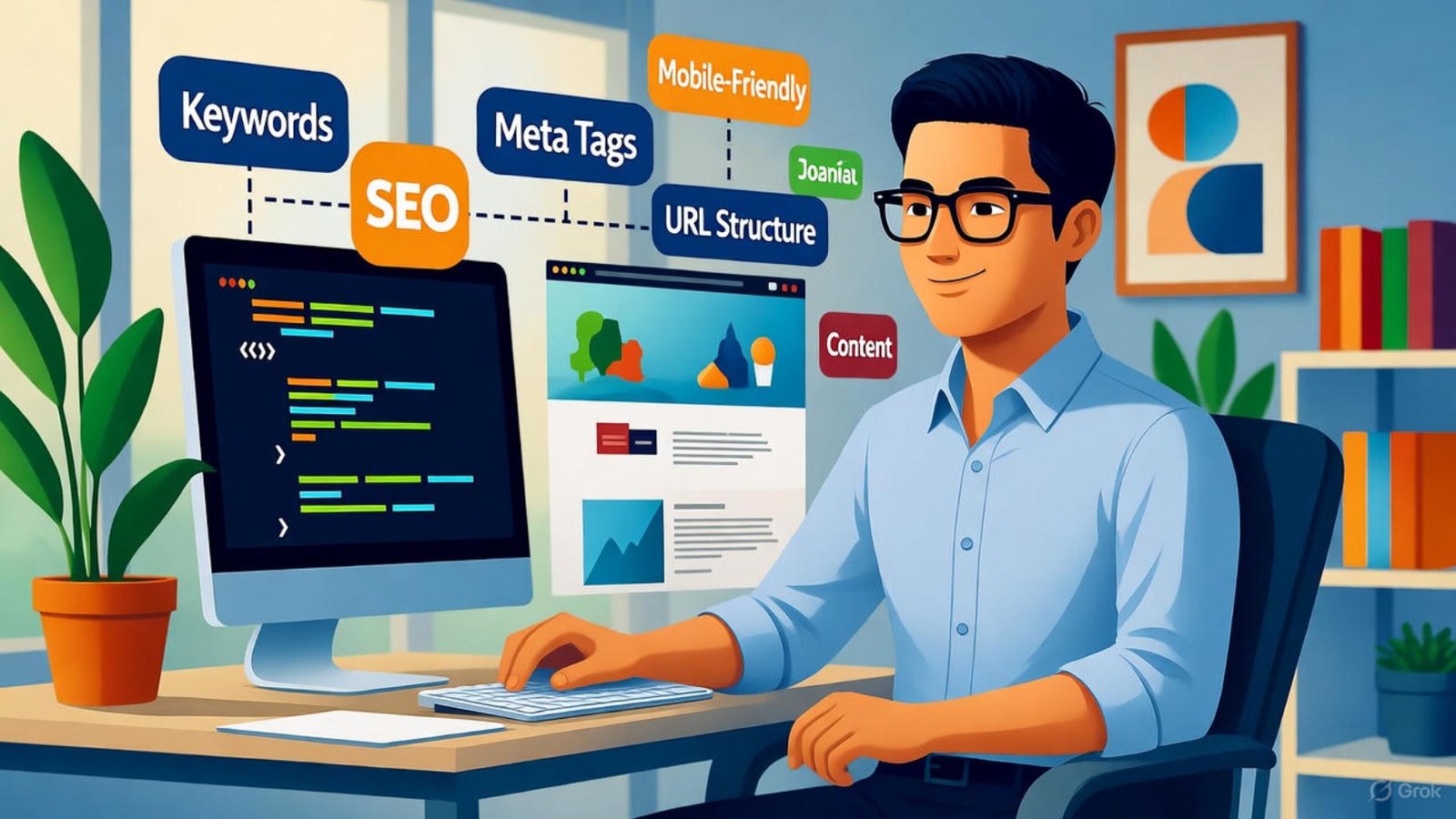
Wix website speed optimization — fix slow loading issues during Wix website creation

Fix Slow Loading Issues During Wix Website Creation in 2025

Building your online presence as a creator, startup founder or business owner means you can’t afford delays, and if you’re using Wix then it’s critical you fix slow loading issues during Wix website creation from the outset. In this article we’ll walk through clear, actionable strategies to streamline performance, improve loading times and deliver an optimal experience for your visitors in 2025.


Why loading speed matters for Wix website performance

When you don’t fix slow loading issues during Wix website creation, you risk losing visitors before the site even appears. Page speed influences engagement, bounce rate and search ranking. Wix itself highlights using tools like the Site Speed dashboard to monitor metrics like Largest Contentful Paint (LCP) and Total Blocking Time (TBT). Wix Help Center+2wix.com+2
Plus, potential clients will judge your professionalism by how fast your site loads—so if you’re a Wix designer or developer (as you are), this is a key credibility factor.
Therefore, solving performance bottlenecks early during the website-build process pays off.


Common causes of slow loading during Wix website creation

Heavy media files and animations

Large backgrounds, high-resolution images and autoplay videos often load above the fold—and they all contribute to slow loading issues during Wix website creation. Wix recommends compressing images and avoiding videos above the fold. Wix Help Center+1

Excessive third-party apps, scripts and fonts

When you add many widgets, fonts or custom code you introduce extra requests and blocking time. Wix calls this out as a major source of poor performance. Wix Help Center+1

Poor load order and above-the-fold complexity

If your above-the-fold section loads heavy elements first, your largest visible element (LCP) will be delayed. Wix advises keeping key visuals lightweight and pushing non-essential elements below the fold. Wix Help Center+1

Global delivery and caching issues

Though Wix uses a CDN and optimises assets, sub-optimal asset placement, region effects or un-cached heavy content can still slow down your site. Wix Help Center+1


Step-by-step checklist to fix slow loading issues during Wix website creation in 2025

Here’s a practical sprint list you can apply while building client sites or your own.

  1. Run a baseline speed test – Use Google PageSpeed Insights or Wix’s Site Speed dashboard to measure LCP, FCP and TBT. Wix Help Center
  2. Optimize above-the-fold content – Make sure your hero section uses minimal heavy assets: text, CTA, maybe a lightweight image. Place large visuals lower on the page.
  3. Compress and convert images – Upload JPGs or WebP (rather than PNGs when possible) and ensure files are resized before upload. Wix automatically compresses images under 25MB. Wix Help Center+1
  4. Lazy-load non-critical images and videos – Use lazy loading so that assets below the fold load after main content. Wix supports this out of the box. wix.com
  5. Limit custom fonts and reduce weights – Use system fonts when practical; load fewer font variations to reduce extra file downloads. Avansta
  6. Audit third-party apps and custom code – Remove any non-essential widgets, iFrames or scripts. If you must use them, defer or async where possible. Wix Help Center+1
  7. Split long pages into multiple shorter pages – Instead of one giant home page, consider dedicated pages for blog, store, features. Keeps each page lighter. Wix Help Center
  8. Use built-in Wix features for media and interface – Avoid external embeds for videos when possible; Wix Video or internal galleries perform better. Wix Help Center+1
  9. Enable caching and rely on the CDN – Make sure your site uses Wix’s CDN effectively; keep storage and asset versions updated. Wix Help Center
  10. Retest and monitor over time – After your changes, re-run speed tests and monitor through the Site Speed dashboard for improvements. Speed scores may take time to reflect. Wix Help Center

How to fix slow loading issues during Wix website creation – Advanced tweaks for designers

As a Wix designer/developer, you can go further than the basics to truly deliver lightning-fast sites.

Clean up hidden sections and unused elements

Often, templates include hidden images, overlays or effects that still load. Remove or disable hidden strips and unused widgets.

Minimise HTTP requests and Combine resources

While Wix handles much of this internally, reducing custom scripts, CSS, and external fonts still matters. Revamp Studio

Use lightweight animations and limit effects

Excessive reveal animations slow down loading and interaction. Use only where they add user value. wix.com

Test with mobile devices and real-world networks

Mobile users often face slower networks; make sure your site is optimised accordingly. Wix emphasises mobile content optimisation. Wix Help Center+1

Performance review for clients

When you deliver a site, include a performance summary showing LCP, load time and what you optimised. This adds value to your service and reinforces your expertise.


Real-world benefits of solving slow loading issues during Wix website creation

  • Better engagement and lower bounce rates: Visitors stay longer when pages load quickly.
  • Improved search engine ranking: Google counts Core Web Vitals, so faster loading helps SEO.
  • Higher conversions and trust: A fast, smooth site reflects professionalism, particularly for business-clients or e-commerce.
  • Reduced maintenance and troubleshooting: A leaner site is easier to update and less prone to performance regressions.

Quick wins you can implement today

  • Replace hero image with one under 500 KB (or convert to WebP) and move auto-play video below the fold.
  • Remove one third-party app you don’t need and retest.
  • Switch to two system fonts instead of four custom fonts.
  • Use the Wix Site Speed dashboard and show clients baseline vs improved metrics.

How I can help you as your Wix designer & developer

If you’re building or updating a Wix site and want full performance assurance, I specialise in building high-speed websites that fix slow loading issues during Wix website creation. I’ll perform a performance audit, implement the checklist above, and deliver a site that loads fast and ranks better. Check out my portfolio and client testimonials


FAQs

Q1: How long does it take to solve slow loading issues during Wix website creation?
It depends on site size and complexity, but many improvements (like image compression and removing unused apps) can be done in a few hours.

Q2: Will switching templates fix slow loading?
Not always—but choosing a lighter template and cleaning up unused sections can help significantly.

Q3: Do I need to upgrade my Wix plan to improve speed?
Not necessarily. Many speed issues are optimisation-based. Wix uses global CDN and built-in optimisation tools. Wix Help Center

Q4: Can I test mobile performance for my Wix site?
Yes. Use Google PageSpeed Insights and the Wix Site Speed dashboard to compare mobile vs desktop metrics and spot issues. Wix Help Center

Q5: Will fewer images always mean better speed?
Fewer images helps, but using well-optimised images (compressed, right format, lazy-loaded) matters more than simply removing them.


Thank you for reading. If you want your Wix site to load as fast as it looks great, explore my services at aounraza.mrwebapp.com and let’s build a high-performance website together.

Related articles:-

Contact Syed Aoun Raza professional web designer and developer

How to contact Syed Aoun Raza

If you’re looking for a professional who blends creativity, technical skill, and business strategy, you’re in the right place. This guide will help you understand

Read More »
Syed Aoun Raza working on web design and development project

Why choose Syed Aoun Raza

When building or improving a website, the choice of designer and developer can determine your brand’s success online. That’s why understanding why choose Syed Aoun

Read More »
Designing a website on Wix in 2025 without coding

Build a Website on Wix in 2025 Without Coding

Creating a professional online presence in 2025 doesn’t require complex coding or expensive developers. Thanks to platforms like Wix, anyone can build a website on Wix in 2025 without coding and still achieve a stunning, high-performing site. Whether you’re a business owner, freelancer, or content creator, this step-by-step guide will show you how to design, optimize, and launch a fully functional website — no technical experience needed.


Why Choose Wix for Your 2025 Website

Wix remains one of the most popular website builders worldwide, used by over 250 million people. It’s perfect for beginners because everything works visually — you simply drag, drop, and publish.

In 2025, Wix has introduced smarter AI tools like Wix Studio and ADI 2.0 (Artificial Design Intelligence), making website creation even faster. These tools automatically generate layouts, color schemes, and design elements that suit your industry.

According to Wix.com, the latest version provides enhanced SEO, faster loading, and improved mobile responsiveness — all critical for ranking higher on Google.


Step 1: Sign Up and Choose Your Website Type

The first step to build a website on Wix 2025 is to create a free account. Once you log in, Wix will ask what type of site you want — business, portfolio, blog, or eCommerce.

Choosing the right category helps Wix suggest the most relevant templates. You can later customize everything, from colors and typography to animations and layout.

👉 Tip: If you plan to sell products, pick an eCommerce template that supports secure payments, shipping, and inventory management.

For help getting started, you can also explore Wix Website Design Services on our platform.


Step 2: Pick a Template or Let AI Design It

Wix gives you two ways to design your website:

  1. Wix Editor – Perfect for those who want control over every detail.
  2. Wix ADI – Great if you prefer AI to handle the setup.

When you choose ADI, Wix asks simple questions like your business name and goals. Within minutes, it builds a customized layout for you.

Even though no coding is needed, you can still tweak designs later using the drag-and-drop tools.


Step 3: Customize Your Layout and Design

Now comes the fun part — personalizing your site. You can edit sections, upload your logo, and choose from hundreds of fonts and color palettes.

When customizing your design:

  • Use large, readable text and consistent colors.
  • Stick to 2–3 font styles to maintain visual harmony.
  • Keep spacing balanced to make the site easy on the eyes.

For inspiration, browse HubSpot’s design examples to understand how simplicity drives engagement.

If design isn’t your strength, our Website Redesign Packages can transform your ideas into a polished look.


Step 4: Add and Organize Your Content

Content builds trust. Each page should serve a clear purpose — for example, your Home, About, Services, and Contact pages.

Use short paragraphs and friendly language. Add engaging visuals and videos to make your message memorable.

Wix makes it easy to drag content blocks anywhere. If you’re adding products or services, use the Wix Store app to list them with images, pricing, and descriptions.

Make sure every image includes alt text with relevant keywords to enhance accessibility and SEO.


Step 5: Optimize Your Site for Mobile

In 2025, over 75% of visitors browse via mobile devices. Wix automatically creates a mobile version, but you can adjust it for better presentation.

Use the Mobile View editor to rearrange sections, resize buttons, and test page speed. A mobile-optimized layout ensures fast loading and smooth navigation.

For more insights, visit our article on Mobile-Friendly Wix Websites 2026.


Step 6: Set Up SEO and Meta Settings

SEO ensures your website gets found on Google. Wix simplifies this through the SEO Setup Checklist in the dashboard.

Here’s what to focus on:

  • Add meta titles and descriptions with your focus keyword.
  • Optimize image names and alt text.
  • Enable HTTPS for security.
  • Create a sitemap automatically through Wix.

You can also connect your Google Search Console to monitor performance.

External resources like offer additional strategies that apply to Wix as well.


Step 7: Connect Your Domain and Publish

Once your design and content are ready, it’s time to connect a custom domain. Wix lets you buy one directly or link an existing domain.

For a professional look, choose a domain name that includes your brand or main service (e.g., mybrand.com).

Before publishing, preview your site on desktop and mobile to ensure everything appears correctly.

When you’re satisfied, click Publish — your website is now live!


Step 8: Add Integrations and Analytics

Tracking performance is vital. Use Wix Analytics to monitor visitors, traffic sources, and engagement.

You can also integrate:

  • Google Analytics 4 for detailed reporting.
  • HubSpot CRM to capture leads.
  • Email marketing tools for automated follow-ups.

These integrations help you make smarter marketing decisions and grow your business faster.


Step 9: Keep Your Site Fresh and Secure

In 2025, Google values updated content more than ever. Refresh your text, images, and blog posts regularly.

Wix automatically handles hosting and security, but you should still review updates monthly. Add new testimonials, projects, or blog entries to keep users engaged.

If you ever need expert help maintaining or expanding your site, our team at aounraza.mrwebapp.com offers dedicated Wix maintenance and development support.


The Benefits of Building Without Coding

By choosing Wix, you save time and money without sacrificing quality. Everything is visual, from layout adjustments to adding apps.

No need to hire a developer — you can launch a stunning site in a day. Plus, with AI assistance, personalization, and SEO tools, your Wix website competes with the best in your niche.


Conclusion: Launch Your Wix Website in 2025

You’ve just learned how to build a website on Wix in 2025 without coding — and it’s simpler than you think. Whether you’re starting a new business or revamping your brand, Wix gives you all the tools to design, launch, and grow online successfully.

Ready to bring your vision to life? Visit aounraza.mrwebapp.com to work with a professional Wix designer and developer who can help you create a website that attracts visitors and drives results.


Frequently Asked Questions

1. Is Wix good for beginners in 2025?
Absolutely! Wix’s drag-and-drop builder and AI tools make it perfect for anyone, even with zero coding experience.

2. How long does it take to build a Wix website?
Most users can publish a complete website in one day using templates and the Wix Editor.

3. Can I use Wix for online stores?
Yes. Wix has full eCommerce support, including product management, checkout, and payment integrations.

4. How do I improve my Wix SEO?
Use Wix SEO tools, add descriptive alt texts, and write keyword-rich content naturally.

5. Is Wix free to use?
You can start for free, but upgrading to a premium plan unlocks professional domains and removes Wix ads.


Read More :-

Contact Syed Aoun Raza professional web designer and developer

How to contact Syed Aoun Raza

If you’re looking for a professional who blends creativity, technical skill, and business strategy, you’re in the right place. This guide will help you understand

Read More »
Syed Aoun Raza working on web design and development project

Why choose Syed Aoun Raza

When building or improving a website, the choice of designer and developer can determine your brand’s success online. That’s why understanding why choose Syed Aoun

Read More »
previewing mobile-friendly Wix template in 2026

Build a Mobile-Friendly Wix Website in 2026

A mobile-friendly Wix website in 2026 is no longer a nice-to-have — it’s essential. With more than 70% of web traffic coming from mobile devices, business owners, creators, and entrepreneurs need websites that perform perfectly on every screen. In this guide, you’ll learn practical, step-by-step strategies to create a fast, responsive, and SEO-optimized Wix website that delights users and drives conversions.


Why Mobile Optimization Matters in 2026

As digital habits evolve, mobile-first indexing by Google means your site’s mobile version defines how you rank. A mobile-friendly Wix website in 2026 helps improve visibility, enhance user experience, and reduce bounce rates.
According to HubSpot, 88% of users won’t return to a site after a poor mobile experience — a strong reason to make responsiveness a top priority.


Start with the Right Wix Template

Wix offers hundreds of templates, but not all are fully optimized for mobile. Choose one marked “Mobile Ready” in the Wix Editor. These templates automatically adjust layouts and image scaling for different devices.
When starting your project on Wix.com, preview how each section looks on mobile before finalizing your selection.


Adjust Layouts for Different Screens

After selecting your template, open the mobile editor. Wix allows separate adjustments for desktop and mobile views.
Keep your navigation simple and avoid wide layouts that push text off-screen. Use concise headlines and single-column sections to ensure every visitor can scroll smoothly.

Pro Tip:

Avoid overlapping elements — they may appear misaligned on phones. Test each page visually before publishing.


Optimize Images and Media for Speed

A slow site frustrates visitors and hurts rankings. Compress your images before uploading using tools
In Wix, use the “Image Settings” option to set the correct size and aspect ratio.
Avoid using videos that auto-play on mobile. Instead, provide a play button to save bandwidth and enhance control for users.

For additional performance insights, check your speed with the Wix Site Speed Dashboard — it shows how mobile and desktop versions compare.


Use Mobile-Friendly Fonts and Buttons

Fonts should be legible without zooming. Stick to clean sans-serif styles like Open Sans or Lato, and ensure at least 16px font size on mobile.
Buttons should be large enough for thumb-tapping — ideally 44px high with enough white space around them.

Clear, accessible navigation improves the flow and helps users move through your site easily, increasing conversions.


Enhance SEO for Mobile Visibility

A mobile-friendly Wix website in 2026 must also perform well on search engines.
Inside your Wix dashboard, enable SEO Wiz, which guides you to optimize titles, meta tags, and image alt text.
Add internal links naturally to improve site structure — for example:

These internal links not only improve navigation but also strengthen topical authority.


Test Your Site on Real Devices

The Wix Preview mode is great, but real-device testing is better. Use your smartphone and tablet to review how each page loads, scrolls, and behaves.
You can also test your site using Google’s Mobile-Friendly Test tool to confirm compliance with best practices.

Be sure to test forms, buttons, and sliders — they should function seamlessly across screen sizes.


Simplify Navigation for Mobile Users

Complex menus often frustrate visitors on small screens.
Switch to a hamburger menu with clear categories. Limit your primary navigation to 3–5 options — enough to guide users without overwhelming them.

Remember: every tap counts. A smooth navigation path improves engagement and keeps users exploring your pages longer.


Add Sticky Contact Elements

Mobile users expect instant access to communication tools. Use sticky buttons for “Call Now,” “Chat,” or “Get a Quote.”
This feature helps increase conversions by giving users quick action choices. Wix lets you add floating buttons easily through its App Market.


Keep Text Short and Scannable

Mobile visitors prefer quick information. Use short sentences, bullet points, and engaging subheadings to maintain flow.
Breaking large blocks of text into small, digestible paragraphs enhances readability and keeps bounce rates low.


With AI-driven voice assistants like Siri and Alexa dominating search in 2026, optimizing your mobile-friendly Wix website for voice queries is crucial.
Use natural, conversational phrases in your headings and FAQs to capture this growing traffic segment.


Add Analytics to Measure Mobile Success

Wix Analytics shows which device types bring the most visitors. Monitor bounce rate, session duration, and conversions by device type.
You can also integrate Google Analytics 4 for advanced insights.
These metrics help refine your content and design for better performance over time.


Keep Updating Regularly

The web evolves quickly, and a website built in 2024 might already need updates by 2026. Regularly check for new Wix features like enhanced mobile menus or AI-driven optimization tools.
Updating your site keeps it competitive and ensures long-term visibility.


Conclusion: Create a Winning Mobile Experience

Building a mobile-friendly Wix website in 2026 isn’t just about resizing pages — it’s about crafting a seamless experience that works for every visitor. With proper structure, speed, and SEO, your website becomes a powerful marketing tool.

If you’re ready to create or redesign your Wix site, visit aounraza.mrwebapp.com — where professional Wix designers and developers help bring your digital vision to life.


Frequently Asked Questions

1. Is Wix still good for mobile websites in 2026?
Yes. Wix continues improving its mobile editor and site speed features, making it an excellent choice for responsive websites.

2. How do I check if my Wix site is mobile-friendly?
Use Google’s Mobile-Friendly Test or preview your site in the Wix mobile editor.

3. What’s the ideal image size for Wix mobile pages?
Aim for under 200KB per image while keeping good resolution (minimum 1080px width).

4. Can I change my Wix template later?
You can redesign pages or start fresh, but changing a template resets your content layout.

5. How often should I update my Wix website?
Review your design and SEO every 6–12 months to stay aligned with the latest trends.

Related Article

Contact Syed Aoun Raza professional web designer and developer

How to contact Syed Aoun Raza

If you’re looking for a professional who blends creativity, technical skill, and business strategy, you’re in the right place. This guide will help you understand

Read More »
Syed Aoun Raza working on web design and development project

Why choose Syed Aoun Raza

When building or improving a website, the choice of designer and developer can determine your brand’s success online. That’s why understanding why choose Syed Aoun

Read More »
affordable Wix website design 2026

Build a Website on Wix on a Budget 2026

Creating a professional website shouldn’t cost a fortune. In 2026, more entrepreneurs, freelancers, and small businesses are choosing Wix to launch cost-effective, attractive websites without coding skills. Learning how to build a website on Wix on a budget is easier than ever — all it takes is the right strategy, a smart plan, and an eye for simplicity.

Wix has evolved into one of the best website builders for anyone looking to manage design, hosting, and content all in one place. This guide will walk you through practical ways to create your Wix website efficiently while saving money.


Why Choose Wix for Budget Website Building

Wix is ideal for users who want professional results with minimal expense. It offers free hosting, built-in SEO tools, and drag-and-drop design, allowing you to launch quickly without hiring developers.

You don’t need to pay upfront for design themes or plugins — Wix’s templates are modern, responsive, and customizable. Even its free plan provides enough flexibility for personal brands or test projects.

💡 Tip: Upgrade to a paid Wix plan only when you need a custom domain or advanced analytics — not before.


Plan Before You Build Your Wix Website

Planning helps you avoid unnecessary spending. Define your website’s purpose, pages, and goals early. Whether it’s an online portfolio, business site, or small eCommerce store, knowing your direction saves time and money.

Steps for Pre-Build Planning

  1. Choose your niche: Identify who you’re building for.
  2. Outline your content: Prepare text, images, and product info.
  3. Set a small budget: Limit early costs to hosting and domain only.

Having a clear strategy ensures your Wix website stays focused and cost-effective.


Selecting the Right Wix Plan for 2026

Wix offers several plans, from free to premium. If you’re on a tight budget, start with the Wix Free Plan to test your layout and features.

When your site is ready for growth, consider upgrading to the Combo or Light plan — both are affordable options for beginners and small businesses in 2026.

Designing a Budget-Friendly Wix Website

You don’t need a designer to create something beautiful. Wix’s AI-based design assistant (Wix ADI) lets you automatically generate a layout based on your answers. Then, you can personalize fonts, colors, and images.

Cost-Saving Design Tips

  • Use Wix’s free templates instead of paid ones.
  • Stick with simple, clean designs — they load faster and look professional.
  • Avoid unnecessary animations or paid apps unless crucial.

🎨 Image Placeholder
Alt Text: affordable Wix website design 2026
Caption: Example of a minimal Wix website created on a low budget.
Description: A professional yet affordable Wix website designed in 2026 using budget-friendly tools and free templates.


Add Features Without Extra Cost

Building on a budget doesn’t mean losing features. Wix offers many free add-ons to improve your site’s functionality.

Free Tools Worth Using:

  • Wix Blog: Create content to drive traffic.
  • Wix Forms: Collect leads and contact details easily.
  • Wix Chat: Engage visitors instantly without third-party software.

Each of these adds professional functionality without adding cost.


Optimize Your Wix Website for Search in 2026

SEO remains key to attracting visitors without paid ads. Wix has built-in SEO tools to help your pages rank.

SEO Tips:

  • Use your focus keyword naturally in headings and image alt texts.
  • Write clear meta titles and descriptions for each page.
  • Add internal links to strengthen your site structure.

Manage Your Wix Budget Smartly

Every dollar matters when starting small. Spend only where it brings long-term value.

  • Buy your domain via Wix for convenience.
  • Use free email marketing tools like Wix ShoutOut or external ones such as HubSpot.
  • Compress images before uploading to save bandwidth.

These smart moves ensure your Wix website runs efficiently and stays affordable.


Mobile Optimization for a Better User Experience

In 2026, most visitors will access websites through mobile devices. Wix automatically makes your site mobile-responsive, but you should review every page in mobile view before publishing.

Check that buttons are large enough, text is readable, and images are scaled properly. This not only improves user experience but also boosts SEO rankings.


Promote Your Budget Wix Website

After publishing, focus on organic promotion instead of paid ads.

  • Share your site on social media like LinkedIn, Instagram, and Pinterest.
  • Start a blog to attract recurring visitors.
  • Collaborate with others in your niche for mutual exposure.

Keep Improving Over Time

Even after launching, revisit your website every few months. Track visitor behavior using Wix Analytics to see which pages perform best.
Small tweaks like improving headlines, compressing media, or updating old posts can make your site feel fresh and engaging — all without extra spending.


FAQs

1. Can I build a professional website on Wix for free?
Yes, you can start free and upgrade later when you need more features.

2. What’s the cheapest Wix plan in 2026?
The Combo or Light plan offers great value for small websites.

3. Is Wix good for small businesses on a budget?
Absolutely. Wix gives full control without expensive developer costs.

4. Can I switch my free Wix domain to custom later?
Yes, you can connect your own domain anytime after upgrading.

5. How can I speed up my Wix website?
Use optimized images, limit plugins, and select lightweight templates.


Final Thoughts

Building a professional site doesn’t need a huge investment. When you build a website on Wix on a budget, you get flexibility, control, and scalability — perfect for startups and entrepreneurs in 2026.

If you’re ready to start your own affordable website, explore my Wix Design and Development Services today and bring your vision to life — efficiently and affordably.

Read More:-

Contact Syed Aoun Raza professional web designer and developer

How to contact Syed Aoun Raza

If you’re looking for a professional who blends creativity, technical skill, and business strategy, you’re in the right place. This guide will help you understand

Read More »
Syed Aoun Raza working on web design and development project

Why choose Syed Aoun Raza

When building or improving a website, the choice of designer and developer can determine your brand’s success online. That’s why understanding why choose Syed Aoun

Read More »
Dashboard showing promo code redemption unlocking ChatGPT Pro access

Unlock Chat GPT 5 Pro Free with Promo Codes 2026

Many creators, entrepreneurs, and AI enthusiasts wonder how they can unlock Chat GPT 5 Pro free with promo codes in 2026. Promo codes can sometimes grant trial access, discounts, or bonus credits that bring the effective cost to zero for a period of time. In this article, I’ll walk you through legitimate strategies for finding promo codes, applying them correctly, and maximizing their value—all while avoiding shady or risky offers.


What “Promo Codes” Mean for Pro Access

Not all promo codes are equal. Some offer full access, others give discounts or extra credits. In 2025, OpenAI started offering tiered plans and occasional promotions. A promo code might:

  • Grant a free trial extension
  • Discount the Pro plan to zero for a limited time
  • Give extra usage credits
  • Unlock premium features temporarily

When you aim to unlock Chat GPT 5 Pro free with promo codes 2026, you must understand what kind of code you have and how it works.


Where to Find Legitimate Promo Codes

To unlock Chat GPT 5 Pro free with promo codes 2026, you’ll need to source valid offers. Here are trustworthy places to look:

H3: Official OpenAI Announcements & Emails

Subscribe to OpenAI newsletters and follow official social channels. They may release limited-time promo codes during launches or events.

Partner Programs and Events

Sometimes conferences, hackathons or partner platforms offer co‑branded codes. Watch for developer summits, AI meetups, or startup accelerators.

Educational or Youth Initiatives

Schools, universities, or youth programs might negotiate promo codes for Pro access for students or faculty.

Referral Bonuses & Bundles

Some platforms bundle ChatGPT Pro in their offerings—e.g. a SaaS partner giving code credits. Also, referral links sometimes include coded rewards.

Each of these sources is safer than random third-party forums.


How to Apply Promo Codes Safely

After obtaining a promo code, applying it correctly ensures you actually unlock features. Here’s how:

  1. Log into your ChatGPT account.
  2. Go to the billing or subscription settings.
  3. Look for “Redeem code” or “Apply promo code” field.
  4. Paste code exactly (case sensitive).
  5. Confirm and check status (trial, credit, feature unlock).

If successful, you’ll see your subscription upgrade or credit applied immediately.

OpenAI Pricing & Subscription


Maximize the Value of Your Promo Code

Getting a promo code is just step one. To truly benefit and potentially unlock Chat GPT 5 Pro free with promo codes 2026, do the following:

  • Use it for high-value tasks (content, coding, planning)
  • Combine with referral credits if allowed
  • Time your usage near the code’s expiration
  • Document usage limits so you don’t waste credits
  • Stack with discounts or credits from other promotions if policy allows

That way, even if the code is time-limited, you extract maximum utility.


Risks and Red Flags to Watch For

While seeking to unlock Chat GPT 5 Pro free with promo codes 2026, watch out for:

  • Codes from unverified sources claiming “free forever”
  • Offers that require external payment or your credit card to “validate”
  • Cracked or pirated keys shared via shady sites
  • Requests for account credentials in exchange for a code

Always validate codes through the official platform. Risking your account for a questionable code isn’t worth it.


What If the Code Doesn’t Work?

If a promo code fails:

  • Double-check for typos or extra spaces
  • Confirm the code hasn’t expired
  • Check whether it’s region-locked or account-specific
  • Contact the provider or support for clarification

If it still doesn’t apply, don’t reuse shady codes. Instead, focus on upcoming official offers.


Transitioning After Promo Access

Promo-based access might expire. When it does, you’ll want a smooth transition so your workflow doesn’t suffer. To prepare:

  • Work in advance to complete important tasks
  • Save or archive essential content beforehand
  • Decide if you’ll upgrade, revert to free tier, or wait for the next promo
  • Monitor your usage so you don’t get surprised

That way, when the promo ends, you stay in control.


Summary – Promo Path to Free Pro Access in 2026

To recap how you can unlock Chat GPT 5 Pro free with promo codes 2026:

  • Understand what type of promo code you have
  • Hunt for codes via official, partner, or educational sources
  • Apply the code through your billing settings
  • Use it selectively and document limits
  • Avoid risky or unauthorized shortcuts
  • Plan your exit or upgrade once the promo expires

Stick with legitimate paths, stay proactive, and you can experience Pro-tier AI features without immediate cost—at least for a while.


FAQs

Q1: Are promo codes always valid?
No. Many codes are limited-time or specific to certain users or regions.

Q2: Will a promo code give me unlimited Pro forever?
Rarely. Most codes provide limited access, credits, or time-bound upgrades.

Q3: Can I stack multiple promo codes?
Sometimes, if the platform allows stacking. Always check policy or terms first.

Q4: Is receiving codes from random forums safe?
Probably not. Using unverified codes risks your account being flagged or banned.

Q5: What happens when the promo ends?
Your access typically rolls back to free or basic tier. Save your work and plan ahead.


Ready to integrate AI into your brand and workflow? At aounraza.mrwebapp.com, I help creators and businesses build Wix websites and systems that connect with AI tools like ChatGPT. Let’s design a site that’s fast, powerful, and AI-ready—whether or not you have Pro access.

Related Topics:-

Contact Syed Aoun Raza professional web designer and developer

How to contact Syed Aoun Raza

If you’re looking for a professional who blends creativity, technical skill, and business strategy, you’re in the right place. This guide will help you understand

Read More »
Syed Aoun Raza working on web design and development project

Why choose Syed Aoun Raza

When building or improving a website, the choice of designer and developer can determine your brand’s success online. That’s why understanding why choose Syed Aoun

Read More »
Wix designer using free ChatGPT 5 pro legit tips

Free Chat GPT 5 Pro Legit Tips for 2026

Want to unlock premium AI functionality without paying upfront? In this article, you’ll learn free Chat GPT 5 Pro legit tips for 2026—ethical, practical methods that creators, freelancers and startups can use right now. You’ll avoid risky shortcuts and instead focus on smart strategies that help you access advanced AI features in a trustworthy way.


H2: What Does “Free Chat GPT 5 Pro” Really Mean?

When people search for “free Chat GPT 5 Pro”, they’re usually looking for ways to access the advanced features of the new model release. GPT‑5 was officially released by OpenAI on August 7 2025 and is now available across different user tiers. Jagranjosh.com+1
“Pro” usually refers to the highest tier access—greater usage limits, deeper reasoning, and more integrations. So “free Chat GPT 5 Pro legit tips for 2026” means guiding you toward free or low‑cost access to those premium features—without violating terms or compromising security.


Tip 1 – Start with the Free Tier and Understand Usage Limits

Even without upgrading, you already have access to GPT‑5 features in the free tier. According to official release notes, free users get a limited number of GPT‑5 messages before switching to lighter modes. Superprompt+1
Here’s how to make the most of it:

  • Use your free access for high‑value tasks (e.g., ideation or research)
  • Track your usage so you don’t hit the quota early
  • Know when the model switches to a “mini” or lower tier

By using the free tier strategically, you get a feel for capabilities before paying for Pro access.


Tip 2 – Leverage Trials, Promotions & Early Access Programs

One of the strongest legit tips in this guide is tapping into official trials or promo programs. Many companies like OpenAI offer limited‑time promotions or early access to high‑tier features. For example:

  • Watch for launch events where Pro features are unlocked for free
  • Register as a developer or researcher and request elevated access
  • Use educational, startup or non‑profit offers that grant free Pro access

Checking official channels and newsletters helps you catch these opportunities early.


Spotting Legit Offers vs Risky Shortcuts

While seeking “free Chat GPT 5 Pro legit tips for 2026”, it’s essential to avoid unsafe paths. Some red flags include:

  • Credentials sharing or accounts sold by third‑parties
  • Cracked keys, unofficial apps or unauthorized API tokens
  • Offers that ask for personal payment info upfront for “free” access

Stick to official sign‑ups and verified channels. Your account security and reputation matter.


Tip 3 – Use Referrals and Partner Programs

Referral programs are one of the best ways to earn access without paying. Many platforms reward users with credits, elevated tiers or free access when they refer others. To use this tip:

  • Invite colleagues, friends or clients to sign up using your link
  • Earn bonus days or features for each successful referral
  • Redeem credits for Pro‑tier features

This method aligns with ethical practices and gives tangible value.


Tip 4 – Integrate Pro Features into Real Workflows

Getting free access is one step—but using it smartly is another. When you apply these “free Chat GPT 5 Pro legit tips for 2026”, you should:

  • Automate repetitive tasks like blog outlines, captions or email drafts
  • Use advanced reasoning for strategy planning, research or product design
  • Connect GPT‑5 Pro features with your business tools (APIs, workflows, team collaboration)

This ensures the access you gain results in actual business outcomes.


Tip 5 – Monitor Usage and Plan for Upgrade

Even as you use free access, plan ahead. Premium features may expire, quotas may change, or your needs may grow. Here’s how:

  • Monitor usage metrics and remaining credits
  • Evaluate whether the Pro tier adds enough value to upgrade
  • Build a cost‑vs‑benefit model for your business

By doing this, you transition smoothly if you decide to pay later.


Bonus Tip: Stay Updated on Model Versions and Terms

AI evolves quickly. By 2026, there may be newer versions than GPT‑5, or changes to access policies. To keep up:

  • Follow official release notes for GPT‑5 and future models. OpenAI Help Center
  • Join community forums or newsletters that broadcast promotions
  • Regularly re‑check your access settings and plan benefits

This ensures you’re never behind in leveraging next‑gen tools.


Summary – How to Use “Free Chat GPT 5 Pro Legit Tips for 2026”

Let’s recap the key steps for “free Chat GPT 5 Pro legit tips for 2026”:

  1. Start with your free tier and optimise usage.
  2. Look out for trials, early access and educational offers.
  3. Use referral and partner programs to earn premium access.
  4. Integrate Pro features into real workflows for maximum ROI.
  5. Monitor your usage, stay compliant and plan your upgrade path.
  6. Stay current with model updates, new versions and terms.

If you follow these steps consistently, you’ll access advanced AI features ethically—and use them to power your content, business strategy or creative work.


FAQs

Q1: Can I really get GPT­5 Pro features for free?
Yes—in some cases via trials, referrals or partner programs. But full unlimited Pro access typically comes with a paid plan.

Q2: What counts as “legit” free access?
Legit access means through official channels (OpenAI, partner programs), no credential sharing or unauthorized hacks.

Q3: Will my account get banned for using “free Chat GPT 5 Pro” tricks?
If you follow the rules and use verified offers, you’re safe. Avoid unauthorized accounts or credential trades to stay compliant.

Q4: How can I track my usage limits?
Check your ChatGPT account dashboard for messages used, token counts and which model your plan uses.

Q5: What happens after the free access ends?
You’ll either downgrade to a lower usage tier, lose premium features or need to upgrade to a paid plan.


Ready to integrate advanced AI into your website, brand and workflow? At aounraza.mrwebapp.com, I help creators and business owners design and develop Wix websites that leverage tools like GPT‑5 Pro, optimize user experience, and drive growth. Let’s build it together.

Trending Topics:-

Contact Syed Aoun Raza professional web designer and developer

How to contact Syed Aoun Raza

If you’re looking for a professional who blends creativity, technical skill, and business strategy, you’re in the right place. This guide will help you understand

Read More »
Syed Aoun Raza working on web design and development project

Why choose Syed Aoun Raza

When building or improving a website, the choice of designer and developer can determine your brand’s success online. That’s why understanding why choose Syed Aoun

Read More »
User following ChatGPT 5 Pro Free 2025 guide

Chat GPT 5 Pro Free: 2025 Step‑by‑Step Guide

Accessing advanced AI tools can transform how you work—if you know the process. In this guide, you’ll get a clear walkthrough on how to get Chat GPT 5 Pro free in 2025, with practical steps that business owners, creators and startups can follow. Whether you’re new to AI or scaling your workflow, this article will show you how to move from curiosity to use.


Understanding What “Chat GPT 5 Pro Free” Means

Before you begin, it’s crucial to know what the phrase “Chat GPT 5 Pro free” actually refers to. Officially, ChatGPT’s parent company OpenAI announced the premium plan “Pro” offering more advanced features, rather than full free access. OpenAI+2The Economic Times+2
Thus when we talk about “Chat GPT 5 Pro free”, we are referring to legitimate methods to access the high‑tier features at no cost or with significantly reduced cost, not bypassing ethics or terms of service.


Step 1 – Check Your Current ChatGPT Account Status

Ensure you have an active ChatGPT account. If you’re already on a free tier, log in and verify:

  • Visit your account dashboard and check your plan level.
  • Confirm whether you are using the basic or “Plus/Pro” version.
  • Consider what features you need: unlimited chats, advanced model access, or integrations.

This sets the foundation to aim for the “Chat GPT 5 Pro free” access—legitimately and efficiently.


Step 2 – Explore Free Trials and Promotions

Often the easiest route to “Chat GPT 5 Pro free” is via free trials or promotional access. Many platforms offer time‑limited or feature‑limited offers for the Pro tier. For instance, OpenAI already offers tiered plans where more advanced models like GPT‑5 are sectioned by payment. Cybernews+1
Here’s how to proceed:

  • Look for official announcements from OpenAI about trial access.
  • Check for educational, startup or nonprofit promotions that grant free Pro access.
  • Register for any beta programs or early‑access invites to unlock Pro features free for a limited time.

Step 3 – Leverage Beta Access or Early Roll‑Outs

When new models release, companies often roll out early access which can sometimes be free. For “Chat GPT 5 Pro free” in 2025, you can:

  • Monitor OpenAI’s official blog and social channels for invites to GPT‑5 Pro preview. SocialSamosa
  • Sign up as a developer or researcher and request elevated access.
  • Join community forums where early‑access codes or shares might appear (always use legitimate sources).

Doing thisSmart way helps you stay ahead and access Pro features without paying immediately.


Step 4 – Use Referral or Affiliate Programs

Another legitimate way to access “Chat GPT 5 Pro free” is through referral programs. Many services reward users with credits or free access when they refer others. Here’s how to maximise:

  • Invite colleagues, clients or students to create a ChatGPT account using your referral link.
  • Accumulate credits or unlock time‑limited Pro access based on referrals.
  • Redeem the credits for Pro‑tier features or upgrades.

Implementation of this step increases your odds of achieving free Pro access via legitimate routes.


Step 5 – Utilize Free Access via Partner Platforms

Sometimes partner platforms or third‑party integrations offer “Chat GPT 5 Pro free” access for a limited scope. For example:

  • An app may integrate GPT‑5 Pro for free users to promote their product.
  • A startup accelerator may offer participants free Pro access.
  • Educational institutions might provide Pro access for student accounts.

Always verify the legitimacy and link back to OpenAI’s terms to stay in compliance.


Step 6 – Monitor Usage and Upgrade Strategically

Once you obtain “Chat GPT 5 Pro free” access, it’s crucial to monitor your usage and plan ahead. Why? Because free access often has limits.

  • Track how many queries, tokens or chat hours remain.
  • Use high‑impact tasks during free access: content creation, prototyping, research.
  • Prepare for paid upgrade when free access expires.

Smart usage means you maximise value while keeping costs low.


Ethical Considerations and Avoiding Unsafe Shortcuts

When pursuing “Chat GPT 5 Pro free”, avoid shady shortcuts. Don’t use illegal keys or share credentials. Stick to:

  • Official channels and trial offers
  • Referral or partner programs
  • Verified promotional access

This ensures you keep your account secure and aligned with usage policies.


Step 7 – Integrate Pro Features Into Your Workflow

Now that you have or are working toward “Chat GPT 5 Pro free”, use it for high‑value tasks. For creators and startups, this means:

  • Automate content creation, social media captions, blog drafts.
  • Use advanced reasoning for strategy, planning or coding tasks.
  • Connect GPT‑5 Pro with your team’s workflow and build productivity.

Leveraging Pro features this way ensures the free access you obtained turns into real results.


Step 8 – Transition from Free Access to Full Plan

Eventually, your free access may expire. At that point you’ll decide:

  • Are the advanced features worth paying for?
  • Can you scale up gradually (Plus → Pro)?
  • Will your ROI from Pro usage justify the cost?

Plan for transition early so your workflow stays uninterrupted.


Summary – Key Takeaways for “Chat GPT 5 Pro Free” in 2025

To recap:

  • “Chat GPT 5 Pro free” access is possible through trials, referrals or partner programs.
  • Begin by checking your current account status.
  • Use offers and early‑access channels to gain free Pro features.
  • Monitor usage and plan for upgrades.
  • Use your access for high‑impact tasks.
  • Stay ethical and compliant at all times.

By following these eight steps, you position yourself to enjoy Pro‑tier AI features without immediate cost and turn that access into real business value.


FAQs

Q1: Is “Chat GPT 5 Pro free” genuinely free?
Yes, sometimes. Free access is usually time‑limited or feature‑limited, acquired through trials or promotions. Always check terms.

Q2: How long does the free Pro access last?
It depends on the offer—some are 7 days, others a month, or until specified usage limits are reached.

Q3: Can I keep using Pro features after free access ends?
Yes—but you’ll need to upgrade to a paid plan or secure another free offer to keep full access.

Q4: Do I lose my data if I upgrade from free to paid?
No. Your account, conversation history and work remain intact when you upgrade within the same account.

Q5: Is using referral‑based free access legitimate?
Yes—if the referral program is official and approved by OpenAI. Avoid third‑party hacks or unauthorized credentials.


Ready to unlock premium AI capabilities without immediate cost? Visit aounraza.mrwebapp.com today to explore expert support for integrating advanced tools like Chat GPT 5 Pro into your workflow and growing your business with smart design and AI‑powered development.

Trending Topics:-

Contact Syed Aoun Raza professional web designer and developer

How to contact Syed Aoun Raza

If you’re looking for a professional who blends creativity, technical skill, and business strategy, you’re in the right place. This guide will help you understand

Read More »
Syed Aoun Raza working on web design and development project

Why choose Syed Aoun Raza

When building or improving a website, the choice of designer and developer can determine your brand’s success online. That’s why understanding why choose Syed Aoun

Read More »
Consistent brand design elements on a Wix website

Build a Website on Wix in 2025 and Improve Branding

If you want your brand to stand out online in 2025, your website is your most powerful tool. When you build a website on Wix in 2025 and improve branding, you do more than just go live—you shape how people see and remember your business.

Wix makes it possible to design a brand-consistent site without code. But to truly improve branding, you need to combine design, messaging, visuals, and UX in a strategic way. This article will walk you through practical steps to make that happen.


Why Branding Matters When You Build a Wix Website

Strong branding isn’t just for big companies. Whether you’re a freelancer, startup founder, or small business owner, your brand helps build trust, loyalty, and recognition.

When you build a website on Wix in 2025 and improve branding, you:

  • Control your brand narrative
  • Attract your ideal customers
  • Stand out in a crowded market
  • Create emotional connection through design and content

Wix gives you a powerful platform to bring your visual identity and messaging to life—without needing a developer.


Choose a Template That Reflects Your Brand Personality

Wix offers hundreds of templates, but not all fit your identity. To build a website on Wix in 2025 and improve branding, select a layout that reflects your tone—modern, minimal, bold, creative, or corporate.

What to consider:

  • Color scheme: Choose colors that represent your brand voice
  • Typography: Use 1–2 font families consistently
  • Whitespace: Ensure your layout feels clean and easy to scan
  • Imagery style: Decide if your brand feels authentic, polished, or edgy

Once chosen, keep design consistent across every page. This builds brand recognition and user trust.


Craft a Memorable Homepage Message

Your homepage is your first impression. To improve branding on your Wix site in 2025, lead with a bold message that captures your audience’s attention and highlights your unique value.

Your hero section should include:

  • A short headline (clear and benefits-focused)
  • A supporting tagline or explainer
  • One strong call to action (CTA)
  • Visuals or branding elements (like logos or hero illustrations)

Use brand-driven language—avoid jargon. Instead, focus on what you help people become or achieve.


Design for Consistency Across Pages

A unified visual identity keeps your website professional and trustworthy. If you build a website on Wix in 2025 and improve branding, consistency is the anchor.

Tips to apply:

  • Stick to a defined color palette across all sections
  • Use the same tone of voice in all headings and CTAs
  • Apply the same header/footer style on every page
  • Use matching iconography and button shapes

Wix’s Global Design settings make this easy—set your styles once, and apply them site-wide.


Add Branded Content That Builds Trust

Design gets attention—but content builds the relationship. When you build a website on Wix in 2025 and improve branding, don’t overlook these elements:

  • About page: Tell your brand story with honesty and clarity
  • Team section: Show real people behind the brand
  • Testimonials or reviews: Build credibility
  • Case studies or past work: Show results
  • Blog: Share thought leadership, industry insights, or how-tos

Every piece of content should support your brand voice and personality.


Optimize the Mobile Experience for Brand Consistency

More than half of web traffic now comes from mobile. That means if your branding doesn’t translate well on small screens, you’re losing impact.

To build a website on Wix in 2025 and improve branding for mobile:

  • Use the Wix Mobile Editor to adjust padding, font sizes, and layouts
  • Make CTAs large and tappable
  • Reduce clutter—show key content first
  • Use mobile-friendly fonts and image sizes

Test across devices to ensure your branding looks polished on all screens.


Use Logo and Favicon Correctly Across the Site

Your logo is the most visible symbol of your brand. Use it consistently in the header, footer, and browser tab. When you build a website on Wix in 2025 and improve branding:

  • Upload your logo in high resolution (SVG preferred)
  • Add a favicon via Wix Site Settings
  • Adjust logo size for mobile
  • Don’t stretch or alter your logo’s proportions

These small tweaks help users remember your brand and signal professionalism.


Integrate Brand Touchpoints Across the Experience

Great branding lives in every interaction—not just visuals. Strengthen your brand across all user touchpoints:

  • Contact forms with warm, on-brand language
  • Confirmation pages and thank-you messages
  • 404 pages with personality (and a helpful redirect)
  • Chatbots or autoresponders that match your tone

These details make your site feel thoughtful and professional.


Connect with Social and Offline Brand Assets

Your online and offline branding should be aligned. After you build a website on Wix in 2025 and improve branding, link it with other touchpoints:

  • Add consistent social media icons in your footer
  • Match fonts and colors to your business cards, packaging, or ads
  • Use the same tone in email newsletters
  • Integrate brand hashtags into your site copy

Unified branding increases recognition and trust over time.


Track How Users Experience Your Brand

Wix includes analytics tools to monitor user behavior. This helps you improve your branding over time.

Key things to track:

  • Bounce rate (is your first impression working?)
  • Page views and time on page (is content engaging?)
  • CTA clicks (is your messaging effective?)
  • Mobile vs desktop behavior

These insights help you tweak content, layout, and visuals for stronger branding.


Launch and Promote Your Brand with Confidence

Once your Wix site reflects your brand, it’s time to promote it. Here’s how to create early brand momentum:

  • Share your launch on all social platforms
  • Reach out to your email list with a link
  • Submit your site to local business directories
  • Add your link to your social bios and email signature
  • Start blogging regularly

Branding is a long game. Stay consistent and intentional in every interaction.


FAQs

Q1: Can I use my own brand fonts on Wix?
Yes. Wix lets you upload custom fonts to match your visual identity across the site.

Q2: How do I improve my logo quality on Wix?
Use a high-res vector (SVG or PNG) and upload it in Wix’s logo settings. Keep dimensions consistent.

Q3: Is blogging important for branding?
Absolutely. Blogging helps you show authority, share values, and connect deeper with your audience.

Q4: What colors should I use for branding?
Choose 2–3 colors that reflect your brand personality. Use them consistently for buttons, backgrounds, and typography.

Q5: Can I improve branding without a redesign?
Yes. Updating colors, fonts, messaging, and images can all improve branding without changing the site structure.


Ready to Build a Branded Wix Site in 2025?

Whether you’re starting from scratch or revamping your online presence, I help businesses build a website on Wix in 2025 and improve branding through smart design and strategy. At aounraza.mrwebapp.com, I provide custom Wix development that puts your brand front and center—without compromising performance.

Let’s build something unforgettable.

Related Topics:-

Contact Syed Aoun Raza professional web designer and developer

How to contact Syed Aoun Raza

If you’re looking for a professional who blends creativity, technical skill, and business strategy, you’re in the right place. This guide will help you understand

Read More »
Syed Aoun Raza working on web design and development project

Why choose Syed Aoun Raza

When building or improving a website, the choice of designer and developer can determine your brand’s success online. That’s why understanding why choose Syed Aoun

Read More »
Visual structure of a high-ranking Wix site in 2025

Build a Website on Wix in 2025 That Ranks

Building a stunning website is one thing—making sure it ranks on search engines in 2025 is another. If you plan to build a website on Wix in 2025 that ranks, you need more than visuals. You need SEO built into every corner of your design, structure, and content.

Wix has come a long way with SEO tools and performance features. With the right strategy, even non-coders can create high-ranking websites. This guide walks you through how to build a website on Wix in 2025 that doesn’t just look great—but gets found by the right audience.


Why SEO Still Matters for Wix in 2025

Even with the rise of social platforms and AI, search engine traffic remains critical. When you build a website on Wix in 2025 that ranks, you:

  • Attract visitors actively looking for your solution
  • Gain long-term organic traffic without paid ads
  • Increase authority and trust in your niche

Wix now offers built-in SEO settings, fast hosting, mobile optimization, and Google indexing features. You can build a website on Wix in 2025 that ranks if you combine its built-in features with best practices.


Plan Your Site Structure Before You Start

To build a website on Wix in 2025 that ranks, start with structure.

A clear, logical site structure helps both users and Google understand your content. Plan pages in a silo format:

  • Homepage → Category Pages → Blog Posts
  • Services → Details → Contact
  • About → Trust Elements → Testimonials

This flow improves crawlability. Keep navigation simple—ideally under 5 main menu items.


Use Wix’s SEO Tools the Right Way

Wix provides a strong SEO dashboard for each page. You can build a website on Wix in 2025 that ranks by leveraging these built-in tools:

  • SEO Patterns: Automate title tags and meta descriptions for bulk pages
  • 301 Redirects: Use them when changing page URLs
  • Schema Markup: Use the Wix Structured Data Tool to add product, article, or event markup
  • Mobile View Editor: Ensure your site is responsive across all devices

Don’t forget to verify your site with Google Search Console directly from Wix.


Craft Keyword-Rich, User-Focused Content

You can’t rank without quality content. Whether it’s a blog post, product page, or homepage—Wix allows full control of on-page content. When you build a website on Wix in 2025 that ranks:

  • Use your main keyword (naturally!) once every ~200 words
  • Place it in your headings and alt text
  • Focus on solving real user problems
  • Use related terms and semantic keywords
  • Write in a clear, conversational tone

Also, write for humans—not robots. Short paragraphs, subheadings, and bullet points improve readability.


Optimize Titles, URLs and Meta Descriptions

SEO basics are still essential. To build a website on Wix in 2025 that ranks, every page should include:

  • Keyword in the title tag (max 60 characters)
  • Keyword in the meta description (140–155 characters)
  • Clean, readable URL
  • H1 tag with your target phrase or synonym

Wix lets you customize these for every page. Use preview tools to ensure your metadata fits Google’s display limits.


Boost Performance and Core Web Vitals

Speed and usability are critical. A slow or clunky site won’t rank well in 2025. Wix has improved significantly in Core Web Vitals, but you must still optimize:

  • Compress and resize images (use WebP)
  • Use minimal apps and code snippets
  • Choose performance-optimized templates
  • Avoid animation-heavy designs
  • Use Wix’s built-in lazy loading and CDN

Measure performance via Google PageSpeed and fix any red flags.


Use Blogging to Build Authority

Wix offers a full-featured blog engine. It’s fast, SEO-friendly and now includes dynamic content blocks. When you build a website on Wix in 2025 that ranks, blog content can drive serious organic traffic.

  • Write posts that answer real questions
  • Use H2s and H3s for structure
  • Include internal and outbound links
  • Add original visuals and image alt text
  • Update older posts every 3–6 months

Blogging helps you show topical authority in your niche, which Google rewards.


Even the best content won’t rank without links. After you build a website on Wix in 2025 that ranks internally, you must earn authority externally.

Ways to build backlinks:

  • Guest post on relevant blogs
  • Submit your site to business directories
  • Share insights on LinkedIn and Medium
  • Create linkable assets like tools, checklists, or stats
  • Reach out to bloggers for mentions or collaborations

Wix supports integration with tools like Ahrefs, Ubersuggest, and SEMrush for tracking backlinks and competitors.


Technical SEO Matters on Wix Too

Technical SEO isn’t just for developers. Wix makes it easier now with features like:

  • Sitemap generation
  • Robots.txt editor
  • Canonical URLs
  • HTTPS by default
  • Structured data integration
  • Clean page markup

These help search engines understand your site’s layout. To build a website on Wix in 2025 that ranks, set these up correctly from day one.


Engage Users for Lower Bounce and Higher Dwell Time

Rankings aren’t just about bots. Google tracks user behavior: time on site, bounce rate, and click-throughs.

To boost engagement on your Wix site:

  • Use interactive elements like quizzes, forms, sliders
  • Add clear CTAs above the fold
  • Include FAQs and scannable content
  • Use internal linking to keep users moving
  • Add testimonials and case studies for trust

Final Tips Before You Launch

Before going live, check off this SEO launch list for your Wix website:

✅ Google Search Console verification
✅ Custom favicon and branded meta image
✅ Site icon on mobile
✅ Redirect old URLs (if redesigning)
✅ SSL and mobile responsiveness
✅ Analytics set up (Wix + Google Analytics)

You’re now ready to build a website on Wix in 2025 that ranks and performs.


FAQs

Q1: Is Wix good for SEO in 2025?
Yes. Wix offers built-in SEO tools, fast hosting, mobile optimization, and more—perfect for beginners and professionals alike.

Q2: Do I need to hire an SEO expert for Wix?
Not always. If you follow best practices, you can rank well on your own. But experts can help you go further, faster.

Q3: Can I use Google Analytics with Wix?
Yes. Wix supports Google Analytics, Search Console, and Tag Manager integration with no coding.

Q4: How often should I update my Wix site content?
Aim to update your key pages every 3–6 months. Blog weekly if possible to stay fresh and competitive.

Q5: Do templates affect Wix SEO?
They can. Choose lightweight, fast-loading templates with clean structure to support your SEO goals.


Ready to Build a Wix Website That Ranks?

If you’re planning to build a website on Wix in 2025 that ranks, you don’t have to do it alone. At aounraza.mrwebapp.com, I help startups, creators and small businesses design high-performance Wix websites built for speed, SEO and conversions. Let’s launch yours the right way.

Related Topics:-

Contact Syed Aoun Raza professional web designer and developer

How to contact Syed Aoun Raza

If you’re looking for a professional who blends creativity, technical skill, and business strategy, you’re in the right place. This guide will help you understand

Read More »
Syed Aoun Raza working on web design and development project

Why choose Syed Aoun Raza

When building or improving a website, the choice of designer and developer can determine your brand’s success online. That’s why understanding why choose Syed Aoun

Read More »
Homepage of a Wix site showing optimized images to fix slow loading after you build a website on Wix 2025

Fix Slow Loading After You Build a Website on Wix 2025

If you’ve built a website on Wix and find it loads slowly, you’re not alone. In this article, we’ll walk through how to fix slow loading after you build a website on Wix 2025, with practical steps you can use today to boost speed, improve conversions and enhance user experience. Whether you’re a business owner, a creator or a startup founder, this guide is for you.


Why websites built on Wix often load slowly

When you build a website on Wix, you get a powerful builder with flexibility—but speed can suffer if you’re not careful. Some of the main causes include heavy media files, too many third‑party apps, animations and non‑optimized mobile views. 

For example, the platform uses a lot of built‑in JavaScript and heavy resource loads.  Also, when you build a website on Wix and load it with multiple galleries, videos or large images above the fold, loading slows down.

Knowing these root issues helps you focus on solutions.


Step 1: Measure your current load speed

You can’t fix what you don’t measure. Start by checking your site performance after you build a website on Wix. Use the built‑in Site Speed dashboard inside Wix and external tools like Google PageSpeed Insights or GTmetrix. 

Look for metrics such as Largest Contentful Paint (LCP), Total Blocking Time (TBT) and First Input Delay (FID). These tell you how your site performs for real visitors. Track mobile and desktop separately, especially if you built a website on Wix that’s mobile heavy.


Step 2: Optimize your media (images, videos, galleries)

When you build a website on Wix, media often causes lag. To fix slow loading after you build a website on Wix in 2025, address media first:

  • Resize large images before uploading. Use WebP or AVIF formats when possible.
  • Use lazy loading so that images below the fold load later.
  • Replace background videos or auto‑playing videos with lighter visuals or static images. 
  • Limit galleries on your homepage; more than one gallery can slow things down. 

Step 3: Simplify apps, scripts and custom code

After you build a website on Wix, the temptation is to add many apps and custom scripts—but these often hurt performance. To fix slow loading after you build a website on Wix 2025:

  • Audit your installed apps: deactivate or remove those you don’t use.
  • Limit custom code snippets and third‑party integrations—each adds HTTP requests and blocks rendering. 
  • Use system‑fonts and avoid multiple custom font families; extra font files add load time. 

Reducing the weight of your page’s “extras” can yield big speed gains.


Step 4: Optimize your mobile view and above‑the‑fold content

If you’ve built a website on Wix and see mobile load times lagging behind desktop, you need to tune mobile performance. To fix slow loading after you build a website on Wix 2025:

  • In the Wix Mobile Editor, hide or simplify heavy elements on mobile devices.
  • Prioritise content above the fold: ensure the first visible part of your page loads fast by limiting big visuals and scripts.
  • Use static elements instead of animations or video in the top portion. Animations may look good but often slow mobile load.

Better mobile performance means fewer bounces and higher conversions.


Step 5: Leverage caching, CDN and the Wix performance features

When you build a website on Wix, you benefit from built‑in infrastructure like Content Delivery Network (CDN) and lazy loading—but you still need to make use of them. To fix slow loading after you build a website on Wix 2025:

  • Ensure your site’s content is being delivered through the Wix CDN (which Wix uses by default) to reduce latency. 
  • Avoid disabling caching for dynamic pages unless absolutely necessary.
  • Monitor your site’s performance using Wix’s Site Speed dashboard and analytics tools. 

This foundation ensures your site loads faster for visitors in varied locations and devices.


Step 6: Review design templates, animations and effects

Design is critical, but heavy effects can slow your site after you build a website on Wix. To fix slow loading after you build a website on Wix 2025:

  • Reconsider parallax effects, reveal animations, and large background images. Use them sparingly.
  • Choose simpler templates with fewer hidden layers or elements. Complex templates often include unused code and modules. 
  • Test your site in a clean state: disable animations and measure before/after to confirm the impact.

A clean design is faster design.


Step 7: Monitor, test and iterate

Once you’ve implemented major fixes, don’t stop. After you build a website on Wix, you must continue to monitor speed. To fix slow loading after you build a website on Wix 2025:

  • Use PageSpeed Insights regularly to check loading metrics. 
  • Track bounce rate, conversion rate and load time in Wix analytics.
  • Make one change at a time and compare results over a week.
  • Keep mobile performance as a priority—most visitors will come via mobile.

Ongoing testing ensures your improvements stick and adapt as content grows.


My role as your Wix designer & developer

If you’ve built a website on Wix and still experience performance issues, I can help. As a dedicated Wix designer and developer at mrwebapp.com, I specialise in diagnosing speed problems, streamlining sites, optimizing media and ensuring you deliver a fast, high‑quality user experience. Let’s work together to fix slow loading after you build a website on Wix 2025 and set your site up for growth.


FAQs

Q1: How long should a Wix page take to load?
Ideally under 3 seconds on desktop and under 5 on mobile. If you built a website on Wix and it’s taking 8+ seconds, you should optimise.

Q2: Does the plan level affect site speed on Wix?
Yes. While Wix’s infrastructure supports all plans, the number of elements, apps and media you add affects speed more than the plan itself.

Q3: Will removing animations really help?
Yes. Animations often block rendering and delay visible content. Reducing them after you build a website on Wix can noticeably improve speed.

Q4: Can I use video backgrounds and still maintain speed?
Use them sparingly. A static image or subtle motion is usually better. If you must use video, place it below the fold and compress it.

Q5: Is migrating away from Wix the only solution if speed is slow?
Not necessarily. Many speed issues are fixable—media, apps, mobile optimisation. Only consider migrating after you’ve applied all the practical fixes above.


Ready to turn your slow‑loading Wix website into a fast, lead‑generating engine? Visit aounraza.mrwebapp.com and let’s get started.


Read More:-

Contact Syed Aoun Raza professional web designer and developer

How to contact Syed Aoun Raza

If you’re looking for a professional who blends creativity, technical skill, and business strategy, you’re in the right place. This guide will help you understand

Read More »
Syed Aoun Raza working on web design and development project

Why choose Syed Aoun Raza

When building or improving a website, the choice of designer and developer can determine your brand’s success online. That’s why understanding why choose Syed Aoun

Read More »