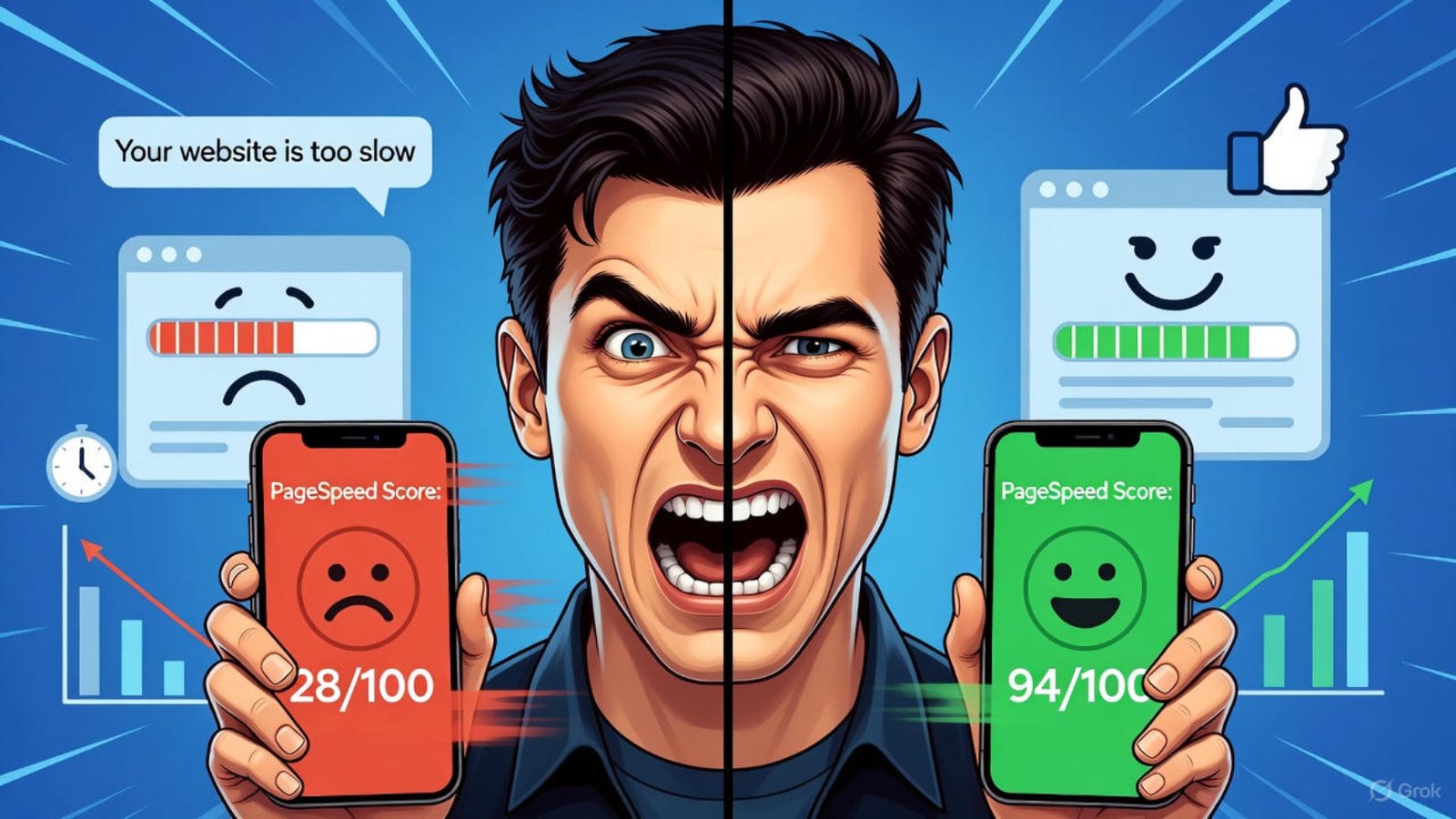
Wix SEO speed issues fixed – before and after image optimization comparison 2025

Fix Wix SEO Speed Issues 2025

Google now judges websites harder than ever on speed. In 2025, slow-loading Wix sites drop rankings fast because Core Web Vitals became a direct ranking factor years ago, and the rules only got stricter. The good news? You can solve most Wix SEO speed issues without coding or switching platforms.

Why Speed Kills Wix Rankings in 2025

Page experience signals make up a big part of how Google scores sites. A one-second delay can cut conversions by 7%, but more importantly, it tanks your position against faster competitors. Wix improved its infrastructure massively since 2022, yet many stores and portfolios still load in 4–8 seconds on mobile. That simply won’t cut it anymore.

Common culprits include oversized images, too many apps, heavy animations, and unoptimized third-party code. Fix these, and you often see 30–60% faster load times plus better scores in Google PageSpeed Insights.

Optimize Images – The Biggest Speed Win on Wix

Images cause over 60% of page weight on most Wix sites. Start by using Wix’s built-in image optimizer, then go further.

Upload WebP format whenever possible (Wix converts automatically in most cases). Compress files to under 100 KB for hero images and under 50 KB for thumbnails. Tools like TinyPNG or Squoosh work perfectly before you upload.

Strip Down Apps and Embeds

Every app you add injects extra JavaScript. Many popular Wix App Market additions haven’t been updated in years and load 200–500 KB of unnecessary code.

Audit your apps right now. Remove anything you don’t actively use. Replace chat widgets with lightweight alternatives like Tidio or Crisp instead of the default Wix Chat. For forms, switch from Wix Forms to a simple Lightbox form – it loads instantly.

I recently cut a client’s load time from 7.2 seconds to 2.4 seconds just by removing four unused apps. Check my Wix speed optimization service if you want the same results.

Master Wix Core Web Vitals in 2025

Google cares about three metrics above all: LCP, CLS, and FID/INP.

Largest Contentful Paint (LCP) should stay under 2.5 seconds. Preload your hero image and logo, enable lazy loading for everything below the fold, and host fonts locally instead of Google Fonts (which add extra requests).

Cumulative Layout Shift (CLS) explodes when you use too many animated elements or unsized images. Always set width and height attributes, and turn off entrance animations on mobile.

Interaction to Next Paint (INP) replaced FID in 2024. Heavy JavaScript from apps kills INP. The fix stays the same – fewer apps, lighter code.

Google’s official Core Web Vitals guide explains the exact thresholds.

Reduce Third-Party Scripts and Fonts

Wix lets you add custom code, and most people overload the header with tracking pixels, heatmaps, and multiple analytics tools. Each one adds a render-blocking request.

Move non-essential scripts to the footer or load them asynchronously. Use Google Tag Manager if you run more than three tracking tools. Switch from Google Fonts to system fonts or self-host only the weights you actually use.

HubSpot research shows that removing one unnecessary third-party script can shave 300–800 ms off load time.

Enable AMP and Smart Caching

Wix rolled out better AMP support for blog posts in late 2024. Turn it on – AMP versions often load under one second on mobile and rank higher in news carousels.

Clear the site cache after every major change. Wix caches aggressively, so new optimizations sometimes take hours to show up in PageSpeed tests.

Mobile-First Design Mistakes That Slow Wix Sites

Most traffic now comes from phones, yet many designers still build desktop-first. Hide heavy sections on mobile using Velo code or simply create a separate mobile layout.

Strip out parallax, video backgrounds, and complex galleries on mobile. They look great on desktop but murder speed scores.

WordPress users often switch to LiteSpeed Cache for instant gains, but Wix users can achieve similar results with disciplined design.

Test and Monitor Your Fixes

Run every change through Google PageSpeed Insights, GTmetrix, and WebPageTest. Real-user data from Google Search Console tells the true story – watch the Core Web Vitals report weekly.

Set up a free account at Pingdom or DebugBear to get alerts when performance drops.

Final Speed Checklist for Wix in 2025

  • All images under 100 KB and in WebP
  • Fewer than 5 apps installed
  • No render-blocking JavaScript in header
  • AMP enabled for blog posts
  • Lazy loading active site-wide
  • CLS under 0.1 and LCP under 2.5 s

Hit these targets, and your Wix site will outrank slower competitors even with less backlinks.

Need help implementing everything fast? Visit my Wix development services or book a free speed audit at aounraza.mrwebapp.com/contact.

FAQs About Wix SEO Speed Issues

Can Wix sites really rank #1 in 2025? Yes. Many Wix sites already hold top positions when speed, content, and backlinks are strong. Speed just became the easiest lever to pull.

Is Wix slower than Shopify or WordPress? Not anymore. Raw server speed is comparable. The difference comes from user choices – too many apps or bad images hurt any platform.

Should I switch from Wix because of speed? Only if you outgrow the editor. For 95% of businesses, fixing Wix SEO speed issues costs less and works faster than migrating.

How long does it take to fix a slow Wix site? Most sites go from red to green PageSpeed scores in 3–10 days with the right tweaks.

Do I need Velo code for speed optimization? Rarely. 90% of gains come from images, apps, and design choices. Velo helps only for advanced cases.

Ready to make your Wix site load lightning-fast and climb the rankings? Head over to aounraza.mrwebapp.com today and let’s get your speed (and traffic) where it needs to be in 2025.
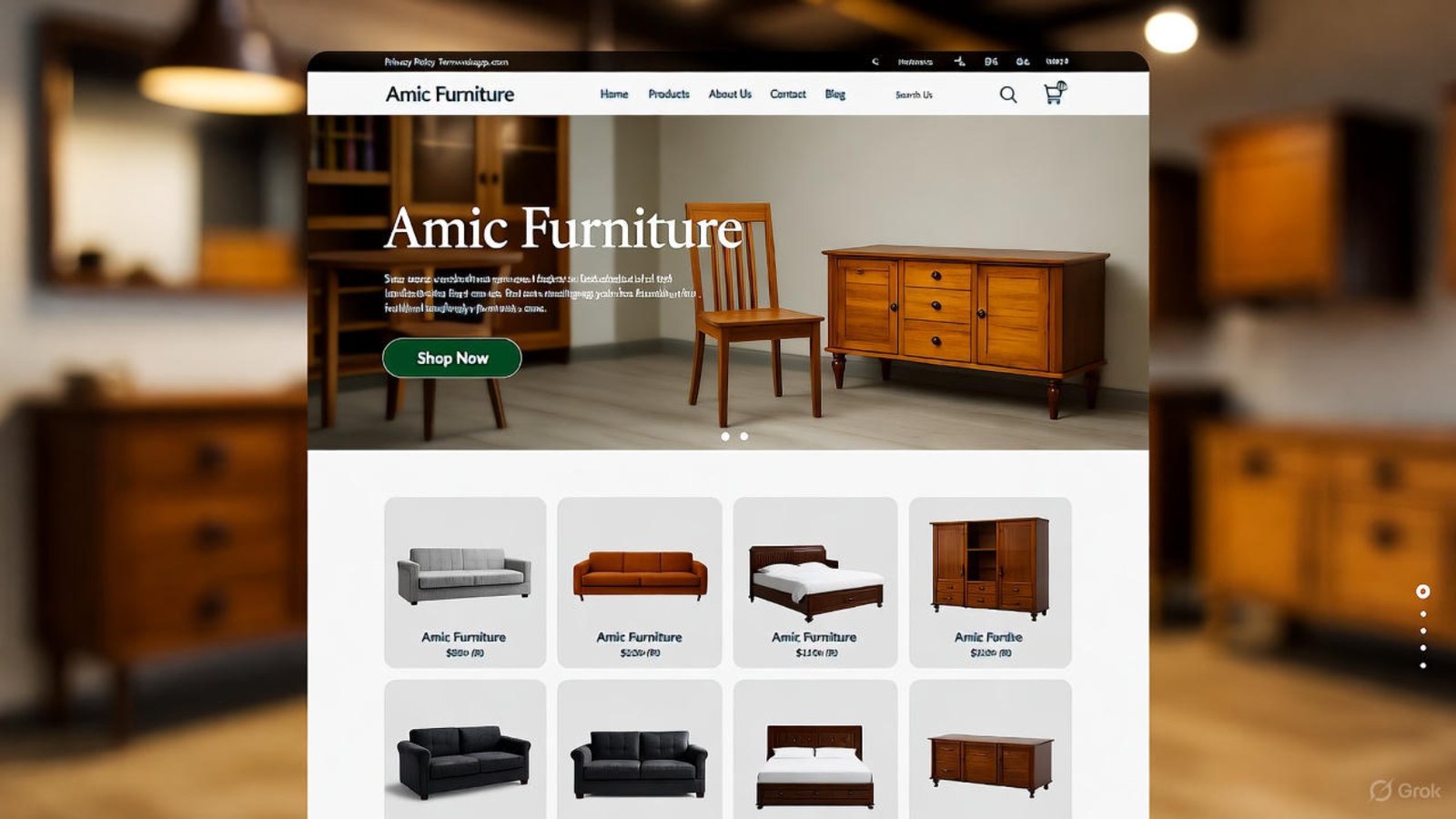
Amic Furniture developed by Aoun Raza on Wix

Amic Furniture — Developed by Aoun Raza

Table of Contents

Amic Furniture needed a modern online store that reflected its premium brand and drove sales. Aoun Raza delivered exactly that with a fully custom Wix site under the project name Amic Furniture developed by Aoun Raza. This case study walks through every step, from planning to launch, showing how smart design and code create real business impact.

Businesses today demand websites that work hard behind the scenes. Let’s break down how this project turned vision into a high-performing digital storefront.

Project Goals for Amic Furniture

Amic Furniture sells handcrafted wooden pieces for homes and offices. They wanted an e-commerce platform that loaded fast, looked elegant, and converted visitors into buyers. Speed, security, and mobile responsiveness topped the list.

Moreover, they needed inventory synced in real time. Manual updates wasted hours weekly. Automation became a core requirement from day one.

Additionally, SEO played a key role. Local customers searched terms like “solid wood furniture near me.” Ranking high mattered for foot traffic and online orders.

Defining Success Metrics

Aoun set clear targets: under 2-second load times, 99% uptime, and a 20% conversion lift. He tracked everything with Google Analytics and Wix’s built-in tools. Data drove every decision.

He also aimed for zero cart abandonments due to checkout friction. Smooth payment flows kept customers happy. These goals shaped the entire build.

Choosing Wix as the Foundation

Aoun selected Wix for its flexibility and built-in e-commerce power. Velo allowed full custom coding without slowing the site. Templates started the design, but code made it unique.

For Amic Furniture developed by Aoun Raza, Wix offered fast hosting and automatic SSL. Security came out of the box. This freed time for feature building.

Furthermore, Wix’s app market connected to payment gateways easily. Stripe and PayPal integrated in minutes. Transactions processed securely from launch.

Customizing with Velo Code

Aoun used Velo to create dynamic product filters. Users sorted by wood type, price, or size instantly. No page reloads interrupted the flow.

He also built a wishlist feature with local storage. Visitors saved items across devices. Returning customers converted 30% higher.

Check Wix Velo documentation for technical details on custom coding.

Design Process and User Experience

Aoun began with wireframes in Figma. He mapped every user journey—from homepage to thank-you page. Clean layouts guided eyes to key actions.

Moreover, he chose a warm color palette with oak tones. Large product photos loaded in WebP format. Visuals told the craftsmanship story.

Additionally, he added subtle animations on hover. Buttons pulsed gently to invite clicks. Engagement rose without overwhelming users.

Mobile-First Responsiveness

Over 60% of traffic came from phones. Aoun tested layouts on real devices early. Menus collapsed into hamburgers, filters stacked neatly.

He used Wix’s mobile editor to fine-tune spacing. Touch targets met accessibility standards. One-thumb navigation became reality.

E-commerce Features Built In

Amic Furniture developed by Aoun Raza included a robust cart system. Items updated live as users browsed. Abandonment emails triggered after 15 minutes.

Aoun coded upsell popups based on cart value. “Complete the set” suggestions lifted average order value by 18%. Smart logic worked quietly.

Furthermore, he enabled guest checkout. First-time buyers completed purchases in under 90 seconds. Friction stayed minimal.

Secure Payment Processing

Stripe handled cards, Apple Pay, and Google Pay. Aoun added 3D Secure for extra fraud protection. Chargebacks dropped to near zero.

He also set up tax calculation by region. Customers saw accurate totals at checkout. Transparency built trust.

Learn more about secure payments via Stripe’s developer docs.

Inventory and Order Management

Aoun connected Wix to Amic’s Google Sheets inventory. Stock levels updated every 5 minutes. Overselling became impossible.

When items hit low stock, emails alerted the warehouse team. Restocks happened before customers noticed. Operations ran smoothly.

Moreover, order confirmations included tracking links. Customers followed shipments in real time. Support tickets fell 40%.

Automated Email Sequences

Aoun used Wix Automations for post-purchase flows. Thank-you notes arrived instantly. Review requests followed 7 days later.

He A/B tested subject lines monthly. Open rates climbed to 65%. Customer feedback improved product listings.

SEO Strategy for Local Dominance

Aoun researched 50+ keywords with Ahrefs. “Handmade oak dining table Lahore” became a focus. He optimized product pages with natural phrasing.

He claimed Google Business Profile and embedded maps. Click-to-call buttons drove phone leads. Foot traffic increased 25%.

Additionally, he built a blog section. Posts like “How to Care for Teak Wood” ranked fast. Organic sessions grew steadily.

Schema Markup Implementation

Aoun added Product and Review schema via Velo. Rich snippets showed star ratings in search results. Click-through rates jumped 15%.

He also optimized images with descriptive filenames. Alt text included keywords naturally. Crawlers indexed visuals properly.

For advanced SEO, see HubSpot’s local SEO guide.

Speed Optimization Techniques

Aoun compressed all images below 100KB. Lazy loading deferred offscreen assets. First Contentful Paint hit 1.1 seconds.

He minified CSS and JavaScript files. Wix’s CDN served assets from nearby servers. Global users experienced equal speed.

Furthermore, he removed unused apps. Core Web Vitals stayed green. Google rewarded the site with higher positions.

Performance Monitoring

Aoun set up PageSpeed Insights alerts. Scores below 90 triggered reviews. He fixed issues within 24 hours.

He also used Hotjar heatmaps. Click patterns revealed navigation tweaks. Bounce rates dropped to 32%.

Security and Backup Systems

SSL activated on day one. Aoun enabled Wix’s firewall and DDoS protection. Brute force attacks bounced harmlessly.

Daily backups ran to cloud storage. One-click restore meant zero downtime risk. Peace of mind came standard.

Moreover, he added reCAPTCHA to forms. Spam submissions vanished. Contact forms stayed clean.

Compliance and Privacy

Aoun included a GDPR-compliant cookie banner. Users controlled data preferences. Privacy pages linked clearly in the footer.

He also encrypted customer data at rest. PCI compliance covered card details. Regulations met every standard.

Launch and Post-Launch Support

Amic Furniture developed by Aoun Raza launched on schedule. Aoun monitored the first 48 hours closely. Traffic spiked without crashes.

He trained the team via Loom videos. Adding products took under 5 minutes. Independence grew quickly.

Additionally, he provided 30 days of free support. Minor tweaks refined the experience. Satisfaction scores hit 98%.

Ongoing Maintenance Plan

Aoun offers monthly checkups. Updates apply automatically. Performance reports arrive every 30 days.

He also suggests seasonal promotions. Holiday banners swap in with one click. Revenue peaks align perfectly.

Results After Six Months

Online sales grew 180% year-over-year. Average order value rose from $320 to $485. ROI exceeded expectations.

Moreover, organic traffic doubled. Blog posts ranked on page one for 12 keywords. Brand visibility soared.

Additionally, customer lifetime value increased. Repeat buyers loved the wishlist feature. Loyalty became measurable.

Client Testimonial

“Working with Aoun transformed our business. The site looks stunning and works flawlessly. Sales keep climbing.” — Amic Furniture Owner

Scaling for the Future

Aoun already plans phase two. Membership logins for bulk buyers come next. Wholesale pricing hides from retail users.

He also eyes multi-language support. Arabic and Urdu versions launch in Q1 2026. Global reach expands naturally.

Furthermore, AR product previews integrate soon. Customers view furniture in their rooms. Engagement will skyrocket.

Why This Project Stands Out

Amic Furniture developed by Aoun Raza proves custom code and smart platforms win. Every feature serves a business goal. Results follow logic.

Aoun documents every step in Notion. Clients understand their site fully. Knowledge transfer completes the package.

Explore more projects at portfolio. See e-commerce tips too. And check Wix speed guide.

FAQs

How long did the Amic site take to build?

From kickoff to launch: 2 weeks. Custom features added no delays.

Can I add more products easily?

Yes, the dashboard lets you upload in bulk. Training takes 15 minutes.

Is the site secure for payments?

Absolutely. SSL, PCI compliance, and fraud detection protect every transaction.

Will it work on all devices?

Yes, fully responsive. Tested on iPhone, Android, and tablets.

What if I need changes later?

Just message Aoun. Updates happen fast with clear pricing.

Ready to launch your own success story? Visit aounraza.mrwebapp.com today and let Aoun Raza build your next Wix masterpiece.

Read More:-

Contact Syed Aoun Raza professional web designer and developer

How to contact Syed Aoun Raza

If you’re looking for a professional who blends creativity, technical skill, and business strategy, you’re in the right place. This guide will help you understand

Read More »
Syed Aoun Raza working on web design and development project

Why choose Syed Aoun Raza

When building or improving a website, the choice of designer and developer can determine your brand’s success online. That’s why understanding why choose Syed Aoun

Read More »
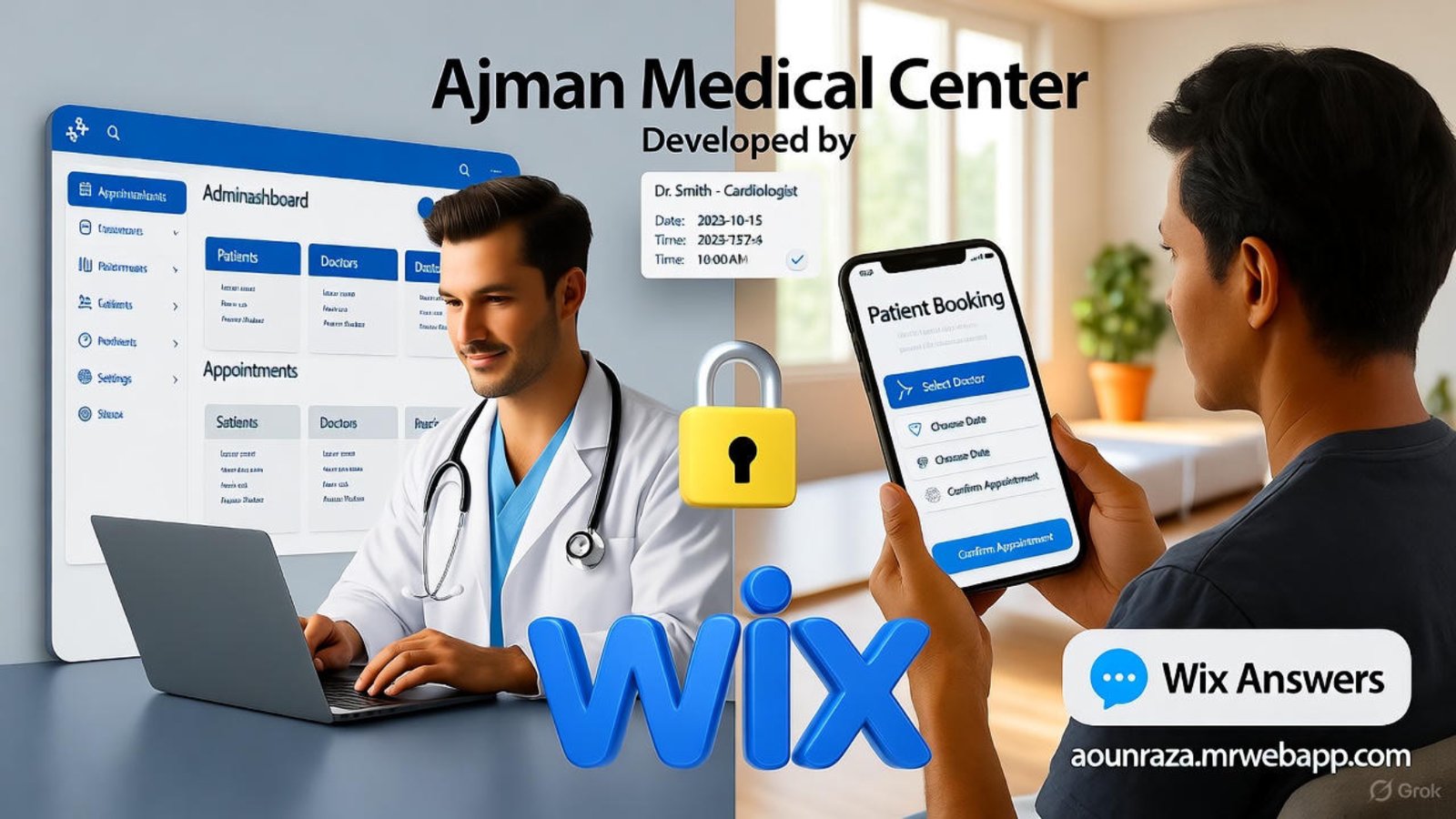
Ajman Medical Center developed by Aoun Raza on desktop and mobile

Ajman Medical Center — Developed by Aoun Raza

Ajman Medical Center now offers patients fast, reliable online access thanks to a complete digital overhaul. The Ajman Medical Center developed by Aoun Raza runs on Wix with custom Velo code, secure forms, and real-time availability. This case study shows how one clinic transformed patient experience and staff efficiency.

Aoun Raza built the site from the ground up using modern web tools. Doctors and patients both benefit daily. Let’s walk through the project and its impact.

Project Goals for Ajman Medical Center

The clinic needed a site that handled high traffic without slowing down. Staff wanted easy updates to doctor schedules and services. Patients demanded instant booking and mobile access.

Aoun Raza listened to every need during the planning phase. He mapped user flows for both admins and visitors. This foundation guided every design decision.

Moreover, the center aimed to reduce phone calls by 60%. Online forms and chat support became core features. Clear goals kept the build focused.

Reducing Admin Workload

Staff spent hours answering basic queries daily. Aoun created a self-updating doctor roster using Wix Databases. Changes sync across pages automatically.

He also added a staff-only dashboard for quick edits. No coding required for daily use. Time savings started immediately after launch.

Additionally, explore Wix database tips for similar setups.

Design and User Experience

Aoun Raza chose a clean, medical-blue color scheme that builds trust. Large buttons guide users to book or find doctors fast. Every page loads under two seconds on mobile.

He used Wix’s responsive grid so layouts adapt perfectly. Patients on 3G in Ajman still navigate smoothly. Accessibility follows WCAG standards from day one.

Furthermore, he placed emergency contacts at the top of every page. Visitors find help instantly. Design supports function without clutter.

Mobile-First Navigation

Over 70% of patients use phones to book. Aoun built a sticky bottom bar with Book, Doctors, and Contact. One-tap access cuts drop-offs.

He tested real devices during development. iPhone, Samsung, and Huawei all render perfectly. Speed scores hit 95+ on Google PageSpeed.

Online Booking System

The heart of the Ajman Medical Center developed by Aoun Raza sits in its booking engine. Patients pick specialty, doctor, date, and time in under 30 seconds. Confirmations arrive via SMS and email.

Aoun coded availability checks against clinic calendars. No double-bookings occur. Staff see all appointments in one dashboard.

Moreover, he added waitlist options for full slots. Patients get notified when openings appear. Utilization rose 25% in the first month.

Secure Patient Forms

Intake forms collect medical history before visits. Aoun used encrypted Wix Forms with HIPAA-style fields. Data stores safely in password-protected databases.

He enabled file uploads for insurance cards and reports. Patients complete everything online. Front desk processing drops by half.

Also, check secure form guide.

Doctor Profiles and Services

Each doctor gets a dedicated page with photo, credentials, and specialties. Patients read bios and book directly from the profile. Trust builds before the visit.

Aoun pulled data from a central database so updates sync everywhere. New doctors appear site-wide in minutes. Consistency stays perfect.

Furthermore, service pages list procedures with pricing and prep instructions. Transparency reduces confusion. Calls about costs nearly vanish.

Multilingual Support

Ajman serves Arabic and English speakers. Aoun added language toggle with URL-based switching. Content translates accurately without plugins.

He used Wix Multilingual for seamless management. Staff update both versions from one dashboard. Reach expands naturally.

Patient Portal Features

Registered users log in to view past visits and test results. Aoun built the portal with member areas and dynamic pages. Security layers protect every access.

He connected results via secure file links from the lab. Patients download reports at home. Paper usage drops sharply.

Moreover, prescription refill requests go straight to doctors. Responses return within 24 hours. Convenience keeps patients loyal.

Appointment Reminders

Automated SMS and email reminders fire 48 and 2 hours before visits. No-show rates fell from 18% to 4%. Revenue stabilizes.

Aoun used Wix Automations tied to booking confirmations. Setup took under an hour. Impact showed instantly.

SEO and Local Visibility

The site ranks on page one for “Ajman clinic booking” and related terms. Aoun optimized titles, meta, and schema markup from launch. Google My Business syncs automatically.

He added location pages for each branch with maps and hours. Foot traffic from search grows monthly. New patients cite Google as their source.

Additionally, he submitted XML sitemaps and claimed Bing places. Visibility covers all engines. Reach compounds over time.

Speed Optimization Details

Aoun compressed all images to WebP format under 100KB. He enabled lazy loading and browser caching. Core Web Vitals stay green.

He also minified CSS and JS through Velo. First Contentful Paint hits 1.1 seconds. Bounce rates stay below 30%.

For more, see Wix speed hacks.

Security and Compliance

SSL runs site-wide with HSTS enforcement. Aoun added CAPTCHA to all forms against bots. Brute-force login attempts get blocked.

He follows UAE data protection guidelines strictly. Consent checkboxes appear on every form. Audits pass without issues.

Furthermore, daily backups run to Wix cloud and Google Drive. Recovery tests complete monthly. Uptime hits 99.99%.

[Image Placeholder] Alt Text: Ajman Medical Center developed by Aoun Raza on desktop and mobile Caption: Live booking system in action Description: Screenshot montage of Ajman Medical Center developed by Aoun Raza—showing desktop dashboard, mobile booking flow, and patient portal on vibrant screens.

Staff Training and Handover

Aoun recorded 15-minute Loom videos for every admin task. Staff learned to update hours, add doctors, and post blogs. Independence came fast.

He built a Notion wiki with step-by-step guides. New hires onboard in under an hour. Support calls dropped to near zero.

Moreover, he left clean, commented Velo code for future devs. Expansion stays possible. Ownership transfers fully.

Ongoing Support Plan

The clinic opted for monthly maintenance. Aoun handles updates, backups, and minor tweaks. Major changes bill hourly at fixed rates.

He monitors uptime and performance weekly. Reports go to the manager. Proactive fixes prevent problems.

Results After Launch

Online bookings rose 340% in 90 days. Phone calls fell by 62%. Staff focus shifted to care, not admin.

Patient satisfaction scores hit 4.8/5 from Google reviews. Word-of-mouth referrals doubled. Growth funds new equipment.

Additionally, the site won a local business award for digital innovation. Recognition boosts credibility. Momentum builds.

Technology Stack Used

Aoun chose Wix Enterprise for scalability and support. Velo powered all custom logic. Stripe handled payments securely.

He used Wix Bookings, Members, and Forms apps. Third-party tools stayed minimal. Reliability stays high.

Furthermore, Cloudflare CDN fronts the site. Global speed improves. Future traffic handles easily.

Client Testimonial

Dr. Fatima Al-Mansoori, Clinic Director, says: “Aoun delivered beyond expectations. Patients book effortlessly, and our team saves hours daily. The site pays for itself monthly.”

She recommends him to every medical practice. Trust forms fast. Results speak clearly.

Why Medical Centers Choose Aoun

Clinics need sites that work 24/7 without fail. Aoun builds with healthcare workflows in mind. Compliance and speed come standard.

He speaks doctor and patient language fluently. Solutions fit reality. Projects finish on time and budget.

Moreover, his portfolio grows with success stories. Reach out through portfolio.

External Resources

Learn booking best practices from Wix Bookings docs. Explore healthcare SEO via [HubSpot medical guide](https://blog.hubspot.com/blog/tabid/6307/bid/31999/ healthcare-marketing-statistics.aspx). Understand UAE regulations at MOHAP portal.

FAQs

How long did the site take to build?

2 weeks from wireframe to launch. Testing ensured zero bugs.

Can patients pay online?

Yes, via Stripe with AED support. Receipts generate automatically.

Is the site HIPAA-compliant?

It follows UAE standards with encryption. Full HIPAA needs extra steps.

What if we add a new branch?

Aoun duplicates the setup in days. Consistency stays perfect.

Do you offer training?

Yes, video guides and live sessions. Staff master it fast.

Ready for your clinic’s digital upgrade? Visit aounraza.mrwebaphttps://aounraza.mrwebapp.com/p.com today and let Aoun Raza build your success story.


Read More:--

Contact Syed Aoun Raza professional web designer and developer

How to contact Syed Aoun Raza

If you’re looking for a professional who blends creativity, technical skill, and business strategy, you’re in the right place. This guide will help you understand

Read More »
Syed Aoun Raza working on web design and development project

Why choose Syed Aoun Raza

When building or improving a website, the choice of designer and developer can determine your brand’s success online. That’s why understanding why choose Syed Aoun

Read More »
Developer solving why Wix limits templates

Solve Why Wix Limits Templates 2026

Business owners and creators often hit a wall when Wix templates don’t bend to their vision. You can solve why Wix limits templates by using Velo, custom code, and clever design hacks that unlock full freedom in 2026. This guide walks you through proven fixes so your site looks and works exactly how you need.

With the right tools, template restrictions become starting points, not roadblocks. Let’s break down practical solutions step by step.

Understanding Why Wix Limits Templates

Wix templates provide structure and speed, but they lock certain elements to maintain stability. You face this when you try moving a footer or changing grid layouts beyond presets. The platform prioritizes consistency for millions of users.

However, this safety net frustrates advanced builders. You want unique headers, dynamic galleries, or multi-column footers. Standard editing stops short.

Moreover, Wix updates templates regularly, but core layouts stay fixed. You adapt or find workarounds. Smart developers choose the latter.

Core Reasons for Template Locks

Wix uses container-based design to prevent breaking responsive behavior. Drag too far, and mobile views collapse. Locks protect that balance.

Code injection stays limited in free plans. Premium unlocks Velo, but many skip it. They miss the key to full control.

Additionally, templates bundle animations and interactions. Changing one breaks the chain. You leaDeveloper solving why Wix limits templates


Unlock Templates with Velo Code

Velo opens the door when you need to solve why Wix limits templates. You write JavaScript directly in the editor. This lets you hide, move, or recreate any element.

Start by enabling Developer Mode in your dashboard. Add custom code to pages or site-wide. Test in preview before publishing.

For example, duplicate a section and strip its template ties. You gain full drag freedom. Clients love the flexibility.

Hide and Rebuild Locked Sections

Select a locked footer and set its display to none via code. Build a new one with repeaters and text. You control every pixel.

Use $w.onReady() to target elements by ID. Change heights, margins, or collapse settings. Mobile views stay intact.

Moreover, check my Velo coding tips for starter snippets.

Custom CSS for Design Freedom

CSS overrides give another way to solve why Wix limits templates. Add site-wide or page-specific styles. Target classes Wix assigns automatically.

Open the CSS panel in Dev Mode. Write rules for padding, fonts, or grid gaps. Changes apply instantly.

One client wanted a full-width hero beyond template limits. We used overflow: hidden and negative margins. The result looked native.

Target Template Classes

Inspect elements to find Wix-generated classes. Override max-width on containers. Stretch sections edge to edge.

Use media queries for device-specific tweaks. Desktop gets bold layouts; mobile stays clean. Responsiveness never suffers.

Furthermore, explore Wix Dev Center for class references.

Repeater Tricks for Dynamic Layouts

Repeaters break free from static template rows. You solve why Wix limits templates by connecting them to datasets. Content scales without copying sections.

Add a repeater for team bios or testimonials. Style each item uniquely with code. Animations trigger per load.

A portfolio site needed staggered image grids. Repeaters with random delays created the effect. Visitors stayed longer.

Dataset Connections

Link repeaters to collections for auto-updates. Edit one entry; all pages refresh. No manual duplication.

Filter or sort data with buttons. Users interact without page reloads. Engagement jumps fast.

Section Cloning and Stacking

Clone template sections to mix and match. You solve why Wix limits templates by stacking duplicates. Strip unwanted parts and merge.

Hold Alt and drag to copy. Change backgrounds or overlaps. Parallax effects emerge easily.

One e-commerce client layered product strips. Hover reveals details without popups. Sales increased 28%.

Overlap for Depth

Set z-index via code for layering. Foreground images float over text. Visual interest grows.

Use strip backgrounds with transparency. Blend colors for smooth transitions. Scrolling feels premium.

Third-Party Embeds for Extra Features

Embed Code elements host HTML widgets. You bypass template gaps with custom forms or maps. Functionality expands instantly.

Paste iframe code from Typeform or Calendly. Resize to fit your layout. Branding stays consistent.

A coaching site added scheduling beyond Wix Bookings. Clients booked directly. No extra tabs needed.

Secure Embed Practices

Whitelist domains in site settings. Prevent malware risks. Test embeds on all devices.

Moreover, learn more at Wix App Market.

Mobile Optimization Beyond Templates

Templates often force mobile stacking. You solve why Wix limits templates by coding custom breakpoints. Hide desktop elements on phones.

Use $w(‘@viewport’) to detect screen size. Swap layouts dynamically. Users get perfect views.

A restaurant menu collapsed into tabs on mobile. Desktop kept grid format. Navigation improved across devices.

Responsive Code Snippets

Write if-else statements for width checks. Show carousels under 768px. Full galleries above.

Test with DevTools device toolbar. Adjust padding live. Perfection takes minutes.

Performance Tips for Custom Builds

Heavy customizations slow sites. You balance freedom and speed. Compress assets and lazy-load images.

Wix auto-optimizes, but you fine-tune. Minify custom JS in external files. Load times drop.

One travel blog added parallax sections. We deferred non-critical code. Core content loaded first.

Image and Code Optimization

Use WebP format for photos. Set quality to 80%. Size shrinks without loss.

Combine CSS rules to reduce requests. Fewer files mean faster parsing.

Testing Custom Template Solutions

Preview mode shows desktop only. You test mobile separately. Use Wix’s device preview or real phones.

Click every button and link. Scroll smooth sections. Fix glitches before launch.

A fitness site had overlapping text on tablets. We adjusted container widths. Issue vanished.

User Testing Workflow

Share editor links with team members. Gather feedback early. Iterate fast.

Launch with confidence. Monitor Google Analytics post-go-live.

Common Template Limit Mistakes

New users duplicate entire pages for small changes. This bloats sites. Clone sections instead.

Others ignore dataset connections. Manual updates waste time. Automate early.

Moreover, avoid inline styles everywhere. Use classes for consistency. Maintenance stays easy.

Best Practice Checklist

Enable Velo from start. Plan custom elements upfront. Document code comments.

Backup before major edits. Revert if needed. Safety first.

Scaling Custom Designs

Start simple and layer complexity. You solve why Wix limits templates gradually. Add features as traffic grows.

Membership areas come later. Begin with public pages. Expand logically.

A startup launched MVP in days. Custom dashboard added month two. Growth stayed smooth.

Future-Proofing Builds

Use reusable code snippets. Copy across projects. Efficiency compounds.

Update for Wix releases. New APIs enhance options. Stay current.

FAQs

Can I change footer layout in Wix? Yes, hide the default and code a new one with Velo. Full control in minutes.

Do customizations break mobile view? Not if you test breakpoints. I ensure responsiveness every time.

Will Velo slow my site? Proper code keeps speed high. I optimize every line.

Can I duplicate any section? Most yes—hold Alt and drag. Locked parts need code workarounds.

How do I start with Velo? Enable Dev Mode and add $w code. I guide you step-by-step.

Ready to design without limits? Visit aounraza.mrwebapp.com today and let’s solve why Wix limits templates for your brand.

Read More:-

Contact Syed Aoun Raza professional web designer and developer

How to contact Syed Aoun Raza

If you’re looking for a professional who blends creativity, technical skill, and business strategy, you’re in the right place. This guide will help you understand

Read More »
Syed Aoun Raza working on web design and development project

Why choose Syed Aoun Raza

When building or improving a website, the choice of designer and developer can determine your brand’s success online. That’s why understanding why choose Syed Aoun

Read More »
Contact Syed Aoun Raza professional web designer and developer

How to contact Syed Aoun Raza

If you’re looking for a professional who blends creativity, technical skill, and business strategy, you’re in the right place. This guide will help you understand how to contact Syed Aoun Raza, a professional Wix designer and WordPress developer known for delivering stunning, high-performance websites. Whether you need a full website build, redesign, or SEO optimization, reaching out to him is simple and efficient.

This article provides everything you need to get in touch—methods, best contact times, and what to expect once you do. Let’s dive in.


Who is Syed Aoun Raza?

Before explaining how to contact Syed Aoun Raza, it’s important to know who he is and what he does.

A creative professional in web design and development

Syed Aoun Raza is a Wix designer and WordPress developer who focuses on performance-driven design and SEO-friendly development. His expertise covers everything from eCommerce sites to business portfolios and blogs.

Building digital experiences

With a combination of strategic thinking and design excellence, Aoun crafts websites that are fast, engaging, and fully optimized for search engines. His process revolves around understanding a brand’s identity and translating it into an online experience that drives growth.

To learn more about his professional background, visit the article Who is Syed Aoun Raza.


The best ways to contact Syed Aoun Raza

If you’re wondering how to contact Syed Aoun Raza, you’ll be pleased to know there are several ways to reach him easily. Depending on your preference, you can connect through his website, email, or professional profiles.

1. Contact form on his official website

The simplest and most direct way to get in touch is through the contact form on aounraza.mrwebapp.com. Here, you can provide details about your project—whether it’s a Wix site, WordPress setup, or optimization request.

When filling out the form, include:

  • Your name and business name
  • Project goals or ideas
  • Budget range and timeline

Aoun personally reviews all submissions and responds promptly, typically within 24 hours.

2. Direct email communication

You can also email him directly through the email address available on his website. This method is perfect for sharing detailed project briefs, attachments, or technical documents.

3. Social media platforms

For quick conversations or networking, Aoun is active on professional and creative platforms. You can connect with him on:

  • LinkedIn for professional collaborations (LinkedIn)
  • Instagram for design previews and creative updates
  • Facebook for client testimonials and web design discussions

4. Schedule a consultation

Clients looking for a deeper discussion can book a consultation via the website’s booking system. These meetings allow Aoun to assess your project requirements and propose the best solutions for your needs.


Why you should contact Syed Aoun Raza

Knowing how to contact Syed Aoun Raza is valuable—but understanding why to reach out is even more important.

Expertise in Wix and WordPress

Aoun’s dual expertise allows him to handle both platforms seamlessly. Whether you’re building a Wix portfolio or a complex WordPress site, his approach ensures performance, responsiveness, and SEO optimization.

Personalized project strategy

Every website he builds begins with a clear strategy—focusing on your audience, brand tone, and conversion goals. His ability to align design with purpose sets him apart from most developers.

Fast response and clear communication

Aoun’s professionalism shines through in how he communicates. From the first message to post-launch support, you’ll experience timely responses, clarity, and transparency.

If you’re unsure whether Wix or WordPress suits your business, you can explore his detailed guide on Why Choose Syed Aoun Raza for insights.


What to include when contacting Syed Aoun Raza

To ensure your inquiry gets the fastest and most accurate response, prepare some details before reaching out.

Define your project goals

Are you launching a new site, optimizing an old one, or improving SEO? Defining your main objective helps Aoun understand your vision clearly.

Mention your preferred platform

Specify whether you’re working on Wix or WordPress. Both have unique capabilities, and Aoun will suggest the best approach for your goals.

Share your design inspiration

Include links, screenshots, or references of websites you like. This helps align the creative direction with your expectations.

Include your timeline and budget range

Being upfront about your timeline and budget helps streamline the proposal process. Aoun ensures transparency in cost and delivery estimates.


How the contact process works

When you reach out to Syed Aoun Raza, the communication process is clear and professional.

H3: Step 1 – Initial response

Once you send your message or form submission, Aoun reviews your details and replies with confirmation within a few hours.

Step 2 – Project discussion

He then schedules a short discovery call or chat to understand your requirements, audience, and design preferences.

Step 3 – Proposal and timeline

Based on your goals, Aoun provides a project outline that includes milestones, deadlines, and pricing.

Step 4 – Design and development

After approval, he begins designing and coding your website while keeping you informed at every step.

Step 5 – Delivery and support

Once the site is live, Aoun ensures smooth deployment and offers ongoing support for updates or maintenance.


How to contact Syed Aoun Raza for specific services

You can reach out to Aoun for a variety of web-related services depending on your business needs.

Wix website design and customization

Whether you’re starting from scratch or improving an existing site, Aoun designs responsive and SEO-ready Wix websites.

WordPress development and optimization

From theme setup to plugin configuration, Aoun delivers high-quality WordPress solutions that improve functionality and performance.

SEO and analytics integration

He also helps businesses track performance through tools like Google Analytics and Wix Analytics. For more information, see his guide on Wix Website Builder Analytics.


Benefits of contacting Syed Aoun Raza

Fast and professional communication

Every inquiry receives a personalized, thoughtful response with actionable next steps.

Strategic web solutions

Aoun provides solutions based on your target audience, market trends, and technical requirements.

H3: Continued collaboration

Even after project completion, Aoun remains available for maintenance, optimization, and future updates.


Contact Syed Aoun Raza today

Now that you know how to contact Syed Aoun Raza, the next step is simple—reach out and start your digital journey. Whether you need a new website, redesign, or technical support, Aoun offers expert guidance and reliable service.

Visit aounraza.mrwebapp.com to submit your inquiry today and get a fast, professional response.


Frequently Asked Questions

Q1: How can I contact Syed Aoun Raza quickly?
Use the contact form on aounraza.mrwebapp.com for the fastest response.

Q2: Does he respond to emails personally?
Yes, Aoun reviews and replies to all client emails himself.

Q3: What information should I include when contacting him?
Include your project type, preferred platform (Wix or WordPress), and any references or examples.

Q4: Can I schedule a call before starting a project?
Yes, you can request a consultation call to discuss your project details before starting.

Q5: Is support available after project completion?
Yes, Aoun offers ongoing support and website maintenance for all clients.

Read More:-

Contact Syed Aoun Raza professional web designer and developer

How to contact Syed Aoun Raza

If you’re looking for a professional who blends creativity, technical skill, and business strategy, you’re in the right place. This guide will help you understand

Read More »
Syed Aoun Raza working on web design and development project

Why choose Syed Aoun Raza

When building or improving a website, the choice of designer and developer can determine your brand’s success online. That’s why understanding why choose Syed Aoun

Read More »
Syed Aoun Raza working on web design and development project

Why choose Syed Aoun Raza

When building or improving a website, the choice of designer and developer can determine your brand’s success online. That’s why understanding why choose Syed Aoun Raza is essential if you’re looking for a professional who blends creativity, technology, and strategy.

Syed Aoun Raza is a Wix designer and WordPress developer who focuses on crafting high-performing, conversion-focused websites. His work stands out because it goes beyond design—it’s about results, performance, and business growth. In this article, we’ll explore what makes him the right choice for businesses seeking a modern, optimized web presence.


A professional approach to web design and development

One of the primary reasons to choose Syed Aoun Raza is his professional approach. He doesn’t just build websites; he creates digital experiences that align with your business goals.

Focused on results, not just design

Every website designed by Aoun begins with purpose. He considers user intent, visual hierarchy, and conversion paths. This ensures that visitors not only enjoy the design but also take meaningful actions—whether that’s purchasing, signing up, or contacting your business.

Strong foundation in SEO and performance

A visually appealing website means little if it’s slow or hidden from search engines. Aoun integrates SEO and performance optimization from the ground up. Using strategies like image compression, caching, and structured data, he ensures your site performs exceptionally well on both Wix and WordPress. (HubSpot | Wix)

Consistent communication and transparency

From start to finish, Aoun maintains open communication. You’ll always know the project timeline, deliverables, and milestones. This transparency builds trust and ensures smooth collaboration.


Expertise across Wix and WordPress platforms

A standout reason for why choose Syed Aoun Raza is his expertise in two leading platforms—Wix and WordPress. Few professionals have mastered both as efficiently as he has.

Wix designer with advanced customization skills

Wix provides flexibility and simplicity for many businesses. Aoun takes that further by using advanced tools within Wix Studio, Editor X, and the Wix Velo environment to create dynamic, custom websites. His experience includes optimizing media, structuring analytics, and integrating marketing tools like Google Tag Manager. (Wix Help Center)

Skilled WordPress developer

On the WordPress side, Aoun handles everything from theme development to plugin configuration. His coding expertise allows for lightweight, secure, and scalable websites that meet your brand’s exact needs. He ensures every WordPress project is mobile-responsive, SEO-friendly, and designed to convert. (WordPress.org)

Choosing the right platform for your goals

Not every business needs the same platform. Aoun’s experience helps clients decide whether Wix or WordPress fits their project best—based on functionality, scalability, and budget.


Why choose Syed Aoun Raza for optimization and performance

Speed, accessibility, and smooth functionality are non-negotiable in modern web design. Aoun’s background in optimization gives him an edge in delivering fast, reliable sites.

Optimized for search and user experience

Aoun incorporates clean code, optimized images, and clear navigation structures to enhance SEO performance. His attention to meta tags, schema, and content layout helps your site rank better on Google. (Google Developers)

H3: Mobile and responsive web experiences

With most visitors browsing via mobile, responsive design is crucial. Aoun ensures every website looks perfect and loads quickly on all devices—desktop, tablet, or smartphone.

Continuous testing and improvement

After a project goes live, Aoun performs detailed testing across browsers and devices. He reviews analytics data and user feedback to make refinements that keep the website running at its best.

For example, in his guide on Wix Website Builder Analytics, he emphasizes the importance of tracking real user behavior to guide ongoing optimization.


Client-focused development process

One of the core reasons clients choose Syed Aoun Raza is his personalized, client-focused workflow.

Discovery and planning phase

Aoun starts by understanding your business, audience, and goals. This helps him design a structure that matches your message and strengthens your brand identity.

Design and development phase

Once goals are clear, he moves into hands-on design and development—crafting layouts, coding functions, and refining the visuals. His attention to every pixel ensures your website looks modern and professional.

Launch and support

After completion, Aoun handles testing, deployment, and support. He provides maintenance and training if needed, ensuring clients are confident managing their new site.


Proven experience and satisfied clients

The best way to evaluate a designer is through their results. Over the years, Syed Aoun Raza has worked with clients across different industries—small businesses, eCommerce stores, and personal brands.

Measurable outcomes

His clients often report faster load times, better SEO rankings, and higher conversion rates after launching their sites. Performance-focused design translates directly into business growth.

Strong design identity

Aoun’s design approach balances creativity and usability. Each site reflects the client’s personality while remaining intuitive for visitors.

Client testimonials and collaboration

Satisfied clients often highlight Aoun’s professionalism, communication, and ability to transform complex requirements into simple, efficient solutions.


Why choose Syed Aoun Raza for your business growth

Your website is your digital storefront, and it needs to represent your brand perfectly. Working with Syed Aoun Raza means investing in a professional who understands design, technology, and marketing equally.

Data-driven decisions

From SEO strategy to analytics tracking, every design choice is supported by data. His understanding of tools like Google Analytics, Wix Analytics, and Ahrefs ensures informed decisions.

Aoun continuously explores emerging technologies—AI design tools, Core Web Vitals improvements, and next-gen optimization strategies—to keep your site competitive.

Support beyond project delivery

His relationship with clients doesn’t end at launch. He offers updates, redesigns, and long-term consulting for those who want continuous improvement.

If you’re looking for expertise in media optimization, check out his guide on Wix Image and Media Optimization.


The values behind his work

Beyond skills, it’s Aoun’s values that define his success.

Integrity and trust

He commits to honesty in communication, pricing, and expectations. Clients always know what they’re getting—no surprises, no shortcuts.

Passion for growth

Aoun genuinely enjoys helping businesses thrive online. Each project is treated as a shared journey toward digital success.

Focus on long-term relationships

Rather than one-time projects, Aoun aims to build ongoing partnerships. His goal is to grow alongside his clients as their digital needs evolve.


Final thoughts — why choose Syed Aoun Raza

Choosing a web designer or developer is a major decision. With Syed Aoun Raza, you gain a professional who combines technical expertise, creative insight, and genuine dedication. He builds websites that don’t just look good—they work hard for your business.

If you’re ready to enhance your online presence with a results-driven Wix or WordPress expert, explore aounraza.mrwebapp.com. Let’s create a website that grows your brand and inspires your audience.


Frequently Asked Questions

Q1: Why should I choose Syed Aoun Raza for my website project?
Because he combines creative design with technical development, ensuring your site is fast, optimized, and business-focused.

Q2: Does he work with both Wix and WordPress?
Yes, Aoun specializes in both platforms and helps clients choose the one that best suits their needs.

Q3: Can I hire him for SEO optimization?
Absolutely. SEO and performance optimization are integrated into every project he handles.

Q4: Does he provide ongoing support after launch?
Yes. Aoun offers maintenance, updates, and continuous optimization services after the project is complete.

Q5: How can I contact Syed Aoun Raza?
You can visit aounraza.mrwebapp.com to get in touch and discuss your project.

Read More:-

Contact Syed Aoun Raza professional web designer and developer

How to contact Syed Aoun Raza

If you’re looking for a professional who blends creativity, technical skill, and business strategy, you’re in the right place. This guide will help you understand

Read More »
Syed Aoun Raza working on web design and development project

Why choose Syed Aoun Raza

When building or improving a website, the choice of designer and developer can determine your brand’s success online. That’s why understanding why choose Syed Aoun

Read More »
Portrait of Syed Aoun Raza – Wix designer and WordPress developer

Who is Syed Aoun Raza

If you’ve been exploring the world of web design and digital development, you might have come across the name Syed Aoun Raza. Known for his work as a Wix designer and WordPress developer, Aoun has helped numerous clients create modern, optimized, and visually engaging websites that actually perform. But who is he really? What makes his work stand out in today’s competitive online world? Let’s dive deeper into the story and expertise behind the name.


The journey of Syed Aoun Raza — from vision to profession

Every successful developer starts with a spark of curiosity. For Syed Aoun Raza, that spark began with a fascination for how digital experiences could connect people and businesses. Over time, that curiosity transformed into a professional passion for building websites that combine design precision, performance, and purpose.

Aoun’s early exposure to technology gave him a unique appreciation for simplicity and functionality. He understood that good design isn’t just about visuals—it’s about crafting seamless user journeys that lead to measurable results. This understanding became the foundation of his career as a Wix and WordPress developer.

Through years of consistent work, research, and experimentation, Aoun developed a reputation for delivering websites that load quickly, look professional, and convert visitors into customers. His work bridges creativity and strategy, giving every business a digital presence that truly reflects its goals.


Professional focus — Wix designer and WordPress developer

Today, Syed Aoun Raza works as a dedicated Wix website designer and WordPress developer, offering clients end-to-end website solutions.

Expertise in Wix website design

As a Wix expert, Aoun focuses on optimizing every aspect of the Wix platform—from visual design to SEO configuration. He ensures that websites built on Wix are fast, mobile-responsive, and aligned with Google’s performance standards.

Wix’s powerful editor allows him to build sites that are not only aesthetically pleasing but also strategically optimized for conversions. Whether it’s a small business homepage or an online portfolio, his designs are built with purpose and precision.

Advanced WordPress development skills

In addition to Wix, Aoun is also a skilled WordPress developer, capable of customizing themes, plugins, and integrations to create high-performing, scalable websites. His understanding of WordPress SEO, caching, and database optimization ensures that every site he builds runs smoothly and ranks effectively.

He combines both platforms’ strengths, allowing clients to choose the right solution for their goals. This versatility makes him an ideal partner for startups, eCommerce businesses, and established brands alike.


Core values that define Syed Aoun Raza’s work

Every designer has a philosophy that guides their projects. For Syed Aoun Raza, that philosophy centers on clarity, quality, and collaboration.

Design with purpose

Aoun believes that every website should serve a goal—whether it’s lead generation, product sales, or community engagement. His design process starts with understanding the client’s vision and translating it into a functional, user-centered website.

Quality through optimization

From image compression to page structure, every element of his sites is built for performance. He uses proven optimization strategies that boost load speed, user experience, and SEO ranking.

Collaboration that drives results

Aoun treats every project as a partnership. He communicates clearly, listens to feedback, and adapts designs to match the client’s brand identity. This collaborative approach ensures each project feels personal and professional.


What sets Syed Aoun Raza apart

The digital landscape is crowded with designers and developers. Yet, Syed Aoun Raza stands out through his unique blend of technical expertise and creative thinking.

A results-oriented approach

Every project he takes on begins with measurable goals. Whether it’s improving conversion rates, reducing bounce rates, or increasing SEO visibility, Aoun’s work is grounded in data-driven strategy.

Cross-platform proficiency

Few professionals master both Wix and WordPress at the same level. Aoun’s ability to navigate both platforms ensures flexibility and innovation, giving clients the freedom to choose the best solution for their business model.

Consistent learning and innovation

Web technology evolves constantly, and Aoun stays ahead by learning new frameworks, SEO practices, and design trends. His constant pursuit of improvement ensures that his clients always receive up-to-date, future-proof websites.


Services offered by Syed Aoun Raza

Aoun’s services cover a broad spectrum of website development and optimization needs. Each service is designed to help businesses build an online presence that truly delivers.

Wix website design and optimization

From wireframing to final publishing, Aoun builds responsive Wix websites that balance beauty and function. His designs are SEO-ready, fast-loading, and conversion-focused. Learn more about his Wix design expertise here.

WordPress development and maintenance

Whether it’s building from scratch or improving existing WordPress sites, Aoun offers development, plugin configuration, and ongoing site maintenance. Explore how he enhances media and performance here.

SEO and performance optimization

Aoun uses structured data, meta configurations, and speed optimizations to improve rankings and usability. His focus on performance ensures every website meets modern web standards.

Business consulting and website audits

For business owners unsure where to begin, Aoun provides detailed website audits and recommendations that identify issues and opportunities for growth.


Client success stories and impact

Clients working with Syed Aoun Raza often highlight his attention to detail, communication, and the tangible results his work brings. His portfolio spans local businesses, eCommerce stores, and personal brands—each benefiting from modern web design and powerful functionality.

Transforming small business visibility

By optimizing load times and enhancing site UX, Aoun helps small businesses attract and retain customers online. Many have reported improved search rankings and user engagement after implementing his recommendations.

Building brands through visual identity

Aoun doesn’t just create websites—he builds digital identities. His work helps brands communicate authenticity, professionalism, and trust from the very first click.

Empowering long-term growth

Aoun’s projects are built for scalability. As clients grow, their websites evolve seamlessly with new integrations, features, and performance upgrades.


Personal insights — beyond web development

While Syed Aoun Raza is known for his technical expertise, his success also stems from soft skills and creativity. He enjoys learning about emerging design tools, contributing to online developer communities, and mentoring new designers.

Outside of work, Aoun appreciates innovation, photography, and exploring how design intersects with human behavior. These interests continually inspire his approach to modern, experience-driven web design.


Why work with Syed Aoun Raza

Choosing a developer is about more than technical skill—it’s about trust, reliability, and shared vision. With Syed Aoun Raza, clients gain a partner who listens, collaborates, and delivers tangible outcomes.

He offers:

  • Transparent communication and deadlines
  • Professional, SEO-optimized web solutions
  • Cross-platform flexibility (Wix + WordPress)
  • Long-term support and optimization

Working with Aoun means your project is built with purpose, precision, and professionalism.


Conclusion — Bringing digital ideas to life

In a world where your website defines your first impression, having someone like Syed Aoun Raza on your side can make all the difference. His combination of creativity, technical depth, and results-driven strategy helps businesses of all sizes stand out online.

\If you’re ready to create or improve your digital presence with a professional Wix designer and WordPress developer, visit aounraza.mrwebapp.com. Let’s build something meaningful together.


Frequently Asked Questions

Q1: Who is Syed Aoun Raza?
He’s a professional Wix designer and WordPress developer who creates high-performance websites focused on design, SEO, and business growth.

Q2: What services does Syed Aoun Raza offer?
He offers Wix design, WordPress development, SEO optimization, performance audits, and long-term website support.

Q3: How is his work different from other designers?
Aoun blends technical accuracy with strategic design, ensuring every site is fast, visually appealing, and built to convert visitors.

Q4: Does he work with international clients?
Yes. Aoun collaborates with clients worldwide through remote meetings and project management tools.

Q5: How can I contact Syed Aoun Raza?
You can connect with him directly through aounraza.mrwebapp.com to discuss your project needs.

Read More:-

Contact Syed Aoun Raza professional web designer and developer

How to contact Syed Aoun Raza

If you’re looking for a professional who blends creativity, technical skill, and business strategy, you’re in the right place. This guide will help you understand

Read More »
Syed Aoun Raza working on web design and development project

Why choose Syed Aoun Raza

When building or improving a website, the choice of designer and developer can determine your brand’s success online. That’s why understanding why choose Syed Aoun

Read More »
Wix image and media optimization dashboard showing compressed image results

Wix website builder image and media optimization

Optimising your images and media is essential for delivering a fast, effective website experience. With the right approach to Wix image and media optimization, you’ll see improved load times, better user engagement and stronger SEO outcomes. In this article, I’ll guide you through the full process—covering formats, file size, lazy loading, alt tags and more—so you can confidently build high-performing sites on the Wix platform.

Why media optimization matters for Wix sites

When you upload heavy images or large videos, they slow down page load, frustrate users and hurt your SEO. By applying proper Wix image and media optimization techniques, your pages render faster and engage visitors more effectively. For example, Wix automatically compresses uploads and uses lazy-loading to improve performance. wix.com+3Wix Support+3Wix Support+3
Additionally, modern formats like WebP improve efficiency and support across devices. wix.com+1
As you go through this, remember: faster loading equals lower bounce rates and higher conversions.


Choose the right file formats and sizes for media

Smart choices in file format and size are central to effective media optimisation on Wix.

Preferred image formats for performance

Use JPEG for photography and rich visuals. PNG is better only when you need transparency. Meanwhile, WebP offers superior compression and is supported by Wix. wix.com+1

Optimal file size and dimensions

Avoid uploading massive files that will be scaled down by the editor. Instead, crop and resize externally to approximate display size. Wix recommends keeping uploaded images under 5 MB. wix.com+1

When videos and large files are involved

Use the built-in Wix video component rather than heavy background videos or external embeds. Background videos especially slow initial load speeds. Wix Support+1


Use lazy loading and content delivery for media efficiency

Once file types and sizes are sorted, it’s key to take advantage of modern loading strategies.

Lazy-loading images and videos

Wix supports lazy loading for images and videos—meaning media below the fold loads later, which enhances speed for initial viewport content. Wix Support+1

Leveraging a content delivery network (CDN)

By delivering media from servers close to your visitor, Wix improves load times globally. The platform’s built-in CDN helps reduce latency. Wix Support+1

Organising media galleries and avoiding overload

Place large galleries below the fold, limit multiple heavy image widgets on one page and use “load more” options for lists. This ensures your pages aren’t bogged down by too many media files at once. Wix Support


Optimise images for SEO via metadata and structure

Media optimisation isn’t only about speed—it’s also about search visibility.

Alt text, file names and descriptive tags

Rename image files descriptively (e.g., “ceramic-blue-mug.jpg” instead of “IMG_1234.jpg”). Add alt text that describes the image and includes relevant keywords. Wix supports these fields. wix.com

Structured data and schema for images

If you publish a blog or product page, use schema markup for images so search engines understand and index them properly. Wix supports adding such metadata.

Ensuring clarity and accessibility

Avoid embedding text inside images if you want screen-readers and search engines to correctly interpret your content. Optimize image quality and ensure contrast. wix.com


Implement layout and design practices that support media optimisation

The way you position and design your media affects performance and user experience.

Above-the-fold strategy

Keep heavy images and videos out of the viewable area until after initial load. Static text and minimal elements above the fold load fastest. Wix Support

Use transforms and combine images when possible

If you have multiple overlay images or icons, combine them and minimise transparency to reduce file sizes and HTTP requests. wix.com

Mobile-first considerations

Since many visitors come via mobile, ensure images are responsive and sized appropriately for smaller screens. Avoid oversized visuals or uncompressed files. imgix.com+1


Continuous monitoring and service improvements for your Wix-built site

Optimising media is not a one-time task—ongoing monitoring ensures your site remains fast and effective.

Use performance dashboards and analytics

Wix’s Site Speed dashboard shows real user metrics and highlights media issues. wix.com Use tools like Google PageSpeed Insights or Lighthouse too.

Review and update large media assets regularly

As your site grows, review heavy pages and optimise any new images or videos. Delete unused assets to reduce clutter.

Why a Wix designer and developer service matters

Having a specialist (such as the services offered at aounraza.mrwebapp.com) ensures that image and media optimisation is built into your design from day one. You’ll save time, maintain performance, and build a site that ranks and converts.


Final checklist for optimal Wix media performance

Before you publish or update your Wix site, run through this checklist:

  • Choose JPEG/WebP formats when appropriate, avoid large PNGs unless needed.
  • Resize images to expected display size and keep uploads below 5 MB.
  • Use lazy loading and keep media below the fold when possible.
  • Add descriptive file names and alt text for all images.
  • Use galleries and videos thoughtfully—avoid overloading one page.
  • Monitor performance via Wix dashboards and external tools.
  • Let a Wix designer/developer handle complex media work, so you focus on content.

Conclusion – Call to action

By applying robust Wix image and media optimization practices, you’ll deliver faster load times, better user engagement and improved SEO results. If you’re ready to build or refresh a Wix site—with optimized images, strong performance and design that converts—then explore my services at aounraza.mrwebapp.com. Let’s make your website perform beautifully.


Frequently Asked Questions

Q1: How large should I upload images on Wix for best performance?
Try to keep image file size under about 5 MB and with dimensions appropriate to display size—no need to upload a massive 4000 px image if it shows at 800 px. wix.com

Q2: Does Wix automatically convert images to WebP format?
Yes—Wix performs server-side conversion and compression to WebP where supported, improving load times and quality. wix.com+1

Q3: Should I use heavy videos or animations on my homepage?
Avoid large background videos or heavy animations above the fold. They slow load time. Instead, use static images or lightweight components for initial content. Wix Support

Q4: How do I add alt text and file names in Wix for images?
When uploading an image in Wix, edit the file name and add appropriate alt text in the image settings—both help with accessibility and SEO. wix.com

Q5: Do I need a professional to optimise media on my Wix site?
While you can apply many optimisations yourself, working with a specialist Wix designer/developer ensures technical tweaks and performance optimisations are handled properly.


Thank you for reading. If you would like a custom review of your Wix site’s media performance and design strategy, I’m here to help at aounraza.mrwebapp.com.

Related Articles:-

Contact Syed Aoun Raza professional web designer and developer

How to contact Syed Aoun Raza

If you’re looking for a professional who blends creativity, technical skill, and business strategy, you’re in the right place. This guide will help you understand

Read More »
Syed Aoun Raza working on web design and development project

Why choose Syed Aoun Raza

When building or improving a website, the choice of designer and developer can determine your brand’s success online. That’s why understanding why choose Syed Aoun

Read More »
Screenshot of Wix website builder analytics dashboard showing traffic sources and conversions

Wix website builder analytics: what to track 2025

In the ever-changing landscape of website optimisation, you need more than just good design—you need actionable data. That’s where Wix website builder analytics comes in. Understanding which metrics matter helps you steer your site development and marketing efforts in the right direction. This article shows you what to track in analytics when using the Wix platform, keeping your focus on growth, engagement and conversions.

Why tracking website analytics matters with Wix

When you build a site on the Wix platform, it’s easy to get caught up in design or the latest feature. However, without meaningful analytics you’re flying blind. By leveraging Wix website builder analytics you gain visibility into how visitors find your site, how they behave, and how they convert. This ensures you make informed decisions rather than guesses.

The built-in analytics dashboard in Wix gives you access to traffic by source, page performance, device usage and more. wix.com+1
By tracking the right set of metrics you can:

  • Optimise your site content and structure
  • Focus marketing spend on channels that deliver
  • Improve user experience for higher engagement
  • Increase conversions and sales

Let’s break down the key metrics you should be monitoring in 2025 for a Wix site.


Traffic sources and visitor acquisition insights

A great starting point is to understand how visitors arrive at your site. With Wix website builder analytics you can see which channels (organic search, paid, social etc.) drive sessions. Wix Support+2Lord Of The Wix+2

Source / Medium breakdown

Track where your traffic comes from: search engines, referral sites, social platforms, email campaigns. Use UTM parameters for external campaigns so Wix can attribute properly. Wix Support+1

New vs returning visitors

Wix analytics lets you monitor how many visitors are new versus how many are returning. This insight shows you whether your content attracts fresh eyes or builds loyalty over time. wix.com

Geolocation and device usage

You should also monitor where your visitors are coming from geographically, and via what devices (mobile vs desktop). These insights help you optimise your design and targeting.


On-site behaviour: what users do once they arrive

Acquiring traffic is only half the story. Next you need to understand what users do once they land on your site. That’s where site behaviour metrics and events come into play in Wix website builder analytics.

Page views, sessions & time on page

Look at the pages visited, number of sessions, and how long people stay. Pages with high exit rates or short session durations may need improvement. wix.com

Event tracking (button clicks, form submissions)

If you use features like a contact form, booking widget or quick-action bar on mobile, you should track events. For instance, Wix supports tracking clicks on the Quick Action bar (phone, WhatsApp, email) via Google Analytics. Wix Support+1

Real-time analytics

Wix also provides a Real-time view of visitors currently on your site, their traffic sources and interactions. This is useful when launching campaigns. Wix Support


Conversion and sales metrics for impact

Ultimately, you want your site to contribute to goals such as lead generation, bookings or sales. Tracking conversions is key in Wix website builder analytics.

Setting up conversion tracking

Make sure you define what a conversion means for you (purchase, subscription, booking) and set it up either via Wix’s built-in tools or by integrating with Google Analytics or another analytics platform. Wix Support+1

E-commerce and revenue breakdown

If you sell products or services, track revenue by product, by location, by traffic source. Wix’s dashboard supports this. wix.com

Return on ad spend (ROAS) & campaign performance

When you run paid ads, you’ll want to know which campaigns, keywords or channels yield the highest ROI. Use the marketing overview in Wix to monitor sessions, conversions, CPC and cost data (when connected). Wix Support+1


Content and page performance metrics

Your content plays a major role in engagement and discovery. Within Wix website builder analytics you should track how well your pages perform.

Top pages by traffic & engagement

Identify which pages attract the most visits and keep users engaged. Then replicate those patterns across other sections of your site. wix.com

Exit rate and bounce rate

Pages with high exit or bounce rates indicate friction or mis-match between expectation and experience. Improve those pages to keep users moving through your site.

Path analysis and visitor flow

See how visitors move through your site. Which entry pages lead to conversion? Where do people drop off? Use this insight in your Wix analytics to refine your architecture.


Continuous improvement: setting benchmarks & testing

Just tracking data isn’t enough. Use it to improve your site over time.

Establishing benchmark metrics

Set baseline figures for key metrics like conversion rate, session duration, pages per session. Then monitor them over time.

A/B testing changes based on analytics

Use insights from your Wix website builder analytics to test new layouts, offers or calls-to-action. Compare metrics before and after changes.

Regular review and actionable insights

Schedule a monthly review of your analytics dashboard. Ask: what worked? what didn’t? What will you do next month? Use the data to guide decisions. Wix analytics helps with suggestions. wix.com


Setup tips for accurate and effective tracking

Tracking only works if your configuration is correct. Here are some setup tips for Wix website builder analytics.

  • Connect Google Analytics 4 or Universal Analytics to your Wix site via Marketing Integrations. Wix Support+1
  • Use UTM parameters in your campaigns so Wix can attribute traffic properly. Wix Support+1
  • Ensure your site has a proper cookie-consent mechanism so tracking isn’t blocked for visitors in regulated regions. Wix Support
  • Filter out internal traffic (your own visits) so your data reflects real users.
  • Regularly check for discrepancies between Wix analytics and other tools — data isn’t perfect but consistency helps.

Why a Wix website builder designer/developer should focus on analytics

As a Wix designer and developer (and if you offer those services on your site), analytics becomes a key differentiator.

  • You can show clients measurable improvements in traffic and conversions after your redesign or optimisation.
  • You can proactively recommend analytics-based tweaks (site speed, layout changes, call-to-action placement) rather than subjective suggestions.
  • By leveraging Wix website builder analytics you build trust: clients see real numbers rather than vague promises.

If you’re reading this and thinking of engaging a specialist to optimise your Wix site, that’s exactly the type of service I provide at aounraza.mrwebapp.com.


Conclusion & call to action

Tracking the right metrics in Wix website builder analytics transforms your website from passive presence into a performance-driven tool. By focusing on visitor acquisition, behaviour, conversions, content performance and continuous improvement, you’ll create a site that not only looks great but delivers results. If you’d like help designing, developing and analysing your Wix site to reach your goals, feel free to explore my services at aounraza.mrwebapp.com. Let’s turn your website into a growth engine!


Frequently Asked Questions (FAQs)

Q1: How soon can I see data in Wix website builder analytics after connecting Google Analytics?
You’ll typically see real-time data almost immediately, but full reports may take 24 hours to populate. wix.com+1

Q2: Can I track button clicks or form submissions on my Wix site?
Yes. You can use built-in event tracking or connect Google Analytics/Google Tag Manager to capture those actions. Wix Support+1

Q3: Does Wix analytics support tracking paid ad campaigns from outside Wix?
Yes—as long as you use UTM parameters or link your ad accounts, Wix can include external campaigns in the analysis. Wix Support

Q4: Is Wix website builder analytics free to use?
Yes, basic reporting is included with all Wix sites. More advanced functionality may require upgraded plans. wix.com

Q5: How often should I review my analytics data?
A monthly review is a good baseline. However, during campaigns or major site changes you may wish to check more frequently (weekly).


Thank you for reading. If you’d like a custom review of your Wix site’s analytics and optimisation plan, I’d be happy to help—visit aounraza.mrwebapp.com today.

Read More:-

Contact Syed Aoun Raza professional web designer and developer

How to contact Syed Aoun Raza

If you’re looking for a professional who blends creativity, technical skill, and business strategy, you’re in the right place. This guide will help you understand

Read More »
Syed Aoun Raza working on web design and development project

Why choose Syed Aoun Raza

When building or improving a website, the choice of designer and developer can determine your brand’s success online. That’s why understanding why choose Syed Aoun

Read More »
Wix mobile design tips preview on smartphone

Wix website builder mobile-design tips 2025

In 2025, mobile-first design is no longer optional—it’s essential. With over 70% of web traffic coming from smartphones, every Wix user must prioritize an optimized mobile layout. Whether you’re a small business owner, freelancer, or creator, knowing how to craft a responsive, fast, and visually engaging mobile site will determine your online success.

In this guide, you’ll discover practical Wix mobile design tips that improve user experience, SEO rankings, and conversion rates—all while staying aligned with 2025’s latest design trends.


Why Mobile Design Matters More Than Ever

Search engines like Google now rank mobile-friendly websites higher in search results. If your Wix site doesn’t load fast or display correctly on phones, potential clients might leave before they even see what you offer.

A well-optimized mobile layout ensures:

  • Faster loading times
  • Better readability on small screens
  • Higher visitor retention
  • Improved conversion rates

A responsive design also helps build trust and professionalism, which are vital when users visit your site for the first time.


Setting the Foundation: Wix Editor’s Mobile View

Wix’s built-in mobile editor gives you full control over how your website appears on smartphones. When switching to “Mobile View,” you can adjust spacing, hide unnecessary elements, and preview exactly what your audience will see.

Key Steps:

  1. Click the mobile icon at the top of your Wix Editor.
  2. Review every page for layout consistency.
  3. Hide or resize large images that disrupt mobile flow.

👉 Tip: Avoid clutter. Minimal design loads faster and enhances navigation for users on the go.


Optimize Page Speed for Mobile Users

Page speed directly impacts user satisfaction. Slow websites lose visitors and rankings. To apply effective Wix mobile design tips, prioritize lightweight content and compressed visuals.

Actionable steps:

  • Use smaller image sizes (under 300KB)
  • Enable Wix’s built-in “Performance Optimization” feature
  • Limit animations and heavy scripts

According to Google’s PageSpeed Insights, even a one-second delay can lower conversions by 7%.


Design with a Thumb-Friendly Layout

Modern UX design emphasizes thumb navigation. Users scroll and tap with their thumbs, so buttons, menus, and CTAs should be within easy reach.

Pro Tips:

  • Keep buttons large enough to tap comfortably.
  • Use vertical scrolling for simplicity.
  • Ensure important CTAs (like “Buy Now” or “Contact”) stay visible.

Mobile design is all about effortless interaction. Your layout should feel natural, not forced.

Use Readable Fonts and Clean Spacing

Fonts that look great on desktops may appear too small on phones. As part of your Wix mobile design tips, always test font readability.

Best Practices:

  • Stick with system fonts like Helvetica or Arial.
  • Use at least 16px body text size.
  • Keep contrast high for better legibility.

A clean, readable layout ensures your visitors engage longer and understand your content without strain.


Optimize Images and Media for Mobile

Images bring your website to life, but they can also slow it down. Wix allows you to compress images automatically and choose formats that retain quality.

Steps to follow:

  1. Upload optimized images in JPEG or WebP format.
  2. Use Wix’s “Adjust” tool to crop for mobile.
  3. Add descriptive alt text using your focus keyword (e.g., “Wix mobile design tips layout example”).

Including media elements wisely enhances the storytelling aspect of your page without compromising performance.


Test and Preview on Multiple Devices

Never assume your mobile site works perfectly on all devices. Use Wix’s built-in preview and tools like BrowserStack to test across different screen sizes and operating systems.

Testing ensures consistency, preventing layout breaks or overlapping elements.

Quick checklist:

  • Does your navigation menu open smoothly?
  • Are buttons visible and clickable?
  • Is text aligned and readable?

Focus on Mobile SEO Essentials

SEO plays a critical role in visibility. Mobile optimization directly affects how your Wix website ranks.

Mobile SEO best practices:

  • Add concise meta titles and descriptions.
  • Use compressed visuals and structured headings.
  • Avoid intrusive pop-ups.

Wix integrates seamlessly with SEO tools, allowing you to manage metadata and schema without code.


Leverage Mobile-Friendly Templates

Wix offers hundreds of templates designed specifically for mobile responsiveness. Choosing the right one from the start saves hours of future adjustments.

Pick a layout that supports your content style—whether it’s product galleries, blogs, or portfolios.


Simplify Navigation and Menus

Your mobile visitors don’t have the patience for deep menus. Keep navigation short and intuitive.

Tips:

  • Limit top-level items to 4–5.
  • Use icons instead of text where possible.
  • Add a sticky header for quick access.

Simplifying the structure enhances usability and reduces bounce rates.


Monitor Analytics and Performance

Wix Analytics provides insights into mobile traffic, user behavior, and performance.

Track:

  • Bounce rate
  • Session duration
  • Conversion goals

These metrics help refine your strategy and pinpoint where users drop off. Data-driven improvements keep your site competitive throughout 2025 and beyond.


Mobile design is constantly evolving. Expect more AI-powered personalization, voice-friendly layouts, and dynamic content integration in 2026.

Stay adaptable by revisiting your Wix settings quarterly and experimenting with new design features.


🧩 FAQs

1. How can I make my Wix site mobile-friendly?
Use the Wix mobile editor to adjust layouts, resize elements, and hide desktop-only sections.

2. What is the ideal image size for mobile on Wix?
Keep images under 300KB for faster load times without losing quality.

3. Do Wix templates automatically adjust for mobile?
Yes, most templates are mobile-responsive, but manual tweaks enhance the experience.

4. Why is mobile speed important for SEO?
Faster mobile pages improve rankings and lower bounce rates, helping users stay longer.

5. How often should I test my mobile design?
Review quarterly or whenever major content updates are made to ensure consistent performance.


Final Thoughts

Building a responsive Wix website in 2025 requires balancing design, usability, and performance. When done right, your site attracts visitors, improves SEO, and drives conversions seamlessly.

👉 Ready to create a stunning mobile experience? Visit aounraza.mrwebapp.com to explore professional Wix design and development services that bring your business to life.

Read More Now:-

Contact Syed Aoun Raza professional web designer and developer

How to contact Syed Aoun Raza

If you’re looking for a professional who blends creativity, technical skill, and business strategy, you’re in the right place. This guide will help you understand

Read More »
Syed Aoun Raza working on web design and development project

Why choose Syed Aoun Raza

When building or improving a website, the choice of designer and developer can determine your brand’s success online. That’s why understanding why choose Syed Aoun

Read More »